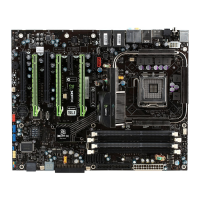
XFX nForce 790i Ultra 3-Way SLI Motherboard
vi
IDE Function Setup ............................................................................................ 53
RAID Config ....................................................................................................... 54
USB Config......................................................................................................... 54
MAC Config ........................................................................................................ 55
IEEE1394 controller ........................................................................................... 55
HD Audio ............................................................................................................ 55
IDE HDD Block Mode......................................................................................... 55
Onboard FDC Controller .................................................................................... 55
Onboard Serial Port 1 ........................................................................................ 56
Power Management Setup Menu .......................................................................... 56
ACPI Function .................................................................................................... 57
ACPI Suspend Type........................................................................................... 57
Soft-Off by PBNT ............................................................................................... 57
WOL(PME#) From Soft-Off ................................................................................ 57
Power On by Alarm ............................................................................................ 57
POWER ON Function ........................................................................................ 58
PnP/PCI Configuration Menu ................................................................................. 59
Init Display First.................................................................................................. 59
Reset Configuration Data................................................................................... 60
Resources Controlled By ................................................................................... 60
IRQ Resources................................................................................................... 61
PCI/VGA Palette Snoop ..................................................................................... 61
Maximum Payload Size...................................................................................... 61
System Monitor Menu ............................................................................................ 62
Dynamic Fan Control ......................................................................................... 63
Installing Drivers and Software ..................................................................................65
Windows XP Drivers Install .................................................................................... 66
Using the NVIDIA Software........................................................................................67


 To Next Page
 Loading...