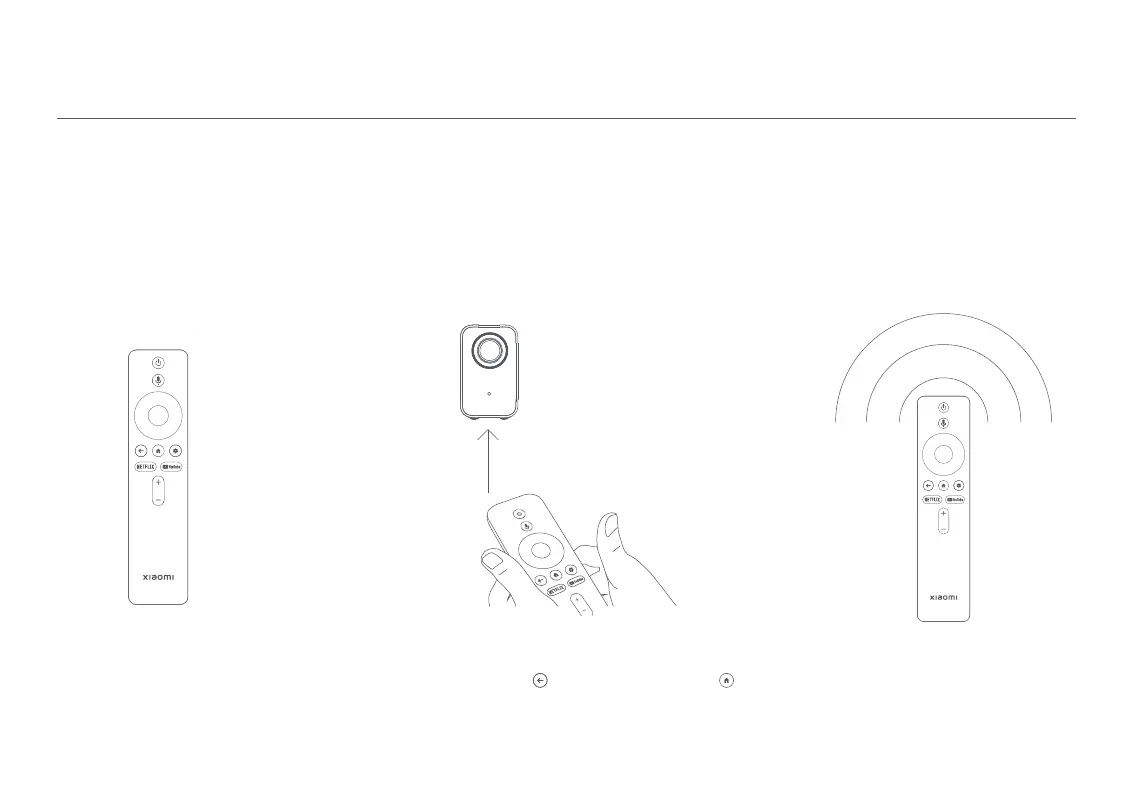
Make sure the remote control
has batteries installed and the
projector is turned on.
Once completed, the screen will
indicate that the remote control
is paired successfully.
Place the remote control near the projector, within
a distance of 20 cm, and simultaneously press and
hold the back button and the home button
for 3 seconds to trigger the remote control pairing.
Turning On
When the projector is connected to the power supply, press the power button on the projector or the power button on the remote
control to turn on the projector.
Turning Off
Remote control pairing
Press the power button on the projector or the power button on the remote control to bring out the turning off menu, and select the
corresponding option.
How to Use
20 cm
05



 To Next Page