01
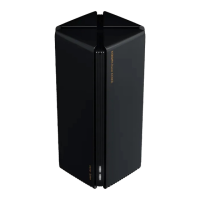
Product Overview
Read this manual carefully before use, and retain it for future reference.
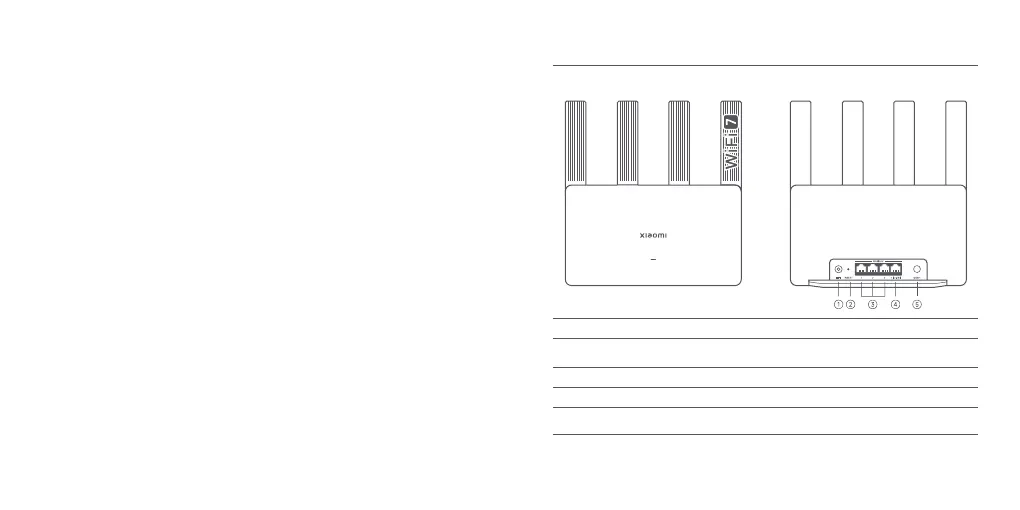
Power port
Connect the power adapter to the router.
Note: Illustrations of product, accessories, and user interface in the user manual are for reference
purposes only. Actual product and functions may vary due to product enhancements
.
Reset button
2.5 G Network port
Mesh button
1 × 10/100/1000/2500 Mbps WAN/LAN auto-sensing port.
Press the button to have Mesh networking with routers that
support the Xiaomi Mesh function.
1 G Network port 3 × 10/100/1000 Mbps WAN/LAN auto-sensing port.
Press and hold the button for 5 seconds to restore the router to its
factory settings.









 To Next Page