10 11
·
·
·
Regulatory Compliance Information
Operating Frequency
Wi-Fi
2412 MHz–2472 MHz
5150 MHz–5350 MHz
5470 MHz–5725 MHz
Note: 5650-5725 MHz is not authorized in Malaysia
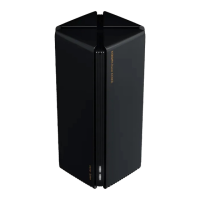
Hereby, Beijing Xiaomi Electronics Co., Ltd. declares that the radio equipment type RN06
is in compliance with Directive 2014/53/EU, Directive 2011/65/EU and Directive 2009/125/EC.
The full text of the EU declaration of conformity is available at the following internet address:
http://www.mi.com/global/service/support/declaration.html
For detailed e-manual, please go to https://www.mi.com/global/support/user-guide
All products bearing this symbol are waste electrical and electronic equipment (WEEE
as in directive 2012/19/EU) which should not be mixed with unsorted household waste.
Instead, you should protect human health and the environment by handing over your
waste equipment to a designated collection point for the recycling of waste electrical
and electronic equipment, appointed by the government or local authorities. Correct disposal
and recycling will help prevent potential negative consequences to the environment and
human health. Please contact the installer or local authorities for more information about the
location as well as terms and conditions of such collection points.
Warning: To comply with CE RF exposure requirements, the device must be installed and
operated 20 cm (8 inches) or more between the product and all person's body. Operation of
this equipment in a residential environment could cause radio interference.
The power adapter shall be installed near the equipment and easily accessible.
Refer to the detailed product specifications on the label at the bottom of the device.
Warning:
Operation of this equipment in a residential environment could cause radio interference.
This device is restricted to indoor use only when operating in 5150–5350 MHz frequency range
in following countries:
I have already added
the router to the app,
but there is still a
pop-up for adding this
router.
Ignore the request of adding the router. The router will not appear
in the list of Xiaomi Home app, and the related functions within
the app will not be available under the current settings unless you
change back to the original settings of country or region.
Add the router. You can use the functions of the router within
the app in the current settings. However, the information on the
original server will be cleared, and you need to add the router
again if changing back to the original settings of country or region.
The server is changed after you alter the settings of country or
region. You may:
·
·
Issue Possible Cause and Solution









 To Next Page