08 09
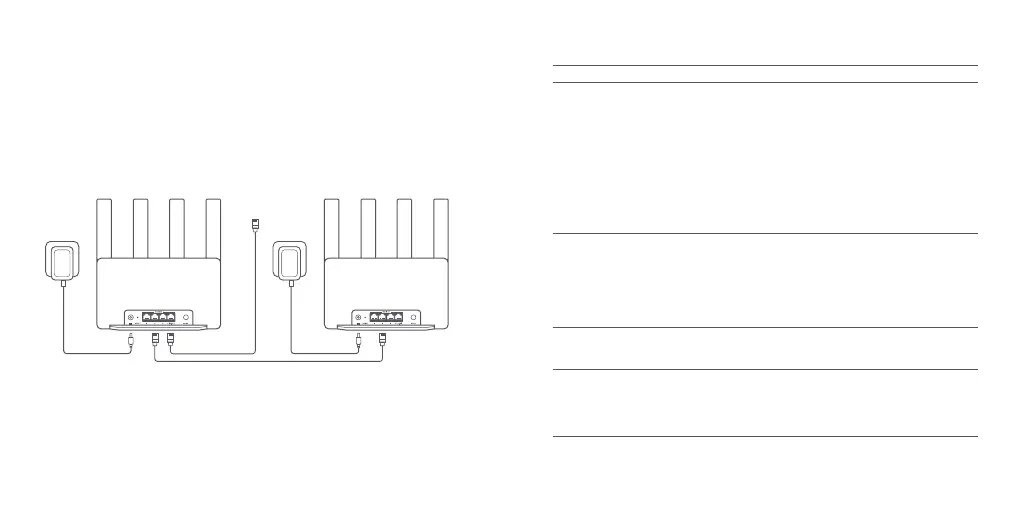
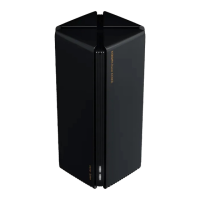
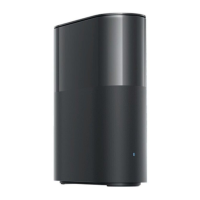
1. Make sure the main router is connected to the network. Place the satellite router in the
location where you need Wi-Fi coverage and power it on.
2. Connect any port of the satellite router and any port of the main router via a network cable.
The indicators of the main router and satellite router will start blinking. It will take about
2 minutes to complete the Mesh networking.
3. When the Mesh networking is completed, the indicator of the satellite router turns into blue.
Modem
Method 3 Mesh Networking via Network Cable
Troubleshooting
Issue
I cannot access the
internet.
My wireless devices
cannot connect to the
Wi-Fi.
Make sure the network cable is plugged into the Ethernet port of
the modem. If your modem has multiple Ethernet ports, leave the
others unplugged.
Turn off your modem and wait for 5 minutes, then turn it on and
have a reset.
Directly connect a computer to the modem via a network cable
to check if the internet is working. If not, contact your Internet
service provider.
Log in to the router's web management page, and go to the
Network Settings to verify the internet IP address. If valid, set your
primary DNS to 8.8.8.8, and secondary to 8.8.4.4. If invalid, make
sure the hardware connections are connected properly or contact
your Internet service provider.
Ensure the Wi-Fi name and password do not contain special
characters during configuration.
Make sure the Wi-Fi you selected and the password you entered
are correct.
Verify if your device is blacklisted. If yes, remove it from the
blacklist to allow connection.
Choose WPA2 encryption for your router to enhance compatibility.
Restart both your router and device then try again.
Possible Cause and Solution
·
·
·
·
·
·
·
·
·
I forget the management
password or Wi-Fi
password of the router.
I cannot add the router
in Xiaomi Home app.
Restore the router to factory settings, and set up a new management
password or Wi-Fi password.
Check if your phone has connected to the Wi-Fi of the router.
Check if the selected product model is correct in Xiaomi Home
app.
Make sure that the settings of country or region in Xiaomi Home
app is not Chinese mainland.
·
·
·
·









 To Next Page