7
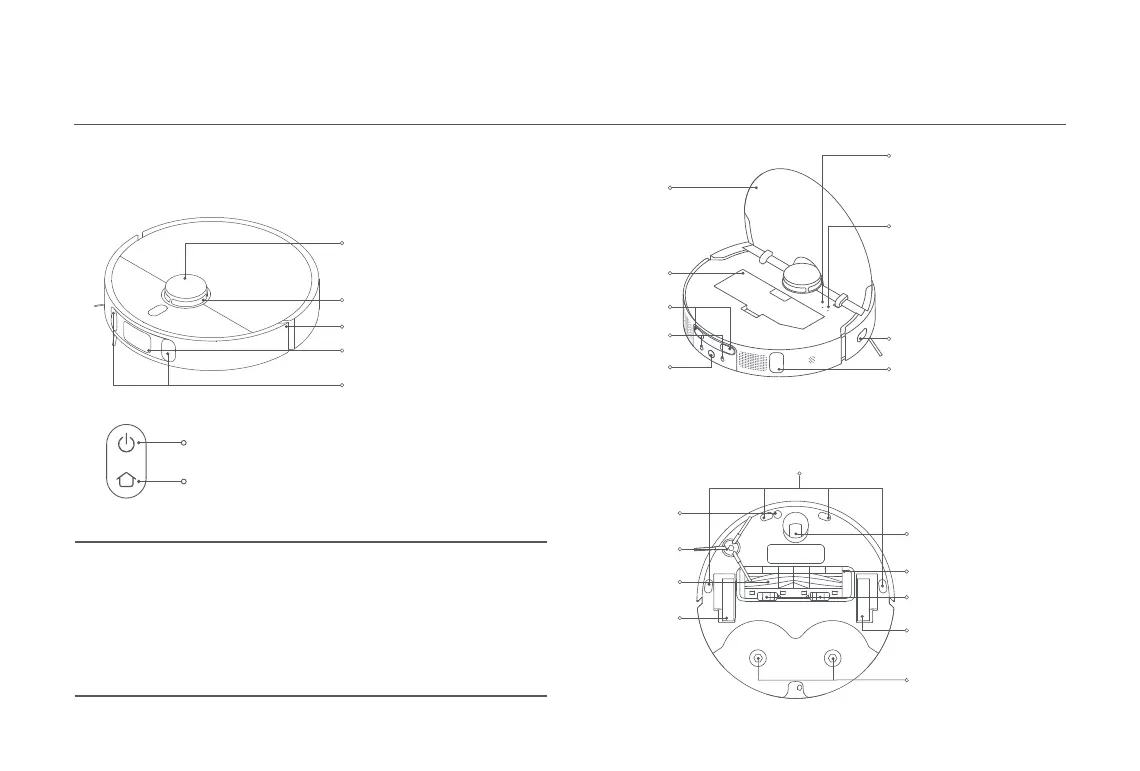
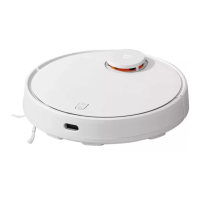
Robot Vacuum and Sensors
Omnidirectional
Wheel
LDS Laser Sensor Cover
LDS Laser Sensor
Bumper
Line Laser Sensor
AI Visual Recognition Sensor
Side Brush
Ultrasonic
Sensor
Brush
Main Wheel
Brush Cover
Brush Cover Clips
Cliff Sensor
Main Wheel
Mop Pad Holder
Mounting Hole
Wi-Fi Indicator
·
On: Wi-Fi connected
·
Off: Wi-Fi is not connected
·
Blinking: Connecting/
Awaiting connection
Connector
Charging Contacts
Reset Button
Press and hold for 3 seconds
to restore factory settings
Edge Sensor
Auto-empty Vent
Automatic Water
Refilling Inlet
Cover
Dust Compartment
Press and hold for 3 seconds to turn on or off
Press to start cleaning after the robot vacuum is powered on
Press to start docking
Press and hold for 3 seconds to enable
or disable the child lock function
Indicator
White:
Breathing white:
Blinking orange:
Orange:
Blinking white:
Cleaning/Cleanup completed/Fully charged
Charging
Error
Wi-Fi disconnected
Returning to the station to charge/Repositioning/
Updating firmware/Awaiting connection/Connecting
to Wi-Fi










 To Next Page