http://xim.tech
XIM NEXUS
Custom Smoothing
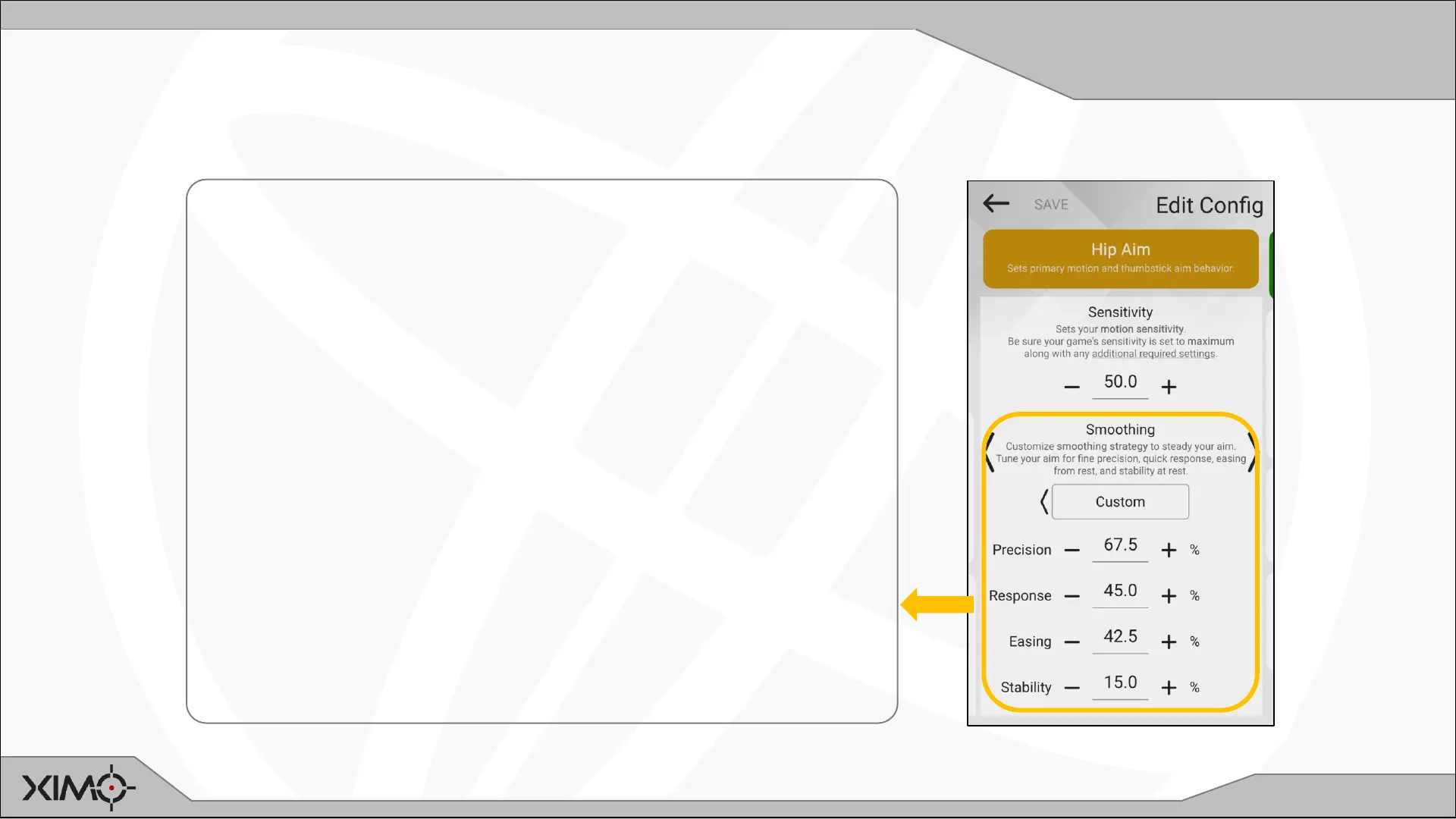
Custom Motion Aim Smoothing
Custom smoothing enables you to further adjust motion aim beyond the supplied presets.
CHOOSE MOTION SMOOTHING SETTINGS:
There are four settings for customizing motion smoothing.
Start with all settings at 0 and then adjust one at a time
in this order:
Precision: Fine aim behavior. Higher values provide a
smoother result at low aim speeds and increases the
heaviness of the reticle.
Response: Fast aim behavior. Higher values produces a
lighter feeling reticle at faster aim speeds.
Easing: Aim behavior from rest. Higher values result in
smoother transition from rest but lower response time.
Stability: Aim behavior at rest. Increase to provide extra
stability at rest due to hand jitter and instability.


 To Next Page