http://xim.tech
XIM NEXUS
Upgrade Firmware
Upgrading your Controller’s Firmware
Like all XIM products, XIM NEXUS will be upgraded frequently with new features and fixes based on community feedback.
This means that the firmware that came preloaded on your Controller may be out of date (even if it’s brand new).
You will need a PC or Mac computer in order to upgrade the firmware on your Controller.
Download the latest firmware upgrade tool from xim.tech and follow these steps:
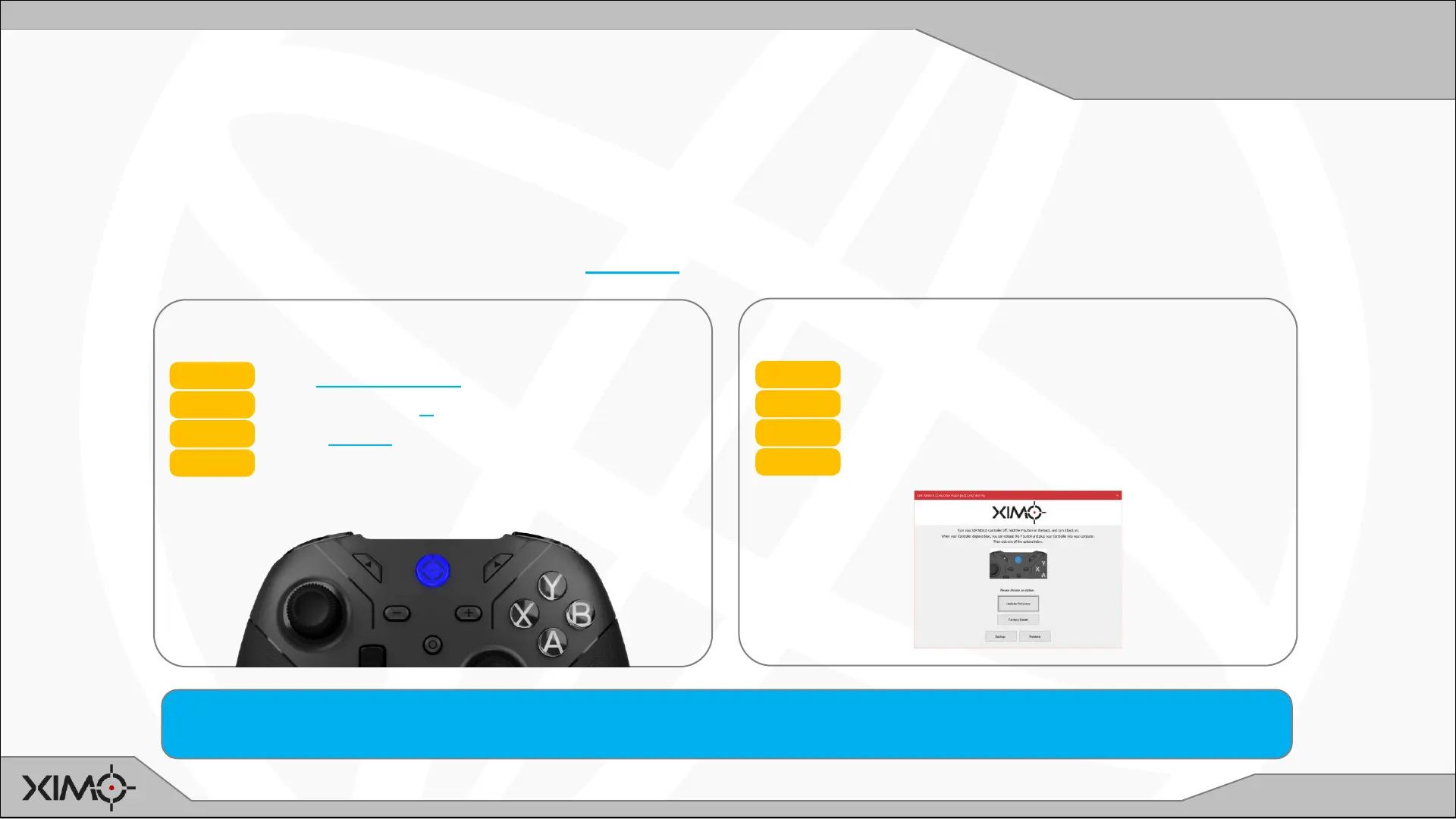
ENTER FLASH MODE
STEP 1 Turn Controller OFF
STEP 2 Press and hold P (back of Controller)
STEP 3 Press GUIDE
STEP 4 Release P
Controller will display BLUE when in FLASH MODE.
RUN FLASH TOOL
STEP 5 Plug Controller into USB on computer
STEP 6 Run Flash Tool
STEP 7 Choose UPGRADE FIRMWARE
STEP 8 Wait for tool to complete
Occasionally your XIM NEXUS Adapter may have also have a firmware upgrade available. The process to upgrade is very similar to
Controller except to enter FLASH mode, PRESS and HOLD Adapter’s button while plugging into your computer’s USB port.


 To Next Page