http://xim.tech
XIM NEXUS
Xbox Connection
Connecting to your Xbox Series X | S or Xbox One
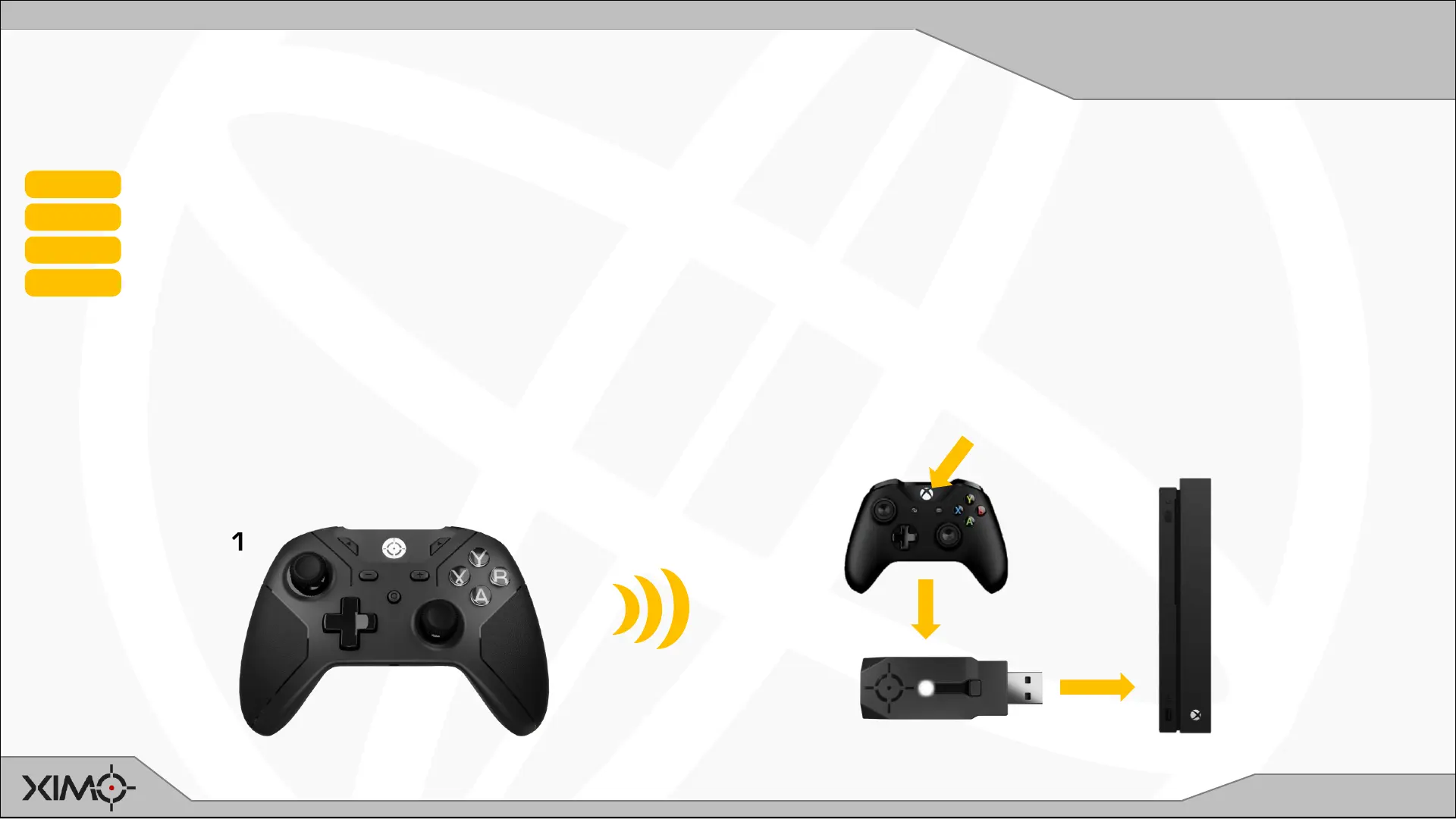
Use on an Xbox REQUIRES a genuine Microsoft Xbox Series X | S or One controller be connected to Adapter at all times.
STEP 1 Ensure Controller and Console are powered ON
STEP 2 Connect your Xbox controller to Adapter using the supplied USB cable
STEP 3 Connect your Adapter to your Xbox
STEP 4 Press the GUIDE button on the Xbox controller
Adapter will:
• Notify you that it successfully connected to your Xbox by flashing GREEN quickly 4 times
• Flash RED while is not connected Controller and is waiting to connect
• Flash WHITE while it’s wirelessly connected to Controller
1
2
3
4


 To Next Page