http://xim.tech
XIM NEXUS
ADS Delay
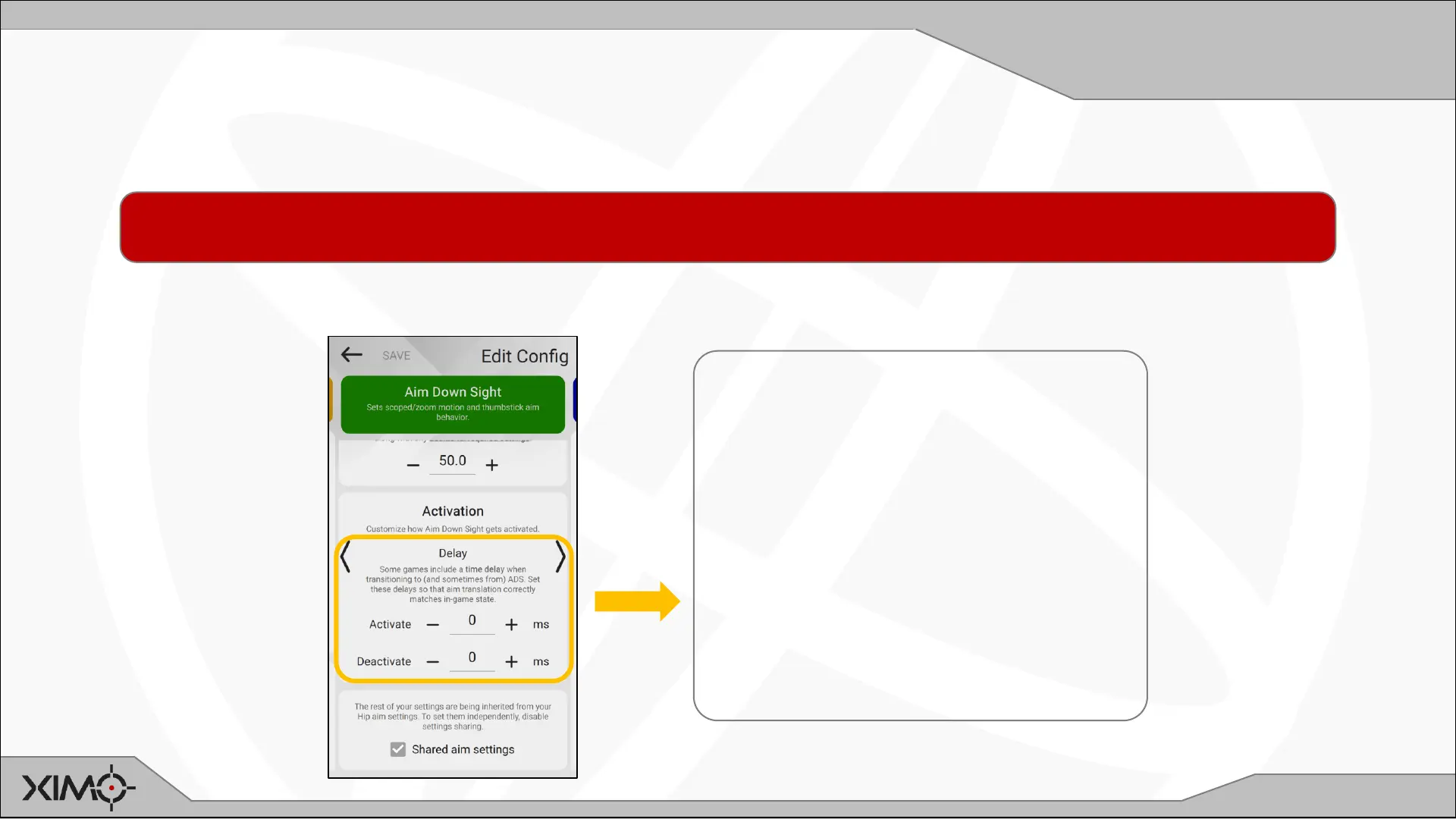
ADS Activation Delay
Some games that support aiming down sight will switch to that mode after time delay (such as until a zoom-in animation completes).
These settings allow you synchronize your XIM’s ADS transition exactly to that of game’s current aiming state.
NOTE: In most cases, Manager will automatically set these values to match your game when the Config is created. In the event you want to
customize these values, follow the steps below. If you are unsure what values to use, leave them at default.
Under Activation, press the “• • •” to expand and see these advanced options.
Aim Down Sight Delay:
Set the amount of time delay activation
and deactivation your game uses when
transitioning to and from ADS.
• Move the reticle in circles using
motion
• At the same time, enter and exit ADS
repeatedly
• If you are feeling the reticle jump
before settling to its ADS velocity, try
adjusting the delay


 To Next Page