①Seat adapter: This is reserved for the socket, and can be charged
with charging.
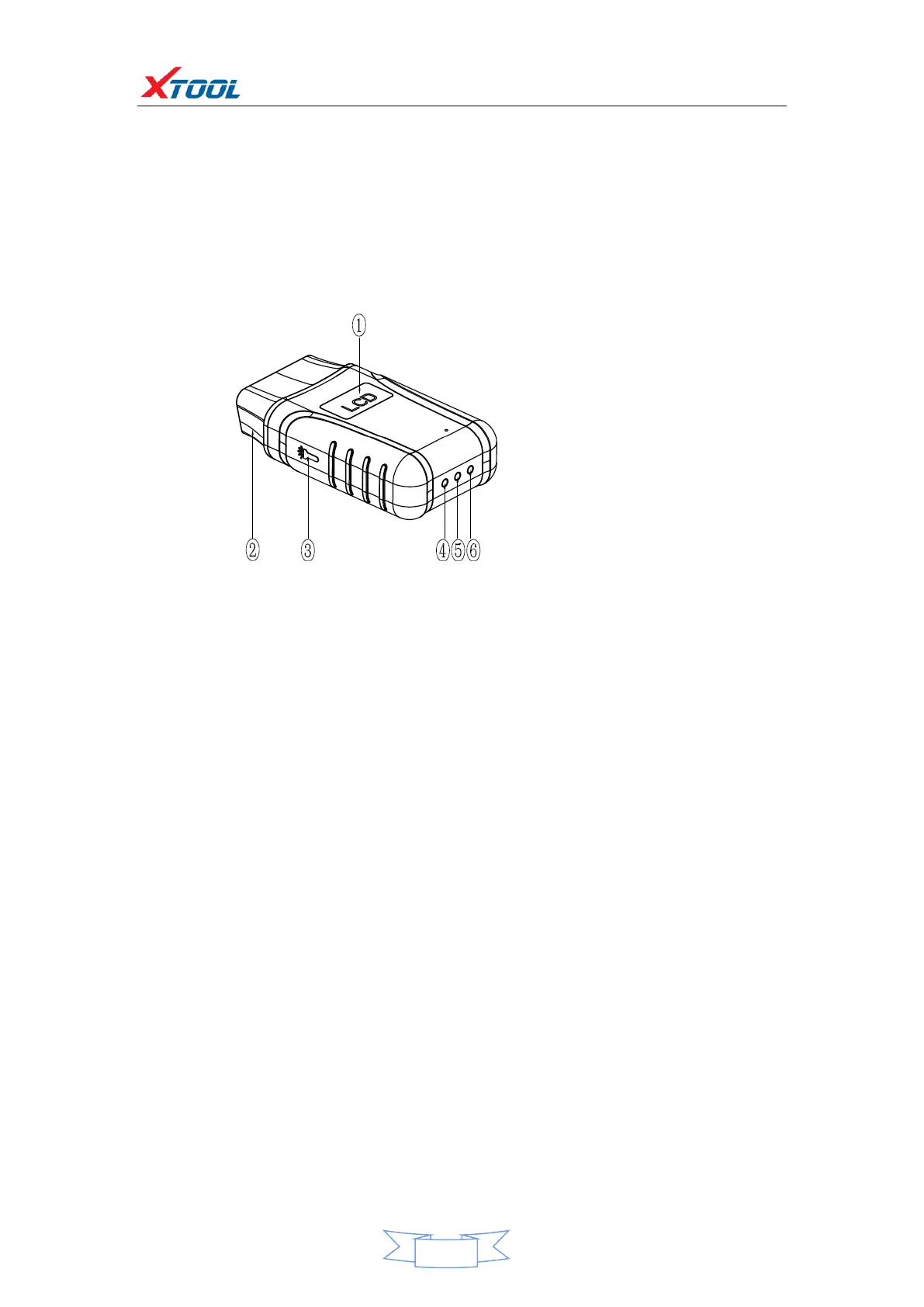
2.3 Outline diagram of VCI diagnostic kit
①Display: For voltage display
②OBD interface (head): Used to connect vehicles with international
standard OBDII diagnostic seats.
③Lighting switch: Press the button, the lighting will be on, that
convenient for users to find OBD diagnostic seat or other lighting.
④Bluetooth indicator: Bluetooth connection is successful, the
indicator is blue; Bluetooth is not connected, the indicator is not on.
⑤Power indicator: The light is red after the power is connected.
⑥Vehicle diagnostic light: Entering the diagnostic system shows a
green light flashing.
Function


 To Next Page