
 Need help?
Do you have a question about the Xtool IK618 and is the answer not in the manual?
Guides the user through the initial activation process of the device.
Guides the user through updating the device software.
Instructions on how to connect the device to a vehicle for key programming.
Step-by-step guide for adding new keys.
Procedure for key programming when all keys are lost.
Covers reading ECU information and diagnostic trouble codes.
Capturing and analyzing real-time vehicle data.
Resets the engine oil life system after maintenance.
Manages EPB system resets and brake pad replacement.
Calibrates the steering angle sensor for accurate steering data.
Manages DPF regeneration for emissions control.
Resets battery management system after replacement.
Resets throttle actuator settings and learned values.
Writes or rewrites injector identification codes for ECU recognition.
 General
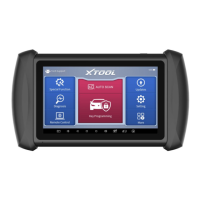
| Model | IK618 |
|---|---|
| Category | Automobile Accessories |
| Operating System | Android |
| Languages Supported | Multiple languages |
| Connectivity | Wi-Fi, Bluetooth |
| Diagnostic Protocols | CAN |
| Compatibility | Supports most vehicles |
| Update | Online updates |
| Screen Size | 7 inches |

 To Next Page