17
c) Application Menu: Show all the apps that you have installed
into the device. Also allows you to manage them.
d) ES File Explorer: You can manage APP, music, files, pictures,
etc. in the device in this function, and you can also use
Local/Home/Cleaner to clean up files.
If you need to check the files inside X100PAD PLUS app (not recommended),
please use the file explorer inside X100PAD PLUS app.
e) Android Settings: Allows you to check and change the settings
of the Android system, including network, battery status,
language, device info and factory reset.
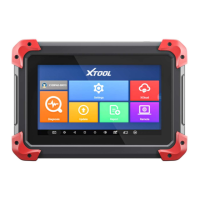
f) X100PAD PLUS Key Programming System: This app
provides all the key programming and diagnostic functions, and
also offers a range of special maintenance services.
It will be referred as “X100PAD PLUS app” later in this manual.


 To Next Page