VESDA-EVEP-A00-P Product Guide
www.xtralis.com 59
5.5.5 Airflow Options
The Airflow options provide the ability to set:
l limits for what the detector considers to be normal airflow behavior for the sampling pipe network
l which pipe inlets are being used
l aspirator speed
These settings should be confirmed in the ASPIRE design of the sampling pipe network.
Note: Refer to Section 5.6 for the default settings.
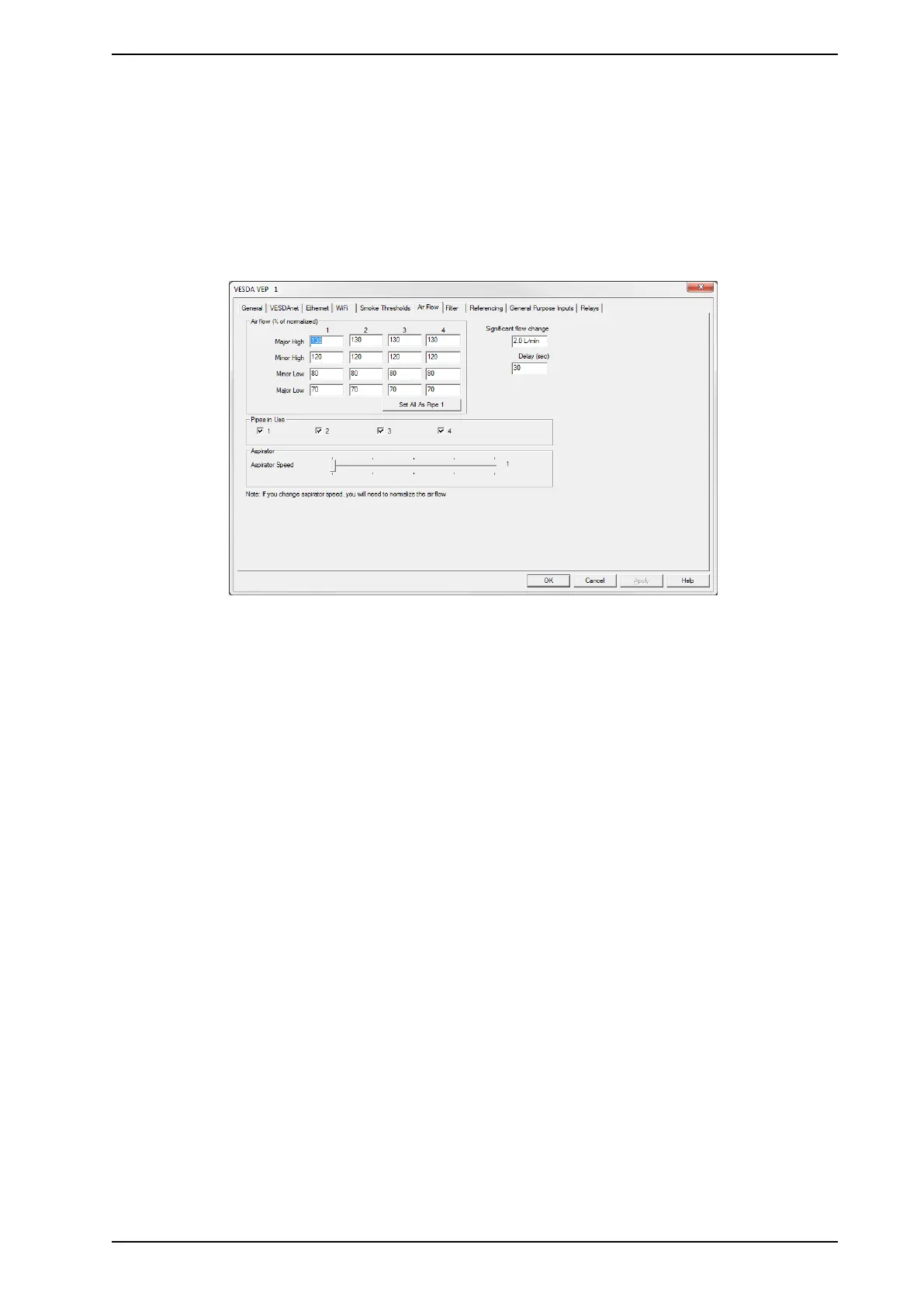
Figure5-15: Airflow Options
The Airflow configuration options are as follows:
l Air Flow: The air flow conditions, as a percentage of the normalized air flow, that will cause a fault to be
reported. If the installation site flow conditions vary significantly, it is recommended that the Major High
and Major Low parameters are set closer to their limits.
l Major High: The level of air flow considered to be so far above normal as to require urgent attention.
l Minor High: The level of air flow considered to be above normal but not urgent.
l Minor Low: The level of air flow considered to be below normal but not urgent.
l Major Low: The level of air flow considered to be so far below normal as to require urgent attention.
Note: The number of pipes able to be configured matches the number of pipes supported by the
detector.
l Significant Flow Change: The amount of airflow change at which an event is recorded in the event log.
l Delay: The length of time between the air flow fault threshold being reached and the fault relay operation.
l Pipes in Use: The pipes that are actually being used. Refer to Section 3.3 on page 15 for further
information. This setting is not available for the VEP-A00-1P.
l Aspirator: Select the required Aspirator Speed setting 1 through 5, as determined using ASPIRE. This
setting is not available for the VEP-A00-1P.
5.5.6 Filter Option
The Filter option page allows you to define the time period after which a filter fault will be generated.


 To Next Page