
 Need help?
Do you have a question about the Xtrails VESDA-E VEP-A00 and is the answer not in the manual?
Highlights risks of non-compliance and provides crucial security advice for the system.
Lists essential requirements that must be met before the detector can be commissioned for use.
Details the field-replaceable components within the VEP-A00 detector.
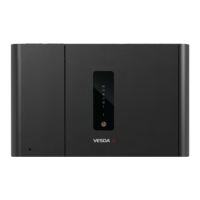
Explains the operational principle and smoke detection mechanism of the VEP-A00.
Details the function and illumination of each LED indicator on the detector's front panel.
Explains the operation of the Reset/Disable/Acknowledge button for detector control.
Lists key technical specifications including voltage, power, dimensions, and operating conditions.
Specifies the dynamic range and ranges for smoke detection thresholds (Alert, Action, Fire 1, Fire 2).
Key points to consider when designing a pipe network for the VEP-A00 detector.
Important factors for correctly installing the sampling pipe network.
Steps to prepare the detector before mounting, including removing tape and plugs.
Specifies allowed mounting orientations and prohibited sideways orientation.
General wiring guidelines and notes on IP rating maintenance.
Identifies all sockets and details the power source connection procedure.
Describes USB and Ethernet ports for configuration and monitoring.
Details how to connect detectors to the VESDAnet network.
Explains default relay assignments and their configurability.
Steps to establish communication between Xtralis VSC and the detector.
How to create and manage connection profiles in Xtralis VSC.
Steps for direct connection using a USB interface lead.
Procedure for connecting the detector to a network via Ethernet.
Details password requirements for Ethernet access authentication.
Explains user levels (USR, ADM, DST) and their functional authorization via PIN.
Lists commands executable via the detector button or Xtralis VSC software.
Configures smoke obscuration trigger points for alarm levels and day/night thresholds.
Sets normal airflow limits, pipe usage, and aspirator speed.
Explains the commissioning process using AutoLearn for setting thresholds.
Details how AutoLearn Smoke assesses the environment for optimal alarm thresholds.
Outlines the schedule for quarterly, six-monthly, annual, and biennial maintenance checks.
Detailed steps for removing and replacing the detector's filter.
Explains how faults are indicated via LED, buzzer, and event logs.
Details how to use Xtralis VSC to view fault details, causes, and corrective actions.
 General
| Model | VEP-A00 |
|---|---|
| Type | Aspirating Smoke Detector |
| Sensitivity Range | 0.005% to 20% obs/m |
| Number of Sampling Pipes | 4 |
| IP Rating | IP30 |
| Weight | 4.0 kg (8.8 lbs) |
| Detection Method | Laser-based |
| Maximum Coverage Area | 2000 m² |
| Power Supply | 24 VDC |
| Operating Temperature | 0 °C to 39 °C (32 °F to 102 °F) |
| Operating Voltage | 18 – 30 VDC |
| Humidity Range | 10% to 95% RH (non-condensing) |
| Communication Interface | Ethernet |
| Dimensions | 350 mm x 225 mm x 125 mm |

 To Next Page
