VESDA VFT Product Guide
VESDA by Xtralis
54 www.xtralis.com
D.2 RS232 Communications
The RS232 interface on the VESDA VFT system enables a direct serial connection between a PC and a
detector for configuration and monitoring.
To set up the detector for an RS232 connection to a PC with Xtralis VSC or VSM4 software, you will need a
serial lead (9-pin female-to-female null modem cable). To connect the PC to the detector, use the serial lead to
connect the serial port on the detector to the serial port on the PC.
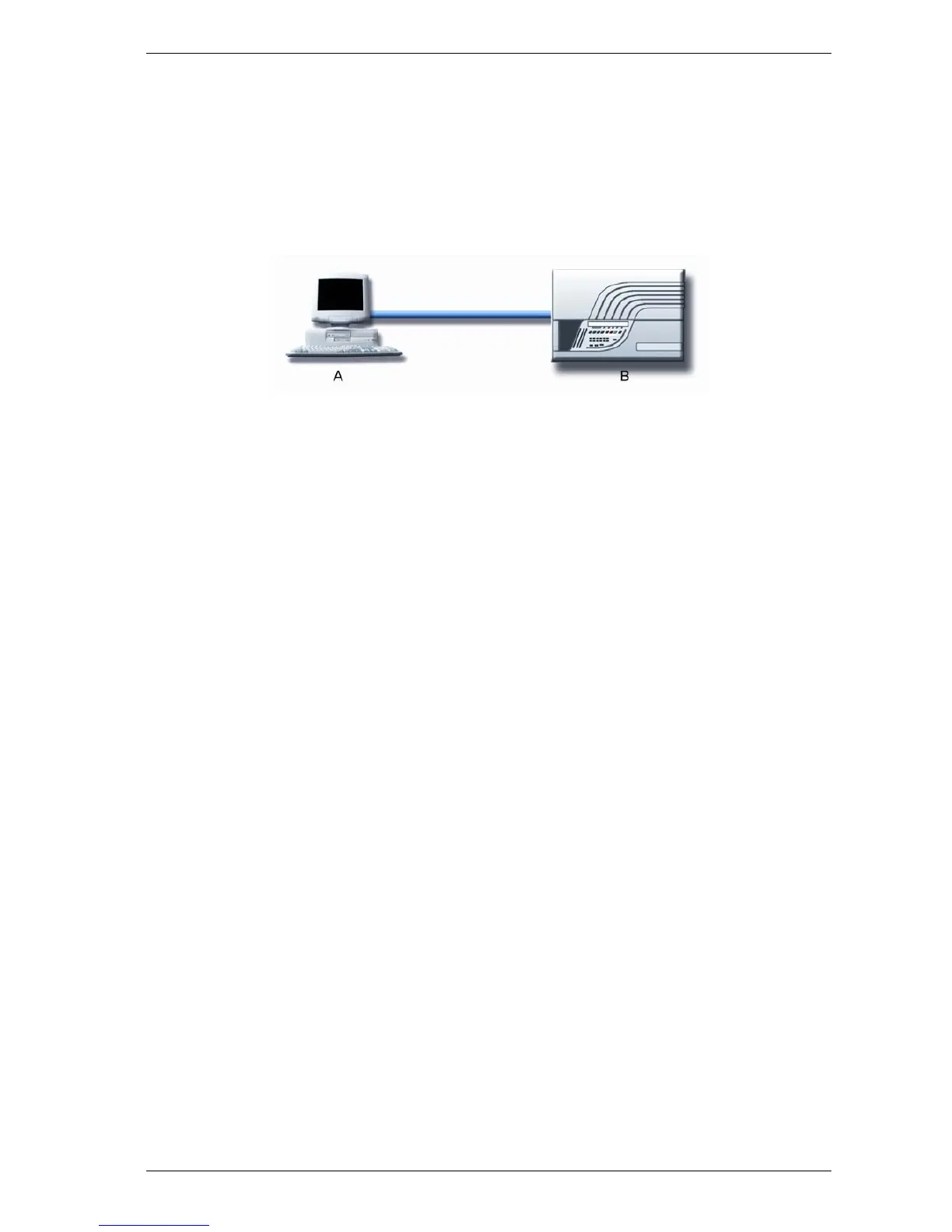
The following figure illustrates the connection between the PC and detector.
A. PC with Xtralis VSC or
VSM4
B. Detector
Figure D-2: Direct RS232 serial connection between PC and detector.
The RS232 connection enables the IP and Modbus address to be programmed for TCP/IP and RS485
connections respectively.
Xtralis VSC and Xtralis VSM4 use the 'Xtralis MODBUS' connection type to enable direct RS232
communications. For more details about how to use and set up Xtralis VSM4, refer to the Xtralis VSM4
Product Guide or online help.












 To Next Page