EasyManua.ls Logo

Xylem ecocirc XL - User Manual

Xylem ecocirc XL
20 pages
Print Icon
To Next Page IconTo Next Page
Loading...
INSTRUCTION MANUAL
P2002548 Rev E
Single Phase Pump
Three Phase Pump
ecocirc
®
XL

Table of Contents

Questions and Answers

  • J
    Jessica YoungSep 15, 2025
    How to fix cooling fan failure (Alarm code A08) on Xylem Water Pump?
    • C
      Casey WrightSep 15, 2025
      If your Xylem Water Pump displays alarm code A08, indicating a cooling fan failure, check for any foreign bodies that could be locking the fan rotation. Switch off the pump for 5 minutes and then power it back on. If the problem persists, contact service.
  • K
    Kerry TownsendAug 25, 2025
    What to do if my Xylem ecocirc XL doesn't start (E06)?
    • B
      Bianca SantiagoAug 25, 2025
      If your Xylem Water Pump is showing error code E06 and won't start, it indicates that the voltage supply is out of the operating range. You should check the electrical system voltage and wiring connection.
  • D
    dereksantiagoAug 25, 2025
    What causes a Xylem ecocirc XL not to start (E10)?
    • G
      gonzalezsamanthaAug 26, 2025
      If your Xylem Water Pump is not starting and displaying error code E10, it means the pump is running dry. Check for system leakage or fill the system.
  • E
    Elizabeth RandolphAug 26, 2025
    What to do if the circuit breaker trips on my Xylem Water Pump?
    • N
      Nicole WigginsAug 27, 2025
      If the circuit breaker trips for your Xylem Water Pump, reset the power supply circuit breaker. Then, determine the cause for the overload that tripped the breaker.
  • L
    Lynn SmithSep 16, 2025
    What does alarm code A12 mean on my Xylem Water Pump system?
    • D
      Darren ConradSep 16, 2025
      If both pumps show the A12 alarm, check the connection between the pumps. If one of the pump is switched off or shows another error code, check the section 8.1 and 8.2 to find the problem.
  • K
    Kyle AtkinsSep 23, 2025
    What does it mean when my Xylem ecocirc XL displays error E12?
    • S
      Samuel JohnsonSep 23, 2025
      If your Xylem Water Pump displays error code E12 and does not start, it indicates an internal communication error. Switch off the pump for 5 minutes and then power it back on. If problem persists, contact factory.
  • T
    torresbrandonSep 8, 2025
    What does "ALOC" on my Xylem ecocirc XL display mean?
    • C
      Christopher CarrSep 8, 2025
      If your Xylem Water Pump display shows "ALOC", it means the rotor unlocking function is in progress. Wait for the result of this procedure, which usually takes about 30 seconds. If the procedure fails, error code E04 will appear.
  • B
    brandonrobinsonSep 9, 2025
    How do I check the power on my Xylem ecocirc XL Water Pump?
    • R
      ricedeniseSep 9, 2025
      Check the power supply and ensure that it is properly terminated to the Xylem Water Pump power.
  • R
    Rachel TorresSep 2, 2025
    Why is my Xylem ecocirc XL so noisy?
    • G
      Gregory HarperSep 2, 2025
      A noisy Xylem Water Pump can be caused by several factors: 1. It might not be thoroughly vented. Try switching off the pump and, after 30 seconds, switching it back on to restart the automatic air-venting procedure. 2. Cavitation could be occurring due to insufficient suction pressure. Increase the system suction pressure within the admissible range. 3. There might be foreign objects in the pump. Clean the system to remove any debris. 4. The bearing might be worn out, and in this case, you should replace the pump.
  • J
    John BurkeAug 31, 2025
    What to do if my Xylem ecocirc XL shows error E09?
    • K
      Kristie BruceAug 31, 2025
      If your Xylem Water Pump displays error code E09 and doesn't start, it indicates a hardware error. Restart the pump.

Summary

Introduction and Safety

Safety Terminology and Symbols

Explains hazard levels, symbols, and categories for safe operation.

Environmental Protection and Waste Disposal

Guidelines for emissions and waste disposal according to local regulations.

Spare Parts Usage Guidelines

Warning about using only original spare parts for replacements.

Transportation and Storage

Inspecting Delivery

Steps to inspect the package and product for damage or missing items.

Transportation Safety and Handling

Instructions for positioning, fastening, and precautions during transport.

Storage Conditions and Location

Recommendations for storage location, temperature, and humidity.

Product Description

Pump Design and Features

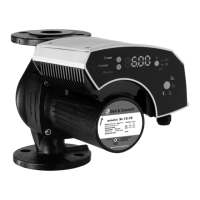
Describes the ecocirc XL as a wet rotor pump with energy-efficient motor.

Product Model Nomenclature

Explains the naming convention for ecocirc XL pump models.

Technical Specifications and Data

Lists detailed specifications like voltage, frequency, IP protection, and temperature ranges.

Sound Pressure Levels

Provides sound pressure levels for different nominal pump HP.

Scope of Delivery

Lists items included in the package with the pump unit.

Available Accessories

Lists optional accessories available for the ecocirc XL pumps.

Installation

Pump Handling Precautions

Safety warnings and guidelines for lifting and handling the pump.

Required Installation Tools

Lists necessary tools for installing the pump.

Pump Location Selection

Guidelines and warnings for selecting a suitable pump installation location.

Minimum Inlet Pressure Requirements

Table detailing required inlet pressure based on fluid temperature.

Pump De-rating Table

Table showing power draw decrease based on temperature.

Piping Installation Requirements

Precautions and checklist for correct piping installation.

Electrical Installation Requirements

Checklist for electrical supply, grounding, and wire specifications.

General Pump Installation Steps

General steps for installing the pump, including orientation and insulation.

Motor Housing Position Adjustment

Detailed steps for rotating the motor housing for better access.

Electrical Connections Overview

Precautions and steps for electrical connections, including grounding.

Power Supply Connection

Instructions for connecting the power supply to the pump's terminal box.

I;O Terminal Connections

Steps for connecting input/output wires to the terminal blocks.

Wiring Connection Assignment Guidelines

Guidelines for wiring, cable types, and specific connections for pumps.

System Description

User Interface Overview and Operation

Overview of the pump's user interface, buttons, and display elements.

User Interface Lock;Unlock Procedure

How to lock and unlock the user interface for safety and convenience.

Pump Main Functions and Modes

Introduces main pump functions and control modes selectable via interface or I/O.

Control Mode Descriptions

Details on Constant pressure, Proportional pressure, and Fixed speed modes.

Temperature Dependent Control Modes

Explains modes like Δp-T, T-Constant, and ΔT constant.

Night Mode Operation

Description of the energy-saving night mode function.

External Start;Stop Control

How to start or stop the pump using external dry contacts or relays.

Analog Input Configuration

Using a 0-10 V analog input to control pump speed or mode.

Signal Relay Functionality

Information about dry relay contacts for status indication.

Signal Relay for 3-Phase Pumps

Specifics of signal relays for three-phase pump status.

External Sensor Integration and Setup

Setup for optional differential pressure and temperature sensors.

Communication Bus Protocols (Modbus;BACnet)

Details on RS-485 communication for BMS integration.

Wireless Module Connectivity

Information on the optional wireless module for control.

Automatic Two-Pump Parallel Operation

Configuration for backup, alternate, and automatic parallel operation.

System Setup and Operation

Configuring Pump Settings

Methods to configure pump settings via UI, bus, or wireless.

Communication Parameter Setup

Steps to adjust baud rate, protocol, address, and module type.

Changing Control Mode

How to change the pump's operating mode using the user interface.

Adjusting Set Point

Procedure to adjust the desired set point for pump operation.

Display Unit Measurement Change

How to switch between different units for displayed parameters.

Pump Start and Stop Procedures

Methods for starting and stopping the pump manually or via command.

Automatic Air Venting Procedure

Explains the automatic air venting process and how to recall/skip it.

Two-Pump Parallel Configuration Setup

Steps to configure two pumps for parallel operation.

Setting Two-Pump Operation Modes

How to set backup, alternate, or parallel modes for two pumps.

Maintenance

Troubleshooting

Troubleshooting Introduction and Display Indicators

Explains how alarms and errors are displayed on the interface.

Periodic Inspection Schedule

Recommends periodic inspections to check for potential pump problems.

Understanding Display Messages

Lists display messages for normal operation and status lights.

Fault Codes (Red LED) Reference

Details fault codes, their causes, and solutions for Red LED indicators.

Alarm Codes (Orange LED) Reference

Lists alarm codes, their causes, and solutions for Orange LED indicators.

Faults, Causes, and Remedies

Specific faults like "pump does not start" and their remedies.

Other Relevant Documentation

Embedded Software License Agreement

Information on the license agreement for embedded software.

Product Warranty Information

Xylem ecocirc XL Specifications

General IconGeneral
Insulation ClassF
Frequency50/60 Hz
Power Supply230 V, 50/60 Hz
Motor TypeECM
Motor ProtectionIP42
Control ModesConstant speed
ConnectionsFlange

Related product manuals