EasyManua.ls Logo

Xylem Bell & Gossett TECHNOForce e-HV Series - User Manual

Xylem Bell & Gossett TECHNOForce e-HV Series
44 pages
Print Icon
To Next Page IconTo Next Page
Loading...
Mechanical Installation, Operation,
and Maintenance Manual
10-001-287 Rev 4
TECHNOForce e-HV

Table of Contents

Questions and Answers

  • A
    alexanderellisAug 3, 2025
    How to troubleshoot a Xylem Bell & Gossett TECHNOForce e-HV that does not power up?
    • G
      garciadavidAug 3, 2025
      If your Xylem Water Pump station isn't powering up, there are several things to check: * Ensure the site voltage matches the pump station's design voltage. * Verify that the line-to-line and line-to-ground voltages are balanced by checking the incoming voltage and amperage. * Inspect the power fuses and breakers, replacing any blown fuses. Note that breakers are shipped in the OFF position. * Confirm that the pump station is properly grounded (earthed). * Check for any fault codes or fault lights on the Hydrovars and correct the identified fault.
  • S
    Stephen GregoryAug 12, 2025
    Why won't the pumps run on my Xylem Bell & Gossett TECHNOForce e-HV station even though it powers up?
    • J
      James JonesAug 12, 2025
      If your Xylem Water Pump station powers up, but the pumps don't run, consider these potential causes: * Check the PLC to ensure the pumps are enabled and correct any faults. * Verify that the desired pressure isn't already satisfied, as the pumps will automatically stop if the actual pressure exceeds the set point. * Look for fault codes or fault lights on the Hydrovars and correct any faults. * Check for a tripped motor thermal protector; allow the motor to cool and then reset it. * Inspect the circuit breaker and fuses. * Ensure the transducer isolation valves are in the open position.
  • D
    dmorrisAug 18, 2025
    How to reduce excessive vibration in a Xylem Bell & Gossett TECHNOForce e-HV station?
    • J
      James GonzalesAug 18, 2025
      To address excessive vibration in your Xylem Water Pump station: * Ensure all fasteners and components are properly tightened, as loose parts can cause vibration. * Verify that pump station vibration dampers are correctly installed and not missing. * Check if the pumps are running off their design curve, possibly due to an open discharge condition. * Inspect water supply lines and tanks for air or gases in the liquid and bleed the lines. * Examine discharge piping and valves for clogs and ensure isolation valves are open. * Check for excessive suction/lift conditions or friction loss on supply piping. * If the impeller is bound or worn, take the pump to an authorized repair facility. * Correct the alignment between pumps and pipes.
  • G
    Gina ReynoldsAug 27, 2025
    What to do if Xylem Bell & Gossett TECHNOForce e-HV station doesn't shut down when no water is being used?
    • A
      alan02Aug 27, 2025
      If your Xylem Water Pump station continues to run even when no water is being used, check the following: * Ensure the system is not in Hand or Manual mode; put it in the AUTO position. * Verify that the system set pressure isn't beyond the station's capability. * Inspect for broken pipes or leaks and see if the system pressure decreases when the pump station is turned off. * Check for a properly installed diaphragm tank and ensure it hasn't failed or been incorrectly charged. * Examine the pressure transducers to see if the actual mechanical gauge pressure matches the pressure displayed on the VFDs and the PLC. * Look for malfunctioning check valves and assess if the system holds pressure when the pump package is shut down. Replace any faulty valves.
  • D
    dianamorrisNov 6, 2025
    What to do if Xylem Bell & Gossett TECHNOForce e-HV runs but doesn't build pressure?
    • T
      toddlewisNov 6, 2025
      If your Xylem Water Pump is running but not building the desired pressure, consider the following: 1. Check if the pumps are running off their design curve, possibly due to an open discharge condition. 2. Verify the pumps are running at full speed and check the panel for power status if they aren't. 3. Ensure the inlet pressure matches project specifications, as variations can affect performance. 4. Inspect for broken pipes. 5. Confirm the transducer isolation valves are open. 6. Check for sufficient NPSH and any air in supply lines. 7. Ensure the pump station is primed properly and all components are filled with water. 8. Verify correct pump rotation as indicated on the pump volute. 9. Check for closed or clogged suction/discharge valves. 10. Check that the motor is operating at...
  • P
    Paul GrahamNov 21, 2025
    What causes erratic cycling in a Xylem Bell & Gossett TECHNOForce e-HV Water Pump station?
    • K
      Katherine ArnoldNov 22, 2025
      Erratic cycling or hunting in a Xylem Water Pump station can be due to several factors: * The pumps might be oversized for the current demand. Consider increasing the size of the bladder tank for low demand situations. * Fluctuating inlet pressure can cause cycling. Consider increasing the size of the bladder tank for low demand situations. * Leaks or broken pipes can lead to pressure fluctuations. Check for these issues and see if the system pressure decreases when the pump station is turned off. * A faulty diaphragm tank can cause erratic behavior. Check for proper installation and if the tank has been charged to the correct operating pressure. * Faulty pressure transducers can provide incorrect readings. Check if the mechanical gauge pressure matches what's displayed on the V...

Summary

Introduction and Safety

Introduction

Purpose of this manual is to provide installation, operation, and maintenance information.

Safety

Operator must be aware of safety precautions to prevent physical injury and equipment damage.

Safety Terminology and Symbols

Explains hazard levels like DANGER, WARNING, CAUTION, and associated symbols.

Protecting the Environment

Observe local regulations for emissions, waste disposal, and spill clean-up.

User Safety

Follow general safety rules and use appropriate safety equipment in the work area.

Wash Skin and Eyes

Procedures for chemical or hazardous fluid contact with skin or eyes.

Lockout;Tagout Provisions

Electrical hazard warning and procedures for disconnecting and locking out power.

Transportation and Storage

Examine Delivery and Unit

Inspect package and unit for damage or missing items upon receipt.

Transportation and Lifting Guidelines

Provides warnings and methods for safe lifting and handling of equipment.

Storage Guidelines

General requirements for storing the product in a covered, dry location.

Long-Term Storage

Procedures for preparing and storing the pump station for extended periods.

Product Description

General Description

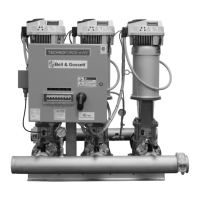
Describes pump station as pre-engineered booster systems with key features.

Operational Limits

Table showing pressure ratings for pump systems using e-SV pumps.

Nameplate Information

Details on identifying model, serial number, and other specs for ordering parts.

Installation

Reference Manuals

Lists additional manuals for controller and software parameter information.

Field Connections and Precautions

Discusses diagrams, electrical precautions, and connections.

Ground (Earth) Connections

Emphasizes separate ground wire for safety and code compliance.

Pump Package Location Guidelines

Advice on selecting a suitable location for the pump package.

Foundation Requirements

Specifies characteristics for a stable, vibration-absorbing concrete foundation.

Leveling the Baseplate

Steps for placing and leveling the pump package on its foundation using shims.

Grouting the Baseplate

Procedure for applying non-shrink grout to secure the baseplate.

Piping Installation Checklist

Ensures proper support, alignment, and expansion compensation for piping.

Commissioning, Startup, Operation, and Shutdown

Preparation for Startup

Critical safety and system checks before initial operation.

Prestartup Checklist

Detailed list of items to verify before filling the system and starting.

Final Installation Checks

Confirms proper leveling, lubrication, connections, and alignment before startup.

Final Adjustments

Adjusting thermal relief valve and low suction pressure switch.

Pump Station Startup

Overview of steps to start the pump station.

Confirm Job Site Voltage

Verifying incoming power voltage matches the nameplate.

Connect the Storage Tank

Procedures for precharging and connecting the storage tank.

Optional Water Level Control Relay

Details on connecting level sensing probes for water level control.

Check for Available Suction Water

Verifying adequate water supply and system priming.

Start the Package

Steps to apply power and initiate the startup sequence.

Check Pump Rotation

Procedure for verifying correct pump motor rotation direction.

Set System Operating Pressure

Adjusting the system's target pressure.

Enter the Setup Menu

Navigating and configuring system settings via the control panel.

Test the Package

Performing operational tests to confirm system functionality after startup.

Maintenance

Precautions

Essential safety measures before and during maintenance tasks.

Monthly Maintenance

Routine checks for control panel, motors, and overall station condition.

Troubleshooting

Pump Station Troubleshooting Overview

General guidance for diagnosing and resolving issues.

Pump Station Does Not Power Up

Diagnosing and fixing issues related to no power.

Station Powers Up, Pumps Do Not Run

Troubleshooting scenarios where the station has power but pumps are inactive.

Pumps Run But Do Not Build Desired Pressure

Identifying causes for insufficient pressure output.

Pump Station Experiences Excessive Vibration

Troubleshooting causes of abnormal vibration.

Pump Station Does Not Shut Down

Diagnosing why the station fails to stop when not in use.

Pump Station Cycles or Hunts Erratically

Troubleshooting issues with frequent or irregular pump cycling.

Technical Reference

Pump Station Numbering System

Explains the coding used to identify pump station configurations.

Pump Station with e-SV Pumps

Specific details on the numbering system for e-SV pump models.

Appendix

Installation Drawings

Visual representations of different pump station configurations and dimensions.

Product Warranty

Commercial Warranty

Details the warranty terms for commercial sales of the product.

Limited Consumer Warranty

Outlines the warranty terms applicable to consumer purchases.

Xylem Bell & Gossett TECHNOForce e-HV Series Specifications

General IconGeneral
BrandXylem
ModelBell & Gossett TECHNOForce e-HV Series
CategoryWater Pump
LanguageEnglish

Related product manuals