
EasyManua.ls Logo

XYZ Machine Tools ProTURN SLX 1630 - User Manual

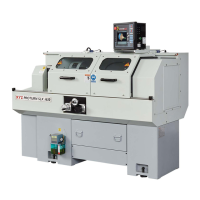
XYZ Machine Tools ProTURN SLX 1630
107 pages
Print Icon
To Next Page IconTo Next Page
Loading...
ProTURN SLX 1630
ProtoTRAK SLX CNC
Safety, Installation, Maintenance,
Service & Parts List Manual
Southwestern Industries, Inc.
2615 Homestead Place
Rancho Dominguez, CA 90220-5610 USA
T | 310.608.4422 | F | 310. 764.2668
Service Department: 800.367.3165
e-mail: sales@southwesternindustries.com
| service@southwesternindustries.com
| web: southwesternindustries.com
Document: 25099
Version: 032813

Table of Contents

Questions and Answers

  • J
    Jennifer JarvisSep 14, 2025
    What causes excess gearbox noise in my XYZ Machine Tools Industrial Equipment?
    • D
      douglas75Sep 15, 2025
      Excess gearbox noise in your XYZ Machine Tools Industrial Equipment can be due to: * Insufficient oil in the headstock. Check the site glass to ensure the oil is at a sufficient level. * The spindle bearing not being lubricated properly or a worn bearing. Remove the top lid and ensure oil is overflowing freely to the spindle bearings. * Loose spindle preload. Tighten spindle preload on the bearing to approximately 1.1 – 1.7 N-m.
  • K
    Kenneth SharpAug 25, 2025
    What causes vibration in motion in my XYZ Machine Tools Industrial Equipment?
    • L
      Linda BarnesAug 26, 2025
      Vibration during motion in your XYZ Machine Tools Industrial Equipment can stem from several issues: * Too much backlash may be entered in Code 128. Recheck the machine's backlash. * There might be inadequate lubrication to ballscrews and way surfaces. Ensure proper lubrication and check the lube pump and oil lines. * The X Gib may not be making good contact. Inspect the gibs for contact, aiming for at least 80% surface contact. * Binding or looseness in the drive train can cause vibration. Inspect the drive train for these issues. * The axis motor belt might be too tight; loosen it. * There could be misalignment of the ball screw.
  • D
    Daniel TuckerAug 26, 2025
    What to do if my XYZ Machine Tools Industrial Equipment is cutting taper?
    • S
      Stephanie PeckAug 27, 2025
      If your XYZ Machine Tools Industrial Equipment is cutting a taper, consider these potential causes: * The machine may not be leveled properly. * There might be a tooling problem, such as improper tooling or workpiece support. Use a steady rest or follow rest, and reduce overhang from the chuck headstock or tailstock. * There could be looseness in the gib or misalignment of the ball screw. Gib adjustment might be needed. * Looseness in the spindle bearings could be the issue. * The headstock and/or tailstock may not be aligned.
  • A
    Ashley AcostaAug 27, 2025
    Why is my XYZ Machine Tools Industrial Equipment axis slowing down?
    • E
      Elizabeth HaleAug 27, 2025
      If an axis on your XYZ Machine Tools Industrial Equipment is slowing down, it could be due to: * The maximum allowable Arc Accuracy being set too low. The factory default is set at 0.13 mm. Values lower than 0.13 mm may reduce the feedrate even more. * Inadequate incoming AC voltage. * Inadequate or no lubrication to ballscrews and way surfaces. Ensure proper lubrication and check for pinched or blocked oil lines. * Improperly adjusted X-axis Gib. * Binding in the Drive Train. * Servo Drive failure. * Motor failure.
  • D
    dwintersSep 15, 2025
    Why are X and Z-axis measurements not accurate on my XYZ Machine Tools Industrial Equipment?
    • H
      Hayden PalmerSep 15, 2025
      If X and Z-axis measurements are not accurate on your XYZ Machine Tools Industrial Equipment, it could be due to: * Incorrect calibration. Recalibrate the machine. * Incorrect backlash values. If the machine does not repeat bi-directionally, check the backlash on the axis in question.
  • M
    Michael JonesSep 23, 2025
    How to troubleshoot XYZ Machine Tools Industrial Equipment that will not hold calibration?
    • K
      Kathryn TurnerSep 23, 2025
      To troubleshoot why your XYZ Machine Tools Industrial Equipment will not hold calibration, replace the Computer/Pendant module.
  • W
    William JacksonSep 8, 2025
    Why is my XYZ Machine Tools Industrial Equipment running away?
    • V
      Vincent VazquezSep 8, 2025
      If your XYZ Machine Tools Industrial Equipment axis is running away, it could be due to: * The home positions or tools are not set correctly. * A bad motor encoder.
  • T
    Tina LeonardSep 8, 2025
    What causes every part to have the same error on my XYZ Machine Tools Industrial Equipment?
    • A
      adamlopezSep 8, 2025
      If every part produced by your XYZ Machine Tools Industrial Equipment has the same error, the cause might be: * A programming error where programmed dimensions are incorrect. Check absolute and incremental values. * A machine & setup related issue.
  • J
    Jennifer WellsNov 22, 2025
    What to do if my XYZ Machine Tools Industrial Equipment has a poor finish?
    • M
      Michael FoxNov 22, 2025
      If your XYZ Machine Tools Industrial Equipment has a poor finish, there could be several reasons: * Check if all way surfaces are getting proper lubrication. If not, ensure the lube pump is functioning correctly and inspect for pinched or blocked oil lines. * The X & Z-axis Drive Trains may be loose. Inspect the Drive Train for any looseness, disassembling and reassembling if necessary. * Way surfaces might be pocked, scarred, or excessively worn. Visually inspect all way surfaces and adjust the Gibs in affected areas, ensuring proper lubrication. * The machine’s feet may not be equally supporting weight. * There might be an improper tooling, workpiece support or incorrect speeds and feeds. * The X gib may be too tight or loose. * There could be looseness in the spindle bear...
  • D
    Daniel BrownSep 1, 2025
    Why does my XYZ Machine Tools Industrial Equipment display blank?
    • D
      Diana UnderwoodSep 1, 2025
      If the display on your XYZ Machine Tools Industrial Equipment blanks, check the following: * The screen saver may have been activated. Press any key to turn it back on. All LED keys on the pendant will blink when the screen saver is on; press any key to deactivate it. * The system may have shut down. Turn the power switch off, check the computer/pendant fuses and cable connections. * There might be a poor cable connection from the Computer Module to the LCD (Liquid Crystal Display). Double-check this connection. * A fuse may be blown in the pendant. Remove the fuse and check its continuity. * The computer/pendant may have failed.

Summary

Safety Specifications

1.1 Safety Publications

Lists safety publications relevant to the manual.

1.2 Safety Precautions

Provides essential safety rules and warnings for operating the machine.

Installation

2.1 Floor Plan, Layout & Space Requirements

Details the physical space and layout needed for machine installation.

2.4 Installation Instructions & Checklist

Step-by-step guide for installing the machine and a checklist for verification.

2.5 Machine Specifications

Technical specifications and dimensions of the SLX 1630 machine.

2.9 Leveling

Instructions for ensuring the machine is properly leveled for accurate operation.

2.10 Electrical Connection

Details on how to connect the machine to the electrical power supply.

Troubleshooting by Symptom

3.1 Problems Relating to Machining Results

Diagnosing issues affecting the quality of machined parts.

3.2 Problems regarding the Motion of the Machine

Troubleshooting axis movement and positional errors.

3.3 Problems Relating to the Operation of the Control

Resolving issues with the machine's control interface and software.

3.4 Problems with the Measurements

Addressing inaccuracies or inconsistencies in measurement readings.

3.5 Problems with the Machine Tool

Identifying and resolving mechanical or operational faults of the machine itself.

Diagnostics

4.1 The Machine Tool & Set Up

General checks and setup procedures for diagnosing machine issues.

4.2 The Mechanical Drive Train (X,Z)

Diagnosing problems related to the machine's mechanical drive systems.

4.3 Computer;Pendant Diagnostics

Troubleshooting issues with the computer and pendant interface.

4.4 Motor Diagnostics

Procedures for diagnosing motor-related faults and issues.

4.8 Service Codes

Explains how to access and use various service codes for diagnostics and setup.

Procedures for Replacements & Maintenance

5.1 Replacements

Step-by-step guides for replacing major machine components.

5.2 Maintenance

Routine maintenance tasks to ensure optimal machine performance.

Indexer Options

6.1 Dorian Indexer Option

Installation and troubleshooting for the Dorian indexer.

6.2 4 Tool Indexer Option

Installation and troubleshooting for the 4-tool indexer.

Drawings & Parts Lists

1630 Overall Machine Parts List

Comprehensive list of parts for the SLX 1630 machine.

1630 Headstock Parts List

Specific parts list for the headstock assembly.

1630 Tailstock Assembly

Exploded view and parts list for the tailstock assembly.

XYZ Machine Tools ProTURN SLX 1630 Specifications

General IconGeneral
BrandXYZ Machine Tools
ModelProTURN SLX 1630
CategoryIndustrial Equipment
LanguageEnglish

Related product manuals