08
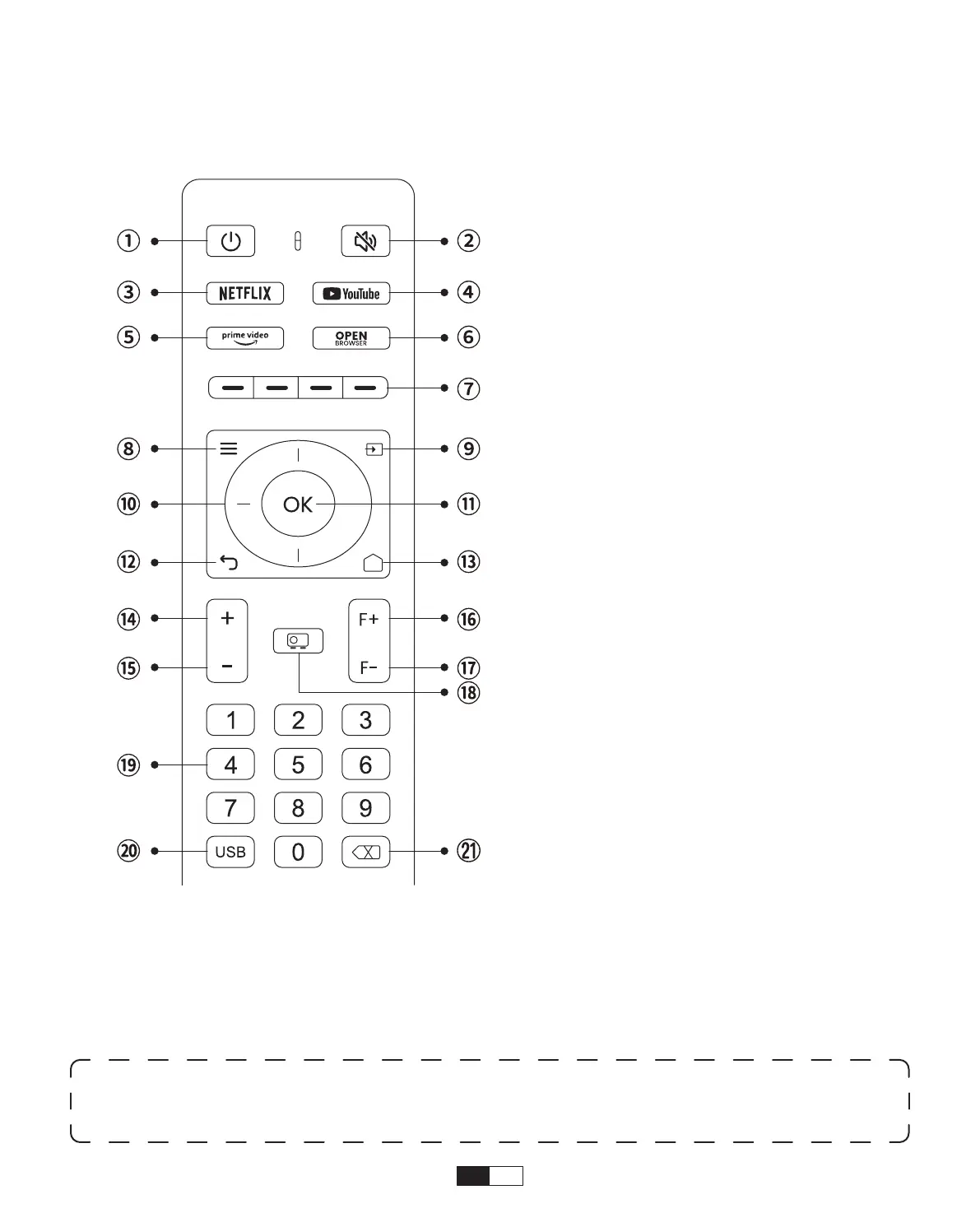
Remote Control Overview
1. Power
2. Mute
3. NETFLIX
4. YouTube
5. Prime Video
6. Open BROWSER
7. Red/Green/Yellow/Blue keys
8. Menu
9. Input Source
10. Arrow keys
11. Confirmation key
12. Back
13. Homepape
14. Volume+
15. Volume-
16. Focus+
17. Focus-
18. Projection mode
19. Number
20. USB
21. Backspace
• Prepare the remote control
1. Open the battery compartment.
2. Insert two AAA batteries with correct polarity indicated.
3. Close the battery compartment.
Note:
You must use the Yaber remote control to complete the first time setup of the
projector.



 To Next Page