18
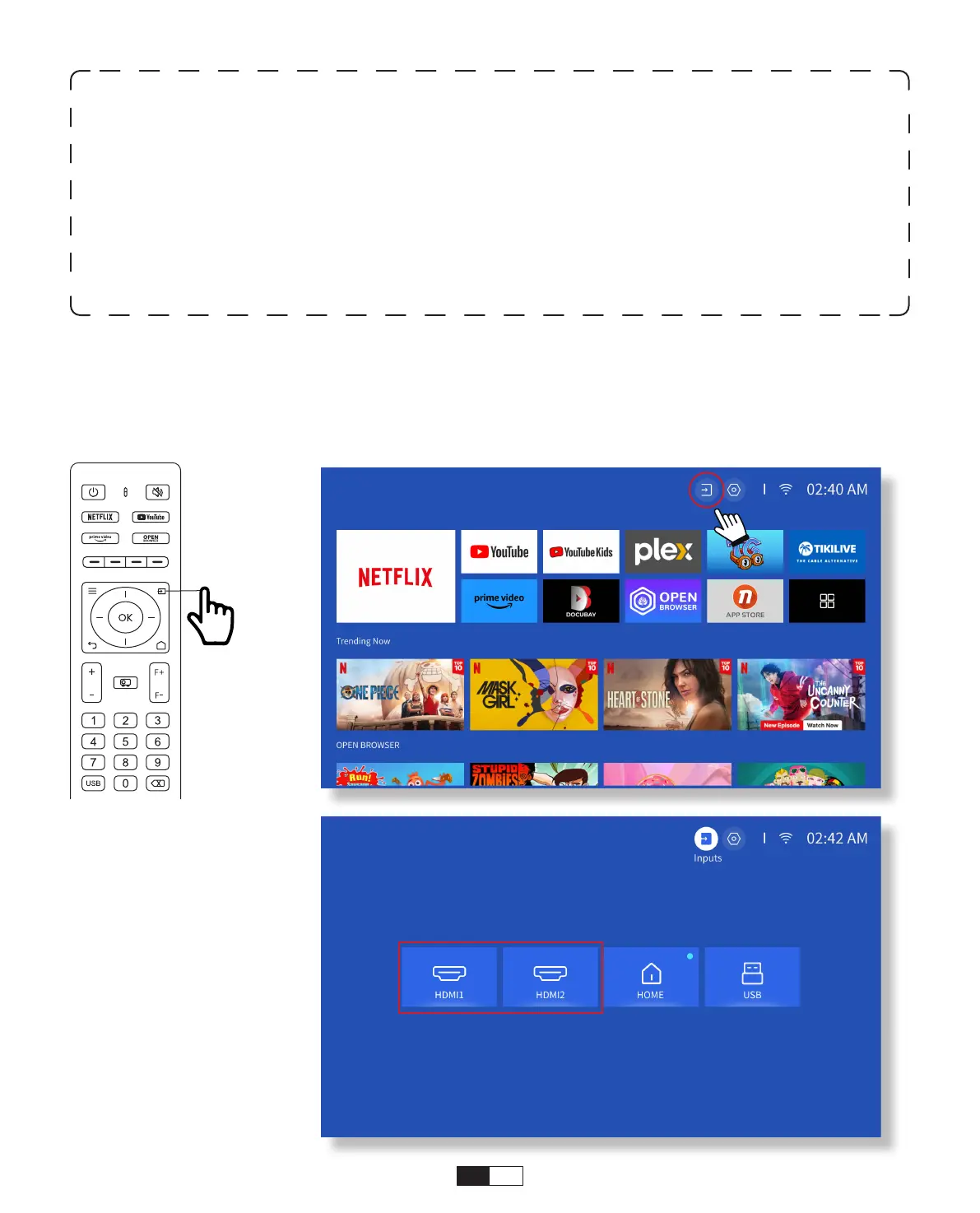
Connect your device with an HDMI output to the projector using the provided HDMI
cable. Press the input source button on the remote and select HDMI1 or HDMI2.
• HDMI Input Mode
Warning:
If the projector cannot recognize the USB disk, please refer to the following
methods to solve the problem.
1. Please confirm whether your USB disk meets the following formats: (1) FAT32:
8G/16G/32G; (2)NTFS: 64G
2. If the USB disk is not recognized/detected, please format it.Before you format the USB
disk, make sure to backup everything. After formatting, everything will be lost forever.
3. If the problem is still not solved, please send your problem to this email:
aftersales@yabertech.com



 To Next Page