28
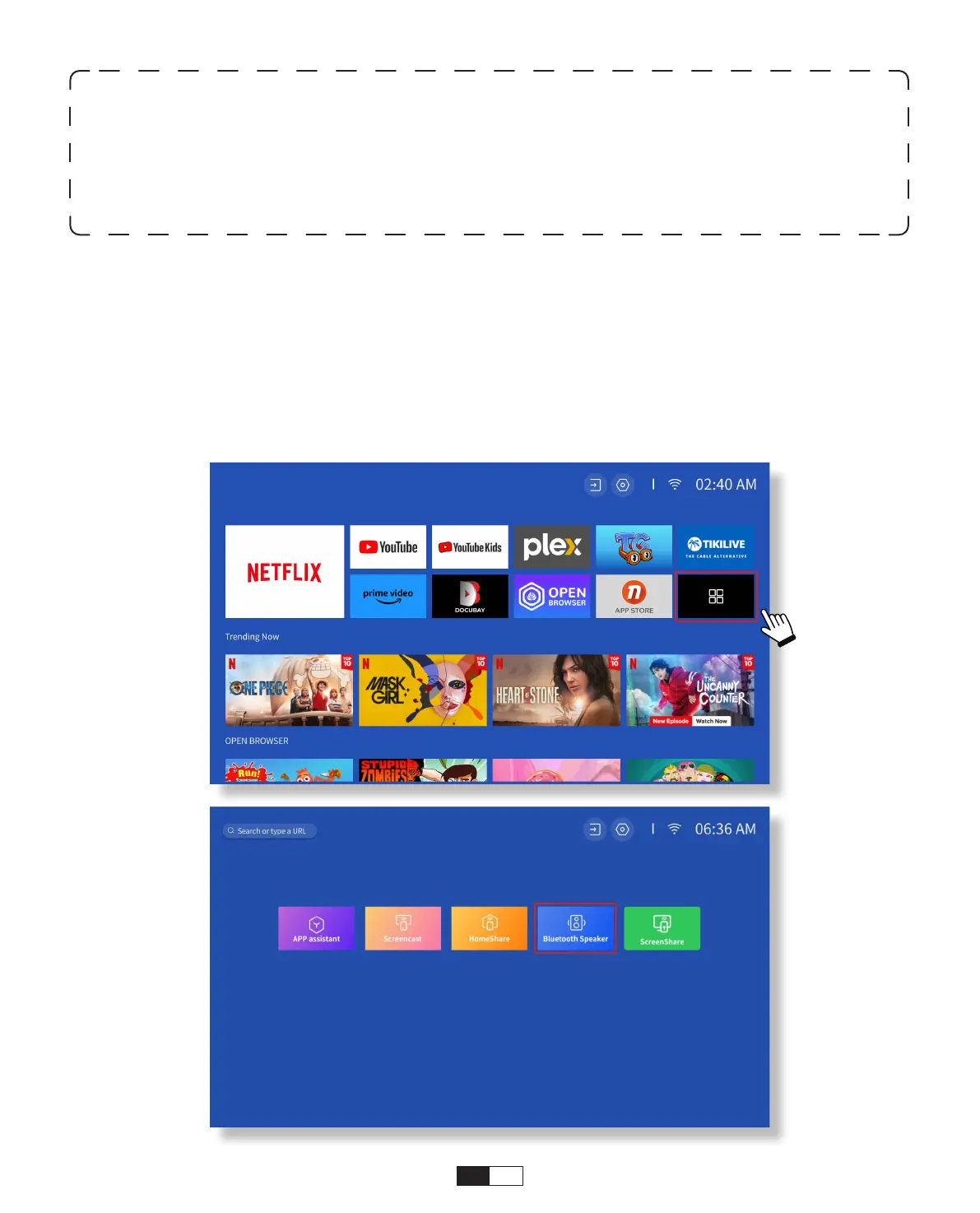
• Connect to Device as Bluetooth Speaker
Step1:
Go to Homepage -> My Apps -> Bluetooth Speaker and remain on the following page.
Step2:
Enable the Bluetooth functionality on your device, scan and connect the projector.
* You may be able to adjust the latency(Lip Sync)on your device which is playing the
video. The way to adjust the latency varies with different devices; please consult with
the device manufacturer.
Due to the compatibility issue between Bluetooth speakers/headphones and the
projector, few Bluetooth devices may not be paired with the projector via the Bluetooth
connection. Please contact us at
aftersales@yabertech.com
for further assistance



 To Next Page