4
y Setting the position information
Enter the position information of your own station manually.
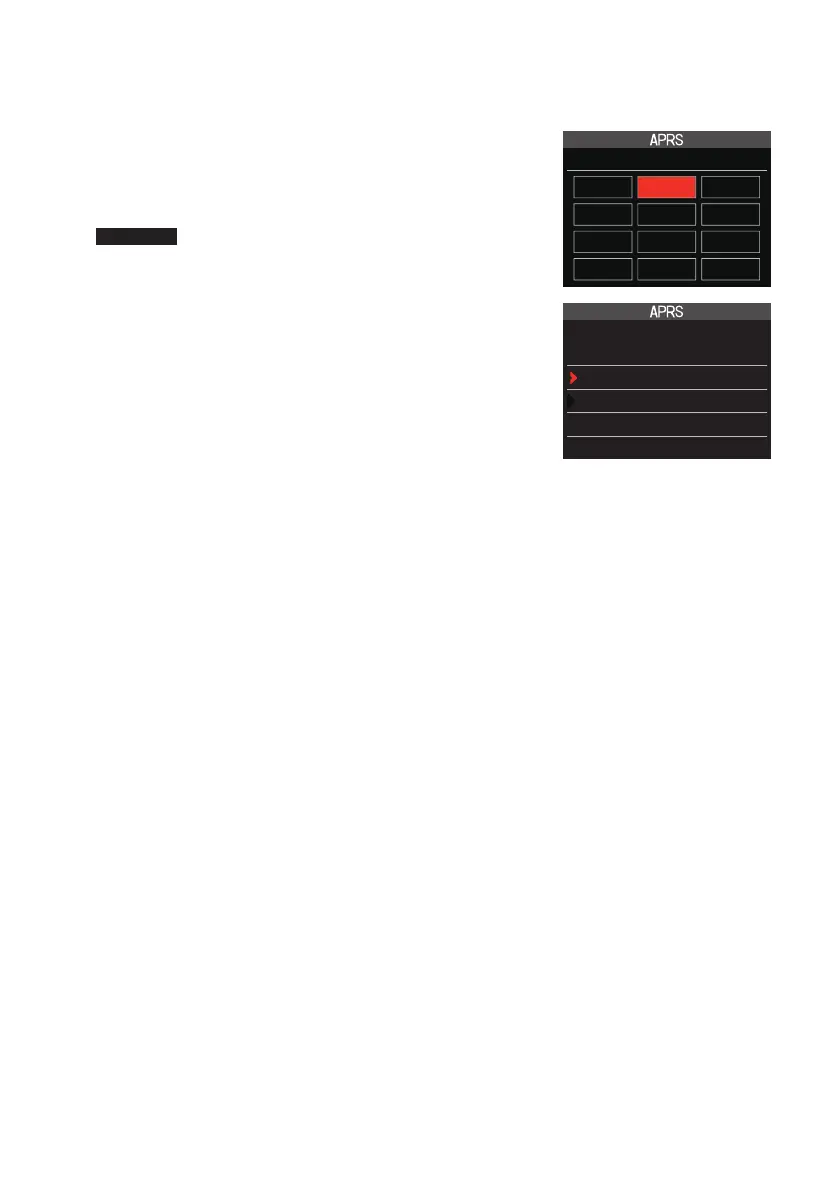
1 Press and hold the [DISP] key → Touch [APRS] → [24 MY POSITION].
2 Turn the DIAL to select [Manual] and press the [DISP]
key.
A screen to enter the position information of your own
station will be displayed.
Reference Factory shipping value: GPS
3 Press the [DISP] key.
The cursor will move to the item for setting the latitude.
4 Turn the DIAL to select “N (North Latitude)” or “S (South
Latitude)” press the [DISP] key.
The cursor will move to the item for setting the “degree”.
5 Turn the DIAL to select [Degree] and press the [DISP]
key.
The cursor will move to the item for setting the “Minute”.
6 Turn the DIAL to select [Minute] and press the [DISP]
key.
The cursor will move to the item for setting the “1/100th Minute”.
7 Turn the DIAL to select [1/100th Minute] and press the [DISP] key.
The seconds will be displayed within parentheses.
8 Turn the DIAL to select “LON” and press the [DISP] key.
The cursor will move to the item for setting the longitude.
9 Turn the DIAL to select “E (East Longitude)” or “W (West Longitude)” and press the
[DISP] key.
The cursor will move to the item for setting the “Degree”.
10 Enter the “degree”, “minute” and “1/100th minute” in the same way as Step 5-7.
11 Press the [DISP] key.
The position information will be set.
12 Press the PTT.
To exit the set mode and return to the operating screen.
24 MY POSITION
GPS Manual P1
P2 P3 P4
P5 P6 P7
P8 P9 P10
24 MY POSITION
Manual :
LAT N 0°00.00’
(’00”)
LON E 0°00.00’
(’00”)



 To Next Page