YAESU MUSEN CO., LTD.
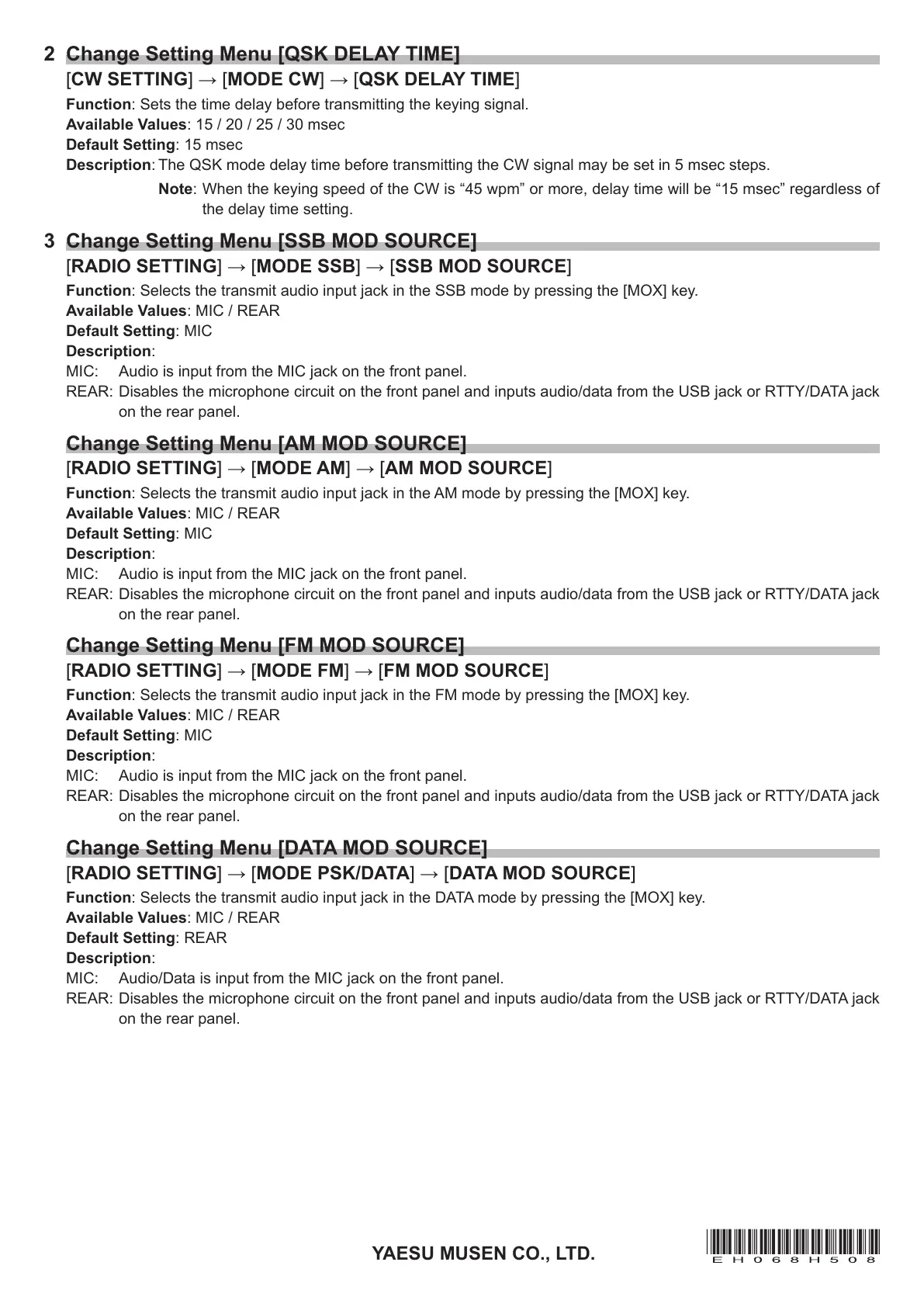
2 Change Setting Menu [QSK DELAY TIME]
[CW SETTING] → [MODE CW] → [QSK DELAY TIME]
Function: Sets the time delay before transmitting the keying signal.
Available Values: 15 / 20 / 25 / 30 msec
Default Setting: 15 msec
Description: The QSK mode delay time before transmitting the CW signal may be set in 5 msec steps.
Note: When the keying speed of the CW is “45 wpm” or more, delay time will be “15 msec” regardless of
the delay time setting.
3 Change Setting Menu [SSB MOD SOURCE]
[RADIO SETTING] → [MODE SSB] → [SSB MOD SOURCE]
Function: Selects the transmit audio input jack in the SSB mode by pressing the [MOX] key.
Available Values: MIC / REAR
Default Setting: MIC
Description:
MIC: Audio is input from the MIC jack on the front panel.
REAR: Disables the microphone circuit on the front panel and inputs audio/data from the USB jack or RTTY/DATA jack
on the rear panel.
Change Setting Menu [AM MOD SOURCE]
[RADIO SETTING] → [MODE AM] → [AM MOD SOURCE]
Function: Selects the transmit audio input jack in the AM mode by pressing the [MOX] key.
Available Values: MIC / REAR
Default Setting: MIC
Description:
MIC: Audio is input from the MIC jack on the front panel.
REAR: Disables the microphone circuit on the front panel and inputs audio/data from the USB jack or RTTY/DATA jack
on the rear panel.
Change Setting Menu [FM MOD SOURCE]
[RADIO SETTING] → [MODE FM] → [FM MOD SOURCE]
Function: Selects the transmit audio input jack in the FM mode by pressing the [MOX] key.
Available Values: MIC / REAR
Default Setting: MIC
Description:
MIC: Audio is input from the MIC jack on the front panel.
REAR: Disables the microphone circuit on the front panel and inputs audio/data from the USB jack or RTTY/DATA jack
on the rear panel.
Change Setting Menu [DATA MOD SOURCE]
[RADIO SETTING] → [MODE PSK/DATA] → [DATA MOD SOURCE]
Function: Selects the transmit audio input jack in the DATA mode by pressing the [MOX] key.
Available Values: MIC / REAR
Default Setting: REAR
Description:
MIC: Audio/Data is input from the MIC jack on the front panel.
REAR: Disables the microphone circuit on the front panel and inputs audio/data from the USB jack or RTTY/DATA jack
on the rear panel.


 To Next Page
 Loading...