1033430H-8/33
DO NOT MOVE TOWERS! If you
bump the towers you’ll need to go
back and reposition them.
• Open both driver’s side and passenger side doors.
• Carefully thread adjustment post on to tower to
get the cover loosely attached (2 turns max).
• Repeat for other side.
• Carefully push the clip in place up
against the door frame. DO NOT
MOVE THE TOWERS.
• Using the adjustment post, take
slack out of the system until the
cam cover closes easily while
holding the clip to the door frame.
DO NOT FULLY TIGHTEN.
• Repeat for other side.
Loosely attach cam covers.
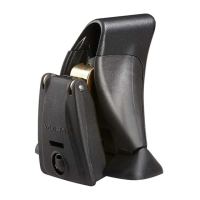
Assemble Q-Clips and
lock housings.
• Insert the correct clip through
the slits in clip holder.
• Insert lock housing through
holes in clip and clip holder.
• Place clip fastener
over lock housing to
secure assembly.
Check your M2 (front) or M2 + M4 (rear)
again. Correct if needed (step 10 for front
installation)(step 16 for rear installation).
Apply vinyl pads to clips.
• Apply black vinyl pads wherever clip
touches vehicle paint. Be sure to
cover clip edges. Trim if necessary.


 To Next Page