
 To Next Page
L
Lisa KentSep 19, 2025
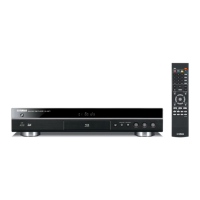
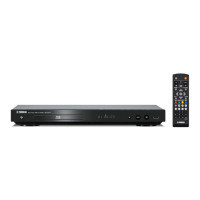
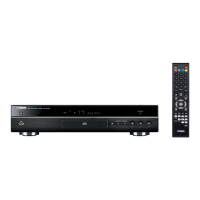
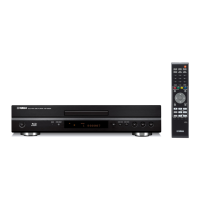
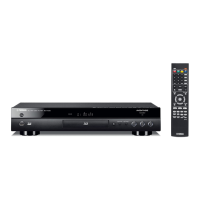
Why does the video stop on my Yamaha Blu-ray Player?
- JjamesbentleySep 22, 2025
The Yamaha Blu-ray Player will stop if it senses shock or vibration.

Why does the video stop on my Yamaha Blu-ray Player?
The Yamaha Blu-ray Player will stop if it senses shock or vibration.
How to reset password on Yamaha CD Player?
If you've forgotten the password for your Yamaha CD Player, press and hold the and buttons on the front panel simultaneously while no disc is inserted and playback is stopped. This will reset all settings, including security settings, to their default values. After the power turns off automatically, press the power button again to turn it back on.
What to do if my Yamaha BD-A1020 Blu-ray Player cannot play a disc?
If your Yamaha Blu-ray Player cannot play a disc, first, try cleaning the disc. Ensure the disc is loaded correctly with the label-side up. Verify that the disc is supported by the player and check the region code. Try another disc to see if the issue persists. If using a CD-R/RW, DVD+R/RW/R DL, or DVD-R/W/R DL, make sure it has been finalized.
What to do if Yamaha CD Player cannot detect the DLNA server?
If your Yamaha CD Player is not detecting the DLNA server, first ensure that the player is connected to the network. Then, verify that the broadband router or server is turned on. Make sure that both the player and the server are connected to the same access point. Note that some DLNA servers may require you to permit the player's access or adjust firewall settings.
Why does my Yamaha BD-A1020 Blu-ray Player power turn off automatically?
The Yamaha Blu-ray Player power will automatically turn off after 30 continuous minutes of inactivity (no playback).
How to turn on Yamaha BD-A1020 Blu-ray Player if there is no power?
Connect the AC power cable properly. Press p on the front panel to turn on the power on your Yamaha Blu-ray Player.
Why is my Yamaha Blu-ray Player remote control not working?
If the remote control for your Yamaha Blu-ray Player isn't working, ensure you're within the operating range. Replace the batteries. Also, check the ID settings for both the main unit and the remote control, as the remote control ID on the main unit may be changed after the main unit is reset. Verify the remote control ID on the main unit, and set it again if needed.
What to do if my Yamaha BD-A1020 screen freezes?
If the screen freezes and the operation buttons don't work on your Yamaha Blu-ray Player, press , then restart playback. If that doesn't work, turn the power off and then on again. Alternatively, press and hold p on the front panel for more than 5 seconds, and release to reset the player.
Why Yamaha CD Player has no audio or images are not played back properly?
If you're not getting any audio or the images aren't playing back correctly on your Yamaha CD Player, it might be due to copyright-protected content on the disc.
Why does the video stop on my Yamaha CD Player?
If the video on your Yamaha CD Player stops, it may be due to shock or vibration. The player is designed to stop playback if it senses movement.
Covers essential safety precautions for operating the unit safely, including placement and ventilation.
Highlights risks of fire, shock, damage, and specific operational cautions regarding exposure and servicing.
Details laser specifications, safety warnings, and potential hazards from laser radiation.
Covers player capabilities, supplied parts, disc compatibility, and controls.
Details the buttons, display, and indicators on the player's front panel.
Explains the functions of various buttons on the remote control.
Guides through initial setup for language, resolution, and aspect ratio.
Guides on accessing online video services like Netflix and YouTube.
Provides solutions for power issues and remote control/button problems.
Offers solutions for discs that cannot be played or playback interruptions.
Addresses problems related to picture, sound, and network connectivity.
Guides on how to upgrade the player's software via USB or network.
 General
| HDMI Outputs | 2 |
|---|---|
| USB Ports | 1 |
| 3D Playback | Yes |
| DLNA Certified | Yes |
| Disc Types | CD |
| Video Formats | MPEG-2, MPEG-4 AVC, VC-1 |
| Audio Formats | DTS-HD Master Audio, Dolby TrueHD, LPCM, DTS-HD High Resolution Audio, Dolby Digital |
| Network Connectivity | Ethernet |
| Outputs | HDMI, Optical, Coaxial, Analog Audio |
| Video Output | 1080p |