EasyManua.ls Logo

Yamaha BD-S477 - User Manual

Yamaha BD-S477
100 pages
Print Icon
To Next Page IconTo Next Page
Loading...
© 2013 Yamaha Corporation
Printed in China BD-S477/P
The laser component in this product is capable of
emitting radiation exceeding the limit for Class 1.
LASER Specification:
Class 1 LASER Product
Wave length: 790 nm (CDs)/658 nm (DVDs)/405 nm
(BDs)
Laser output: max. 1 mW
El componente láser de este producto es capaz de emitir
radiación que sobrepasa el límite establecido para la
clase 1.
Especificaciones LÁSER:
Producto LÁSER de Clase 1
Longitud de onda: 790 nm (CD)/658 nm (DVD)/405
nm (BD)
Salida de láser: máxima de 1 mW
CAUTION
Use of controls or adjustments or performance of
procedures other than those specified herein may result
in hazardous radiation exposure.
PRECAUCIÓN
El uso de los controles, los ajustes o los procedimientos
que no se especifican enste manual pueden causar una
exposición peligrosa a la radiación.
CAUTION:
INVISIBLE LASER RADIATION WHEN OPEN.
DO NOT STARE INTO BEAM.
INVISIBLE LASER RADIATION WHEN OPEN.
AVOID DIRECT EXPOSURE TO THE BEAM.
DANGER:
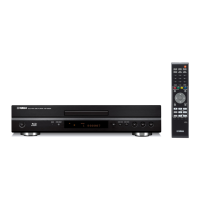
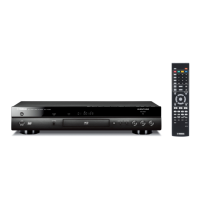
Blu-ray Disc Player
BD-S477
Owner’s Manual
Manual de Instrucciones
P
English Español
USB
00_BD-S477_P_cv.fm 1 ージ 2014年1月21日 火曜日 午後2時44分

Table of Contents

Questions and Answers

  • J
    Jose RogersSep 9, 2025
    What to do if buttons do not work on Yamaha Blu-ray Player?
    • I
      iwellsSep 10, 2025
      If the buttons on your Yamaha Blu-ray Player are not working, press and hold the power button on the front panel for more than 5 seconds to reset the player. To completely reset the player, unplug the power cable from the AC outlet for 30 seconds or more, plug it back in, and then turn the player on.
  • S
    Scott AndersonSep 8, 2025
    Why is the wireless network not found or distorted on my Yamaha Blu-ray Player?
    • T
      thomas93Sep 8, 2025
      If the wireless network is not found or is distorted on your Yamaha Blu-ray Player, ensure that the wireless LAN router is turned on. Try moving the Player closer to the router or change the orientation of the Player or the antenna of the wireless LAN router. If the wireless connection cannot be configured using the WPS function, select another option (Scan or Manual). Make sure that the wireless network is not disturbed by microwave ovens, digital cordless phones, or other neighboring Wi-Fi devices. Turn off these devices. Make sure that the firewalls in your network allow access to the wireless connection of this Player. If the wireless network does not work properly in your home, try the wired network connection.
  • J
    Jessica SantosSep 7, 2025
    Why can't I download BD-Live content on my Yamaha Blu-ray Player?
    • C
      curtistylerSep 7, 2025
      To resolve issues with downloading BD-Live content on your Yamaha Blu-ray Player, first verify that the player can connect to the Internet. Ensure the USB memory device is properly connected to the USB connector. Check if the Blu-ray Disc supports BD-Live. Connect a USB memory device formatted in FAT16, FAT32, or NTFS. It is recommended to connect the USB memory device with at least 2 GB of free space. If there is not enough free space, format the USB memory device. Refer to the supplied user’s manual of the disc or consult the disc manufacturer.
  • M
    Margaret MillsAug 22, 2025
    What to do if my Yamaha Blu-ray Player cannot play a disc?
    • P
      Patty LambertAug 23, 2025
      If your Yamaha Blu-ray Player cannot play a disc, try the following: * Take out the disc and clean it. * Make sure the disc is loaded correctly with the label-side up. * Ensure that the disc is supported by the player. * Check the region code to make sure it is compatible. * Try another disc to see if the original disc is defective. * If using a CD-R/RW, DVD+R/RW/R DL, or DVD-R/W/R DL, ensure it has been finalized.
  • F
    farnoldSep 5, 2025
    What to do if Yamaha Blu-ray Player remote control does not work?
    • A
      Amy BaileySep 5, 2025
      Ensure you are using the remote control within its operating range. Also, try replacing the batteries in the remote for your Yamaha Blu-ray Player.
  • F
    frank01Sep 3, 2025
    Why is there no picture on my Yamaha Blu-ray Player?
    • S
      Stephanie LeeSep 3, 2025
      If your Yamaha Blu-ray Player isn't displaying a picture, first check that the cables are correctly connected and that your TV or AV receiver is set to the correct input. If that doesn't work, try resetting the video resolution to the default value by pressing and holding specific buttons on the front panel with no disc inserted or playback stopped. If there is still no picture, press and hold the power button on the front panel for about 5 seconds to switch between NTSC/PAL. Also, ensure the disc or file you're trying to play is compatible with the player. If set to Disc Native, change the setting to output a signal that is compatible with the connected TV.
  • T
    Tanya McintoshSep 2, 2025
    How to turn on Yamaha Blu-ray Player when there is no power?
    • R
      Richard DavisSep 2, 2025
      Ensure the AC power cable is correctly connected. Then, press the power button on the front panel of your Yamaha Blu-ray Player to turn it on.
  • K
    Kenneth WarrenSep 1, 2025
    Why does the video stop on my Yamaha BD-S477 Blu-ray Player?
    • J
      Jonathan WilliamsSep 1, 2025
      The Yamaha Blu-ray Player will stop if it senses shock or vibration.
  • R
    Ricky MayerAug 31, 2025
    Why does my Yamaha BD-S477 Blu-ray Player turn off automatically?
    • E
      Emily WilliamsonAug 31, 2025
      Your Yamaha Blu-ray Player might be turning off automatically because the Auto Power Standby feature is enabled. This Player will automatically turn off after 20 minutes of inactivity (no playback) when Auto Power Standby is set to on.
  • J
    Jack LewisAug 30, 2025
    What to do if I forgot the password on my Yamaha BD-S477?
    • C
      Christopher ShortAug 30, 2025
      If you've forgotten the password for your Yamaha Blu-ray Player, press and hold the indicated buttons on the front panel simultaneously when no disc is inserted and playback is stopped. This will reset all settings, including security settings, to their default values.

Yamaha BD-S477 Specifications

General IconGeneral
Video OutputHDMI
Video Resolution1080p
ControlRemote control
USBYes
3D PlaybackYes
DLNAYes
USB Port1
Ethernet Port1
Disc TypesDVD, CD
Audio OutputHDMI, Optical
Supported FormatsMKV
Network ConnectivityEthernet
HDMI Output1

Related product manuals