Playing back DSD audio using foobar2000
5
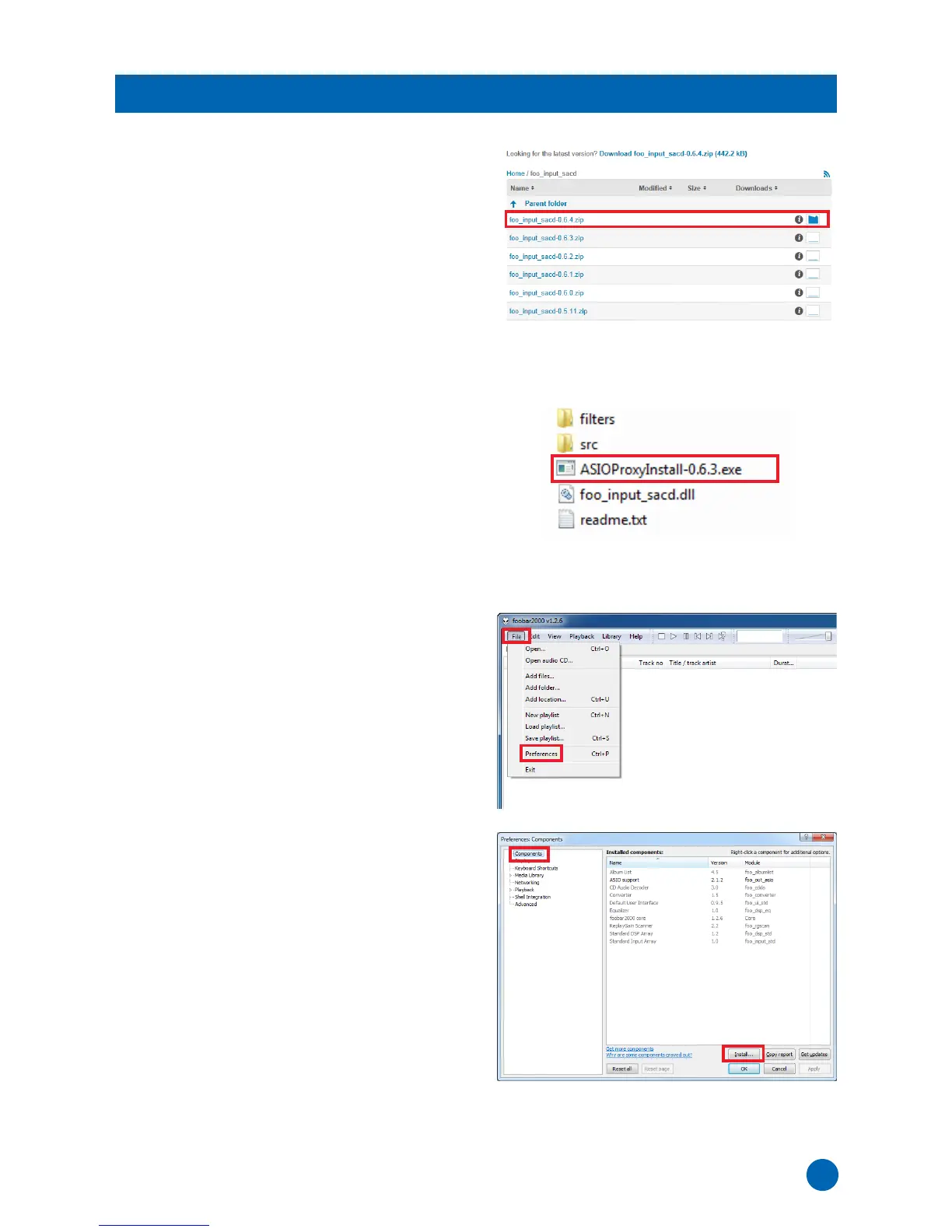
1 Download the latest version of “foo_input_sacd-
0.*.*.zip” at the following website.
http://sourceforge.net/projects/sacddecoder/
files/foo_input_sacd/
2 Uncompress the downloaded file
“foo_input_sacd-0.*.*.zip”.
3 In the uncompressed folder, double-click
“ASIOProxyInstall-0.*.*.exe” to start installation.
4 Follow the on-screen instructions to install the
component.
5
Run foobar2000, then select [File]
[Preferences].
6 Click [Components]
[Install].
Installing the “Super Audio CD Decoder” component



 To Next Page