Playing back DSD audio using foobar2000
3
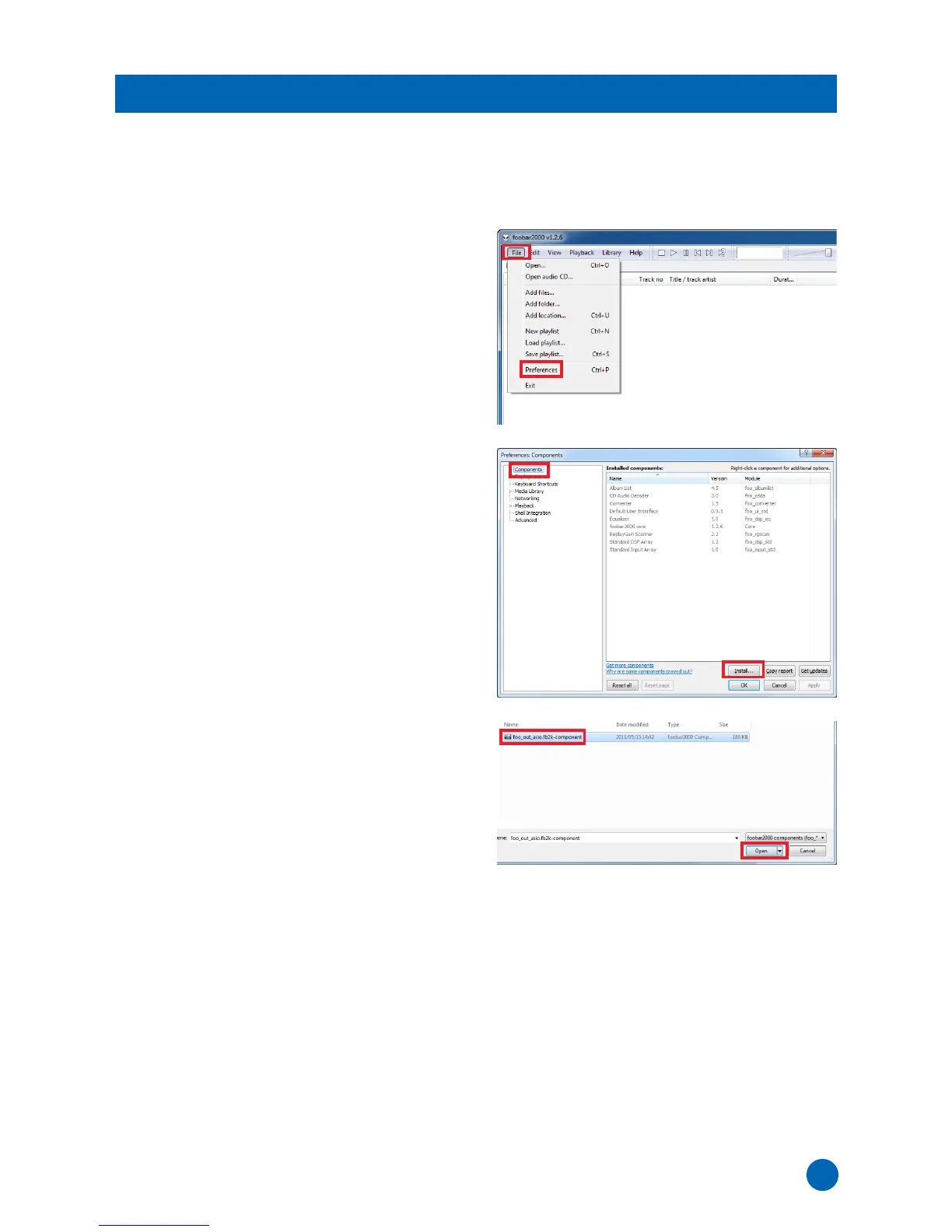
1 Download the “ASIO support” component
(foo_out_asio) at the following website.
http://www.foobar2000.org/components/view/
foo_out_asio
2 Run foobar2000, then select [File]
[Preferences].
3 Click [Components]
[Install].
4 Select the downloaded component
“foo_out_asio.fb2k-component”, then click
[Open].
Installing the “ASIO support” component



 To Next Page