EasyManua.ls Logo

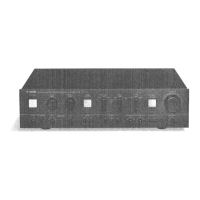
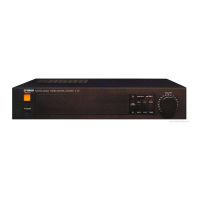
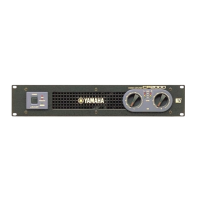
Yamaha CP2000 - Service Manual

Yamaha CP2000
32 pages
Print Icon
To Next Page IconTo Next Page
Loading...
SERVICE MANUAL
PA
011553
HAMAMATSU, JAPAN
1.222K-496 Printed in Japan '00.11
CONTENTS
SPECIFICATIONS···································································· 3
PANEL LAYOUT······································································· 4
CIRCUIT BOARD LAYOUT ······················································ 5
WIRING····················································································· 6
DIMENTIONS ··········································································· 7
BLOCK DIAGRAM···································································· 8
DISASSEMBLY PROCEDURE················································· 9
IC BLOCK DIAGRAM ····························································· 11
CIRCUIT BOARDS ································································· 12
INSPECTIONS········································································ 17
PARTS LIST
OVERALL CIRCUIT DIAGRAM
POWER AMPLIFIER
This document is printed on chlorine free (ECF) paper with soy ink.

Other manuals for Yamaha CP2000

Questions and Answers

  • E
    Eileen JacksonJul 30, 2025
    Why is the PROTECTION indicator lit on my Yamaha CP2000 Amplifier?
    • J
      Julia JohnsonJul 30, 2025
      If the PROTECTION indicator is lit on your Yamaha Amplifier, it could be due to the heatsink temperature exceeding 90 degrees Celsius, or a DC offset of ±2 V or more detected at the amplifier’s outputs. Ensure the air vents are not blocked and improve airflow around the amplifier. If the issue persists, contact your Yamaha dealer or service center.
  • B
    brendakleinAug 3, 2025
    What to do if my Yamaha CP2000 has no sound?
    • N
      Nathan BlakeAug 4, 2025
      If there is no sound from your Yamaha Amplifier, the input signal may not be connected, or the LEVEL controls may be turned down. Check the input connections and LEVEL control settings to ensure they are properly configured.
  • T
    Tiffany RileyAug 8, 2025
    How to turn on Yamaha Amplifier if the POWER indicator is off?
    • R
      richardgillespieAug 8, 2025
      If the POWER indicator is not lit on your Yamaha Amplifier, the power cable may be disconnected, or the amplifier may be turned off. Make sure the power cable is connected properly and the POWER switch is in the ON position.
  • R
    Rachel ChristianAug 14, 2025
    What to do if the CLIP indicator is lit on my Yamaha Amplifier?
    • J
      Julie LewisAug 14, 2025
      If the CLIP indicator is lit on your Yamaha Amplifier, it means the input signal is too high, the speaker impedance is too low, or there's a short in the speaker system. Try reducing the input signal level or turning down the LEVEL control. Also, ensure the total speaker impedance is not less than 2 Ohms in STEREO/PARALLEL mode or 4 Ohms in BRIDGE mode. Finally, check for and remove any shorts at the speaker terminals, amplifier terminals, or in the speaker cable.
  • M
    Mrs. Katherine RoseAug 19, 2025
    How to fix the TEMP indicator on my Yamaha Amplifier?
    • S
      Samuel MorrisAug 19, 2025
      If the TEMP indicator is lit on your Yamaha Amplifier, it means the heatsink temperature has exceeded 85 degrees Celsius. Make sure that the air vents are not blocked and improve the airflow around the amplifier to help it cool down.
  • M
    michael90Aug 23, 2025
    Why do stereo sources sound odd on my Yamaha Amplifier?
    • F
      fredbrownAug 25, 2025
      If stereo sources sound odd through your Yamaha Amplifier, the speaker polarity may be incorrect. Check the polarity of the speaker connections and correct if necessary.

Summary

IMPORTANT NOTICES

CHEMICAL CONTENT WARNING

Information regarding lead content in solder and other chemicals, with safety precautions.

SPECIFICATIONS

WIRING

BLOCK DIAGRAM

DISASSEMBLY PROCEDURE - TOP COVER AND BOARD REMOVAL

DISASSEMBLY PROCEDURE - UNIT AND COMPONENT REMOVAL

PA UNIT & CIRCUIT BOARD REMOVAL

Instructions for removing the PA unit and its associated circuit board.

AC CIRCUIT BOARDS REMOVAL

Instructions for removing AC1/6, AC4/6, AC5/6, and AC6/6 circuit boards.

INSPECTIONS - MODE PREPARATIONS AND BASIC CHECKS

BASIC UNIT CHECKS

Procedures for checking fan, muting, and output voltage.

INSPECTIONS - PERFORMANCE SPECIFICATION TESTS

GAIN AND FREQUENCY RESPONSE TESTING

Testing amplifier gain and frequency response under specified conditions.

DISTORTION, SEPARATION, AND NOISE LEVEL TESTS

Measuring total harmonic distortion, channel separation, and output noise levels.

INSPECTIONS - ADVANCED AND BRIDGE MODE TESTS

INSPECTIONS - BRIDGE MODE PERFORMANCE AND POST-PROCEDURES

PARTS LIST

REPLACEMENT WARNING

Important safety warning regarding the replacement of components with special characteristics.

OVERALL CIRCUIT DIAGRAM

Yamaha CP2000 Specifications

General IconGeneral
Frequency Response20 Hz - 20 kHz, +0/-0.5 dB
Input Sensitivity1.23 V
TypePower Amplifier
Total Harmonic Distortion0.05%
Damping Factor200
Input Impedance20k ohms (balanced), 10k ohms (unbalanced)
CoolingVariable speed fan

Related product manuals