26 Owner’s Manual
Importing Audio Files
8
Press the [KIT] button to return to the KIT
setting area.
9
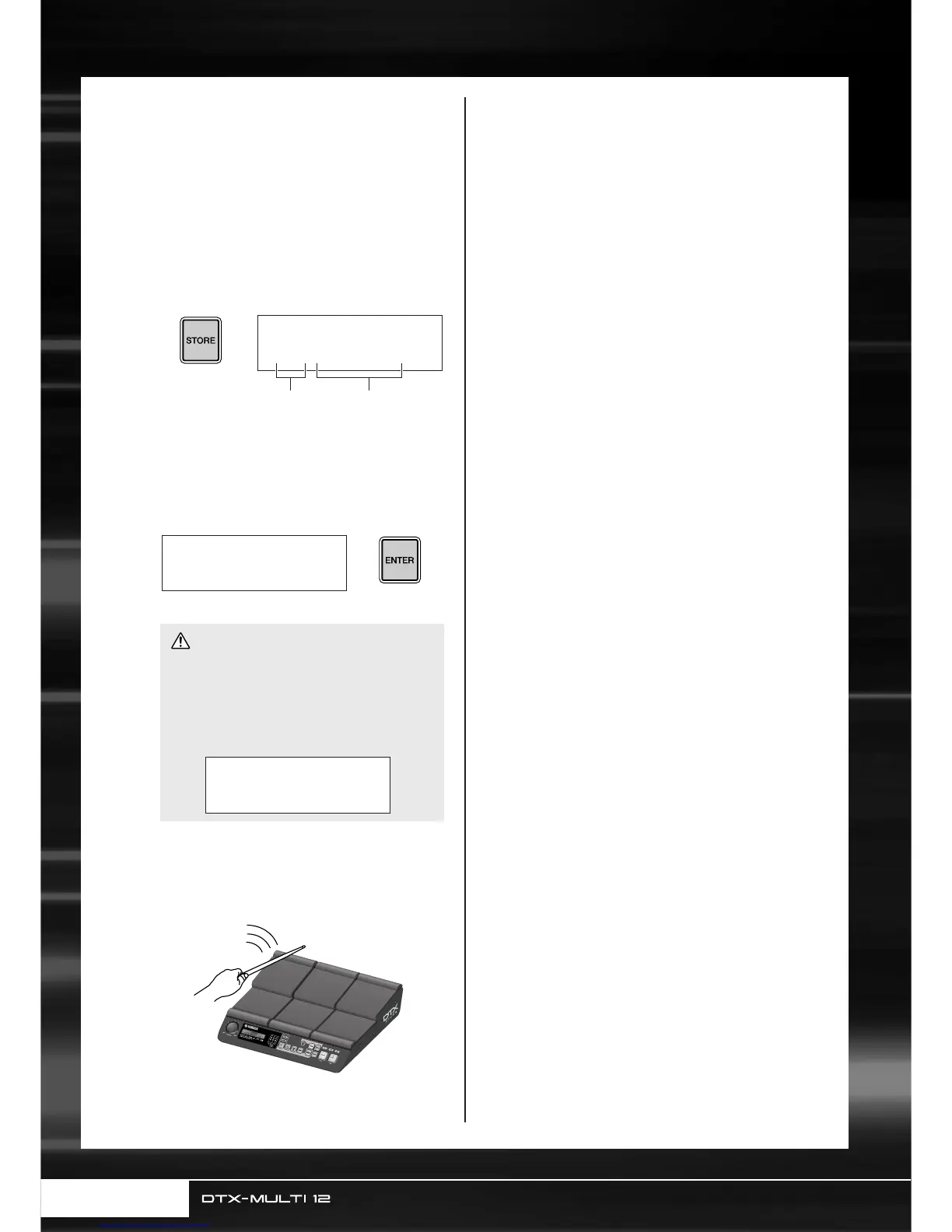
Press the [STORE] button and store the
current kit and its new wave assignment as
a User kit.
As shown here, select an empty User kit using the [-/
DEC] and [+/INC] buttons, and then press the
[ENTER] button.
10
When asked to confirm that you want to
store the kit, press the [ENTER] button to
proceed.
11
To hear the imported wave, strike the
pad to which it was assigned.
• The message ”Please keep power on...” will be dis-
played while data is being stored. It is very important
that the DTX-MULTI 12 is not turned off until this
message disappears. If the instrument were to be
turned off at this time, data for all User kits could be
permanently lost.
VCE≥Store≥to
U001:User≥Kit
User kit number User kit name
≥≥≥KIT≥Store
≥Are≥you≥sure?≥≥
CAUTION
≥≥Please≥keep
≥≥power≥on...



 To Next Page