43
EAD10 Owner’s Manual
Recording Your Performance
Basic Guide
Switching to AUX IN Recording
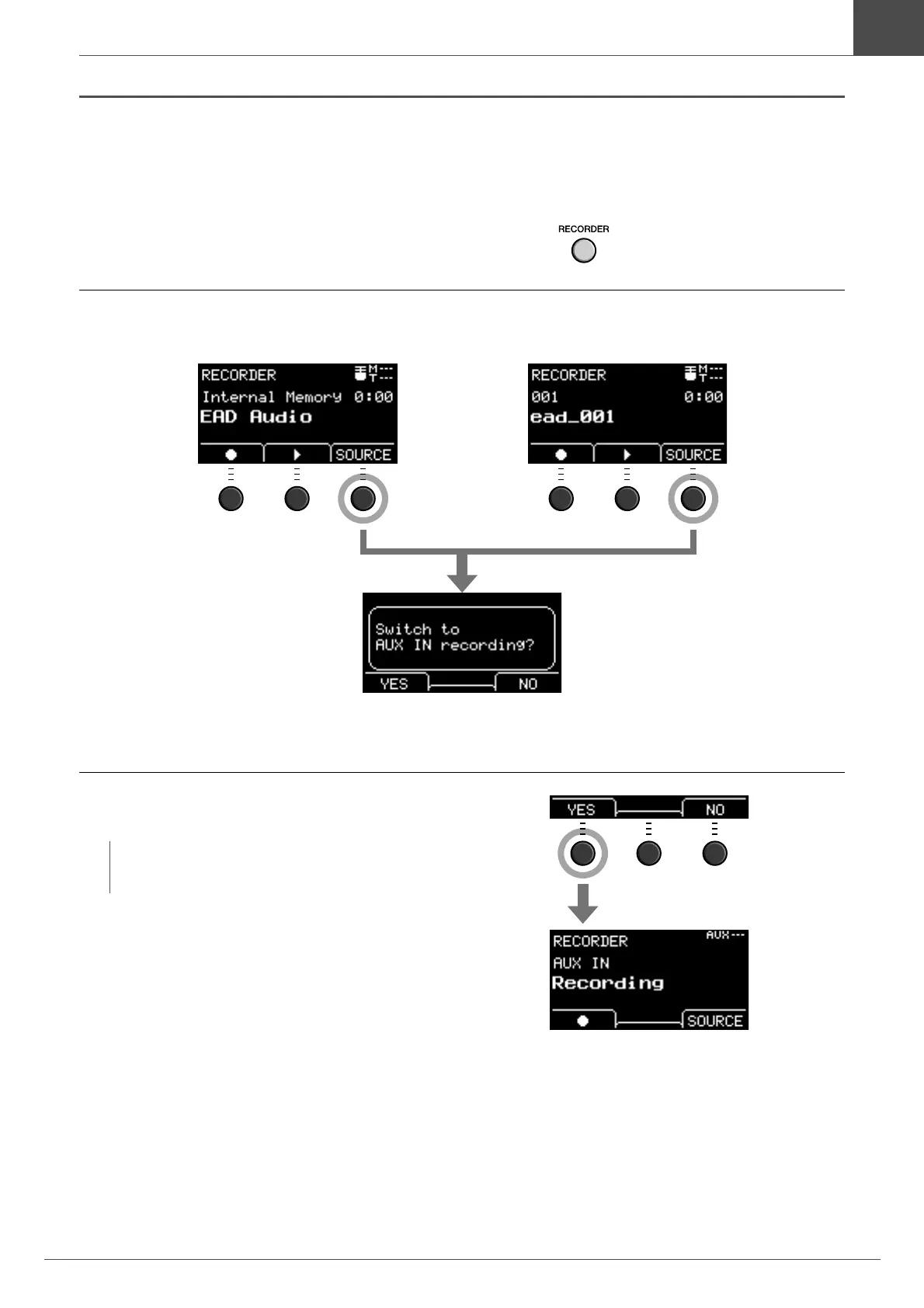
The Input Source must be changed to record from the [AUX IN] jack.
1.
Press the [RECORDER] button.
2.
Press the button below “SOURCE” ([F3]).
3.
Press the button below “YES” ([F1]).
The setting is changed to the AUX IN recording.
After you finish recording, the EAD10 returns to the normal record settings.
NOTE
Your performance does not sound and is not recorded while
in AUX IN recording.
When recording to the Main Unit When recording to a USB flash drive
A confirmation message appears.



 To Next Page