2-11
E
EMU01689
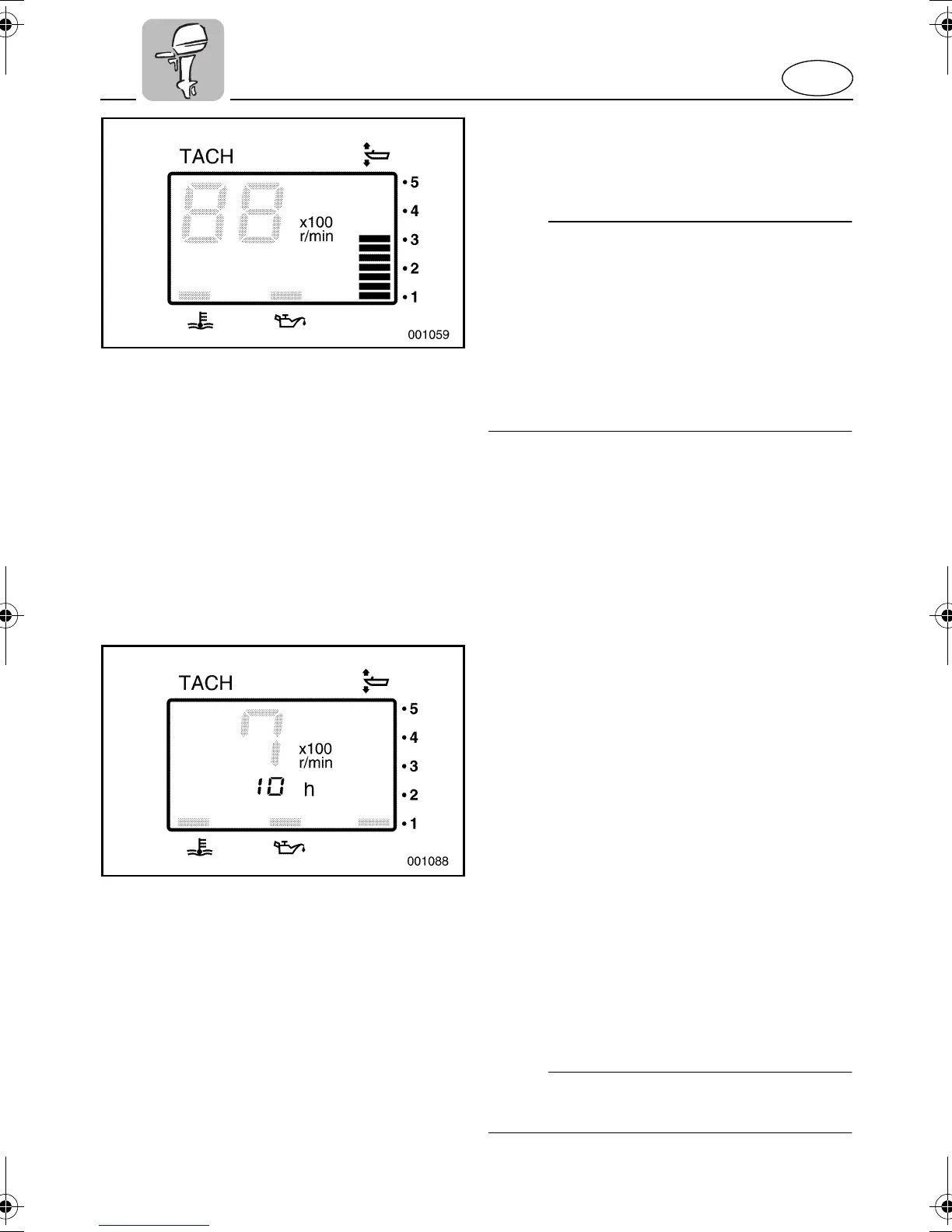
Trim Meter
This meter shows the trim angle of your out-
board motor.
NOTE:
@
●
Memorize the trim angles that work best
for your boat under different conditions.
Adjust the trim angle to the desired set-
ting by operating the power trim and tilt
switch.
●
If the trim angle of your motor exceeds
the trim operating range, the top segment
on the trim meter display will start to blink.
@
EMU01687
Hour Meter
This meter shows the number of hours the
engine has been run. It can be set to show
the total number of hours or the number of
hours for the current trip. The display can
also be turned on and off.
●
Changing the display format
Pressing the MODE button changes the
display format in the following circular pat-
tern:
Total hours - Trip hours - Display off
●
Resetting the trip hours
Simultaneously pressing the SET and
MODE buttons for more than 1 second
while the trip hours are displayed resets
the trip counter to 0 (zero).
NOTE:
@
The total number of hours the engine has
been run cannot be reset.
@
U69J13.book Page 11 Thursday, March 20, 2003 10:48 AM



 To Next Page