
 To Next Page
J
Joseph McdanielSep 23, 2025
How to play copyright protected music on Yamaha HTR-N5060 Receiver?
- SSamuel MillsSep 23, 2025
This unit cannot play copyright-protected music.

How to play copyright protected music on Yamaha HTR-N5060 Receiver?
This unit cannot play copyright-protected music.
How to troubleshoot no sound on Yamaha HTR-N5060 Receiver?
If you are not getting any sound from your Yamaha Receiver, begin by checking all input and output cable connections to ensure they are properly connected; if the problem continues, the cables might be defective. Ensure you have selected the correct input source using the INPUT selector on the front panel or the remote control, as well as MULTI CH INPUT on the front panel or MULTI CH IN on the remote. Verify that the correct set of front speakers is selected with SPEAKERS A or B on the front panel or SPEAKERS on the remote. Also, check that the volume is not turned down or muted by pressing MUTE or VOLUME +/– on the remote. Lastly, if playing a DTS-encoded source, make sure “INPUT MODE” is set to “AUTO” or “DTS”.
How to fix Yamaha HTR-N5060 Receiver remote control not working?
If the remote control for your Yamaha Receiver is not working properly, make sure you are within a maximum range of 6 m (20 ft) and no more than 30 degrees off-axis from the front panel. Ensure that direct sunlight or lighting is not interfering with the remote control sensor. Check if the remote control code is correctly set using “LIST OF REMOTE CONTROL CODES”.
What to do if the sound suddenly goes off on Yamaha HTR-N5060?
If the sound suddenly goes off on your Yamaha Receiver, it may be due to the protection circuitry being activated. Check that the speaker impedance setting is correct. Also, verify that the speaker wires are not touching each other, and then turn the unit back on.
Why is there no sound from the subwoofer on my Yamaha HTR-N5060?
If you are not hearing sound from the subwoofer connected to your Yamaha Receiver, and you are playing a Dolby Digital or DTS signal, check that “LFE/BASS OUT” in “SET MENU” is set to “SWFR”. If you are playing a 2-channel source, set it to “SWFR” or “FRNT”.
Why does my Yamaha Receiver have buzzing noises?
If you are experiencing buzzing and whining noises with your Yamaha Receiver, move the unit away from the TV set, as a TV set may be the cause.
Why is FM stereo reception noisy on my Yamaha HTR-N5060 Receiver?
If FM stereo reception is noisy on your Yamaha Receiver, check the antenna connections, as the characteristics of FM stereo broadcasts may cause this problem when the transmitter is too far away or the antenna input is poor.
What to do if Yamaha Receiver cannot tune into station?
If the desired station cannot be tuned into with the automatic tuning method on your Yamaha Receiver, and the signal is weak or the antenna connections are loose, tighten the AM loop antenna connections and orient it for the best reception.
How do I play Dolby Digital on my Yamaha Receiver?
If you're unable to play Dolby Digital or DTS sources on your Yamaha Receiver, make sure the connected component is set to output Dolby Digital or DTS digital signals. Set “INPUT MODE” to “AUTO” or “DTS”.
Why does my Yamaha HTR-N5060 Receiver suddenly enter standby mode?
If your Yamaha Receiver suddenly enters standby mode, it may be due to the internal temperature becoming too high and the overheat protection circuitry being activated.
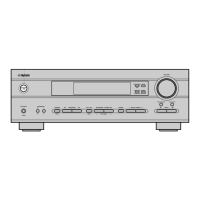
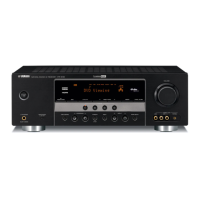
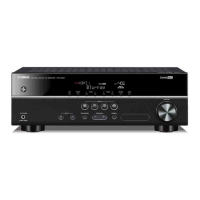
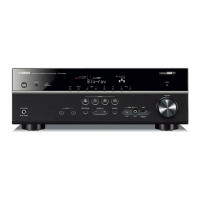
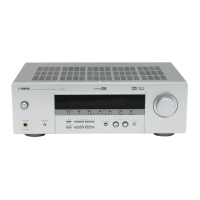
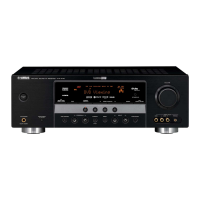
Description of buttons and indicators on the front panel of the unit.
Guidance on the optimal placement of speakers for surround sound.
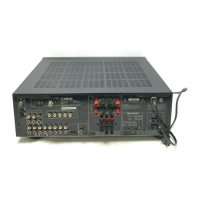
Steps to prepare and connect speaker cables to the unit's terminals.
Instructions for connecting banana plugs to speaker cables.
Using Dolby Pro Logic IIx, Dolby Digital EX, or DTS-ES for 6.1 playback.
Choosing and applying different sound field programs for playback.
Manually adjust speaker settings, sound quality, tone, and video delays.
Reassign input/output jacks, select input mode, or rename inputs.
Solutions for general operational problems and common faults.
 General
| Type | AV Receiver |
|---|---|
| HDMI Inputs | 4 |
| HDMI Outputs | 1 |
| Component Video Outputs | 1 |
| Network Connectivity | Ethernet, Wi-Fi |
| Tuner | AM/FM |
| Frequency Response | 20 Hz - 20 kHz |
| Total Harmonic Distortion | 0.06% |
| Bluetooth | Yes |
| Digital Audio Inputs | 2 Optical, 1 Coaxial |
| Audio Formats Supported | Dolby Digital, DTS, Dolby Pro Logic II |
| Streaming Services | Spotify, Pandora |
| Outputs | Subwoofer |
| Video Features | 4K pass-through, HDR |