EasyManua.ls Logo

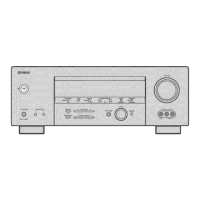
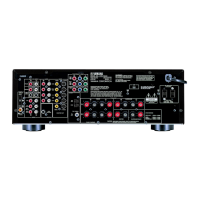
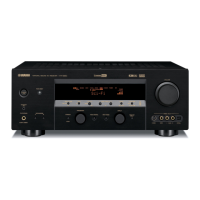
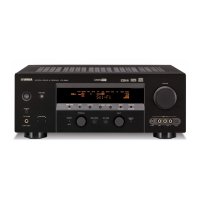
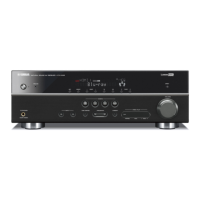
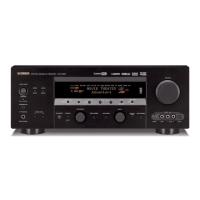
Yamaha HTR-5830 - Service Manual

Yamaha HTR-5830
70 pages
Print Icon
To Next Page IconTo Next Page
Loading...
SERVICE MANUAL
100938
IMPORTANT NOTICE
This manual has been provided for the use of authorized YAMAHA Retailers and their service personnel.
It has been assumed that basic service procedures inherent to the industry, and more specifically YAMAHA Products, are already
known and understood by the users, and have therefore not been restated.
WARNING:
Failure to follow appropriate service and safety procedures when servicing this product may result in personal
injury, destruction of expensive components, and failure of the product to perform as specified. For these reasons,
we advise all YAMAHA product owners that any service required should be performed by an authorized
YAMAHA Retailer or the appointed service representative.
IMPORTANT:
The presentation or sale of this manual to any individual or firm does not constitute authorization, certification or
recognition of any applicable technical capabilities, or establish a principle-agent relationship of any form.
The data provided is believed to be accurate and applicable to the unit(s) indicated on the cover. The research, engineering, and
service departments of YAMAHA are continually striving to improve YAMAHA products. Modifications are, therefore, inevitable
and specifications are subject to change without notice or obligation to retrofit. Should any discrepancy appear to exist, please
contact the distributor's Service Division.
WARNING:
Static discharges can destroy expensive components. Discharge any static electricity your body may have
accumulated by grounding yourself to the ground buss in the unit (heavy gauge black wires connect to this buss).
IMPORTANT:
Turn the unit OFF during disassembly and part replacement. Recheck all work before you apply power to the unit.
CONTENTS
TO SERVICE PERSONNEL ...................................... 2~3
IMPEDANCE SELECTOR ............................................. 3
FRONT PANELS ........................................................ 3~4
REAR PANELS .......................................................... 5~9
REMOTE CONTROL PANELS ...................................... 9
SPECIFICATIONS.................................................. 10~13
INTERNAL VIEW ......................................................... 14
DISASSEMBLY PROCEDURES ........................... 14~16
SELF DIAGNOSIS FUNCTION (DIAG) ................. 17~33
CONFIRMATION OF IDLING CURRENT ................... 34
DISPLAY DATA ..................................................... 35~36
IC DATA ................................................................. 37~42
PRINTED CIRCUIT BOARD .................................. 43~51
PIN CONNECTION DIAGRAM .................................... 52
BLOCK DIAGRAM ....................................................... 53
SCHEMATIC DIAGRAM ........................................ 54~58
PARTS LIST ........................................................... 59~67
REMOTE CONTROL.............................................. 68~69
Parts List for Carbon Resistors ................................ 69
AV RECEIVER
RX-V357/HTR-5830
RX-V357/HTR-5830
P.O.Box 1, Hamamatsu, Japan
'05.01
本资料由OKXIA视听皮带资源库www.okxia.cn提供

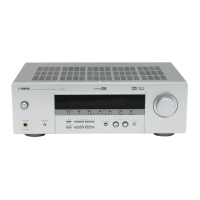
Table of Contents

Other manuals for Yamaha HTR-5830

Questions and Answers

  • J
    Johnny ColeAug 20, 2025
    Why does my Yamaha Receiver fail to turn on?
    • L
      lpriceAug 20, 2025
      Your Yamaha Receiver might fail to turn on due to several reasons: the power cord may not be properly connected (connect the power cord firmly); the protection circuitry might be activated (ensure all speaker wire connections are secure and not touching anything else); or the unit may have been exposed to a strong external electric shock (set the unit in standby mode, disconnect the power cord, plug it back in after 30 seconds, and then use it normally).
  • J
    jeffreywrightAug 22, 2025
    What to do if there is no sound from my Yamaha HTR-5830 Receiver?
    • M
      Marvin ThorntonAug 22, 2025
      If there is no sound from your Yamaha Receiver, check the following: ensure the input or output cables are connected properly (and replace them if defective); select an appropriate input source; ensure the speaker connections are secure; select the proper front speakers; turn up the volume; cancel any mute settings; and ensure the source component signals can be reproduced by the unit.
  • L
    Lisa RoyAug 25, 2025
    What to do if the Yamaha HTR-5830 Receiver remote control does not work?
    • T
      Tricia PerryAug 25, 2025
      If the remote control for your Yamaha Receiver isn't working, consider these potential causes: you may be too far from the unit or at an extreme angle (the remote control functions within 6 m (20 feet) and 30 degrees off-axis); direct sunlight or lighting may be interfering with the remote control sensor (reposition the unit); the batteries might be weak (replace all batteries); the remote control code may not be set correctly (set the remote control code correctly); or you may need to try setting another code of the same manufacturer.
  • J
    James RobinsonAug 26, 2025
    What to do if Yamaha HTR-5830 Receiver fails to turn on?
    • J
      jill50Aug 26, 2025
      If your Yamaha Receiver fails to turn on, there might be a few reasons. First, ensure the power cord is properly connected. If that's not the issue, the protection circuitry might have been activated; in this case, check all speaker wire connections to make sure they are secure and not touching anything else. Also, if the unit was exposed to a strong electric shock, put it in standby mode, unplug it for 30 seconds, and then plug it back in.
  • H
    hallpatriciaAug 27, 2025
    What causes a humming sound in Yamaha Receiver?
    • S
      shawn13Aug 27, 2025
      A humming sound in your Yamaha Receiver can be caused by incorrect cable connections. To resolve this, firmly connect the audio plugs. If the problem persists, the cables may be defective.
  • W
    william39Aug 29, 2025
    What causes poor bass reproduction in Yamaha Receiver?
    • J
      Jennifer GreerAug 29, 2025
      Poor bass reproduction in your Yamaha Receiver can occur if “SOUND 1D BASS” on the set menu is set to SWFR or BOTH and your system does not include a subwoofer (select FRNT). Also, the speaker mode settings (front, center or surround) on the set menu may not match your speaker configuration (select the appropriate position for each speaker based on the size of the speakers in your configuration).
  • R
    Rachel MyersAug 31, 2025
    Why does my Yamaha Receiver suddenly turn into standby mode?
    • J
      jorge64Aug 31, 2025
      If your Yamaha Receiver suddenly turns into standby mode, it is likely because the internal temperature has become too high and the overheat protection circuitry has been activated. Wait until the unit cools down and then turn it back on.
  • D
    Danny HigginsSep 2, 2025
    What to do if my Yamaha HTR-5830 Receiver displays 'CHECK SP WIRES'?
    • M
      Mr. Douglas LeeSep 2, 2025
      If your Yamaha Receiver displays “CHECK SP WIRES” on the front panel, it indicates that the speaker cables are short-circuited. Make sure all speaker cables are connected correctly.
  • O
    omoranSep 4, 2025
    Why is there no sound from the effect speakers of my Yamaha HTR-5830 Receiver?
    • A
      audreydavisSep 4, 2025
      If there is no sound from the effect speakers on your Yamaha Receiver, the sound effect may be switched off (press STEREO to turn it on). Also, if a Dolby Surround, Dolby Digital or DTS decoding program is being used with material not encoded with Dolby Surround, Dolby Digital or DTS, select another sound field program.
  • N
    Nathan WilliamsSep 6, 2025
    Why is there no sound from the center speaker of my Yamaha HTR-5830 Receiver?
    • R
      Randall RodriguezSep 6, 2025
      If there is no sound from the center speaker of your Yamaha Receiver, it could be because the output level of the center speaker is set to minimum (raise the level of the center speaker). Also, check if “SOUND 1A CENTER” on the set menu is set to NONE (select the appropriate mode for your center speaker). If one of the HiFi DSP programs (1 to 4) has been selected (except for 5ch Stereo), select another sound field program.

Summary

Service Personnel Guidelines

Critical Components and Safety

Info on critical parts, safety, leakage current, and chemical notices.

Unit Panel and Control Descriptions

Front Panel Controls and Impedance Selector

Description of front panel controls, including impedance selector.

Rear Panel Connectivity

Diagrams showing rear panel input/output terminals for various models.

Remote Control Overview

Images of remote controls for different model series.

Technical Specifications and Setup

Detailed Specifications

Audio, video, FM, general, dimensions, weight, and finishes.

System Setup and Menu Options

Set menu table and preset procedures.

Service Procedures and Diagnostics

Internal View and Disassembly

Diagrams of internal components and disassembly steps.

Self-Diagnosis Function (DIAG)

Overview of diagnostic menus, sub-menus, and operation.

Idling Current Confirmation

Procedure to check and confirm idling current for main PCB.

System Diagrams and Parts Information

IC Data and Pin Assignments

Detailed pin assignments and functions for key integrated circuits.

Block and Schematic Diagrams

High-level block diagram and detailed circuit schematics.

Parts Lists and Views

Electrical, mechanical, exploded view, and carbon resistor parts lists.

Yamaha HTR-5830 Specifications

General IconGeneral
Audio Channels5.1
Frequency Response10 Hz - 100 kHz
Component Video Inputs2
Composite Video Inputs4
Signal-To-Noise Ratio100 dB
Input Sensitivity200 mV
Built-in DecodersDolby Digital, DTS
Surround Sound EffectsYes
Tuner BandsAM/FM
Preset Station Qty40
Surround SoundYes
S-Video Inputs/Outputs2 inputs / 1 output
Digital Audio Inputs2 (optical, coaxial)
Total Harmonic Distortion0.06 %
Input Impedance47 kΩ
Audio D/A Converter24-bit/192 kHz
Tuning RangeFM: 87.5 - 108 MHz, AM: 530 - 1710 kHz
Width17.1 in
Power Output100 W
Connector TypeRCA

Related product manuals