EasyManua.ls Logo

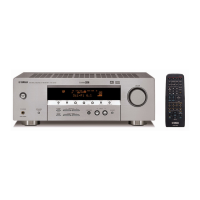
Yamaha HTR-5063 - User Manual

Yamaha HTR-5063
98 pages
Print Icon
To Next Page IconTo Next Page
Loading...
Owner’s Manual
AV Receiver English

Table of Contents

Other manuals for Yamaha HTR-5063

Questions and Answers

  • C
    Craig McbrideJul 26, 2025
    Why is my Yamaha Receiver remote control not working?
    • V
      Victoria BrownJul 26, 2025
      Your Yamaha Receiver remote might not be working due to several reasons: you may be too far away or at the wrong angle (the remote works up to 6 m / 20 ft and within 30 degrees of the front panel), direct sunlight or certain lighting might be interfering with the sensor (try adjusting the lighting or moving the unit), the batteries might be weak (replace them), or the remote control ID might not match the receiver's ID (ensure they match).
  • C
    cassandra38Aug 5, 2025
    What to do if my Yamaha Receiver remote control is not functioning properly?
    • P
      philipadamsAug 5, 2025
      If your Yamaha Receiver remote isn't functioning properly, consider these potential causes and solutions: ensure you're within 6 m / 20 ft and 30 degrees of the front panel. Adjust lighting to avoid direct sunlight on the receiver's sensor, or relocate the unit. Replace the remote's batteries. Also, verify that the remote control ID matches the receiver's.
  • T
    Tabitha SchultzAug 15, 2025
    How to fix a Yamaha HTR-5063 Receiver remote control that isn't working?
    • W
      Wendy HarrellAug 15, 2025
      To fix a Yamaha Receiver remote that isn't working, try these steps: Make sure you are within the operational range (6 m / 20 ft and 30 degrees from the front panel). Adjust the lighting to prevent interference with the remote sensor, or move the unit. Replace the batteries in the remote. Check that the remote control ID matches the receiver's ID.

Summary

Introduction

Features and capabilities

Overview of the unit's main functions, connectivity options, and performance features.

About this manual and supplied accessories

Information regarding the manual's creation, content, usage guidelines, and included parts.

Part names and functions

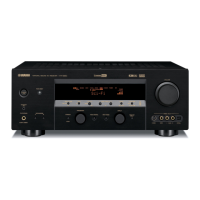
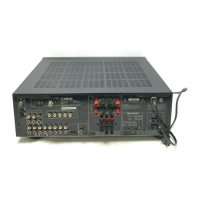
Detailed identification and explanation of the unit's front panel, rear panel, and remote control components.

Connections

Connecting Speakers

Detailed instructions for connecting speakers, including layout, channels, and subwoofer setup.

Speaker impedance and connection methods

Guidance on speaker impedance settings, banana plug connections, subwoofer, and bi-amp configurations.

Connecting External Components

Instructions for connecting various audio and video devices like TVs, players, and cameras.

Connecting FM;AM Antennas

How to connect the supplied FM and AM antennas for optimal radio reception.

Automatic Speaker Setup (YPAO)

Procedure for using the YPAO system to automatically optimize speaker settings.

Setup

Configuring Input Source Settings (Option Menu)

Customizing parameters for each input source, including volume, decoder mode, and signal information.

Setting Various Functions (Setup Menu)

Adjusting system-wide settings for speakers, audio, HDMI, and general functions.

Speaker Setup and Configuration

Detailed settings for speaker size, level, distance, equalizer, and subwoofer options.

Audio and Volume Adjustments

Configuring sound setup, dynamic range, volume limits, HDMI audio, and input volume trim.

HDMI and Control Settings

Managing HDMI control, audio return channel, standby through, and video signal settings.

System Customization and Ease of Use

Making the receiver easier to use via input renaming, auto power down, dimmer, and OSD position.

Sound Field Program Parameter Adjustment

Adjusting parameters for sound field programs to customize audio effects for different sources.

Controlling Other Components with Remote

Setting up remote control codes for external devices and managing remote control codes.

Extended Functionality (Advanced Setup Menu)

Accessing and configuring extended functions like speaker impedance and remote ID.

Using the HDMI Control Function

Setting up HDMI control for synchronized operation with TVs and other components.

Troubleshooting

General Troubleshooting Issues

Solutions for common problems like no power, standby mode issues, and unit not working.

Troubleshooting HDMI and Tuner Problems

Resolving issues with HDMI connections, panel display indicators, and FM/AM reception.

Troubleshooting AM, iPod;iPhone, Bluetooth, and Remote Control

Addressing problems with AM tuning, iPod/iPhone playback, Bluetooth, and remote control functionality.

Glossary

Audio Information Glossary

Definitions of terms related to audio synchronization, bi-amplification, Dolby, DTS, and sound field processing.

Video Information Glossary

Definitions of terms related to video signals, including component, composite, deep color, HDMI, and x.v.Color.

Information and Specifications

HDMI Signal Compatibility and Information

Details on HDMI audio/video signal compatibility, formats, and important notes.

Trademarks and Product Specifications

Listing of registered trademarks and technical specifications of the AV receiver.

Yamaha HTR-5063 Specifications

General IconGeneral
BrandYamaha
ModelHTR-5063
CategoryReceiver
LanguageEnglish

Related product manuals