EasyManua.ls Logo

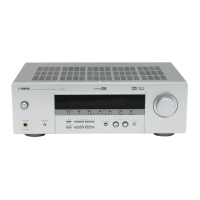
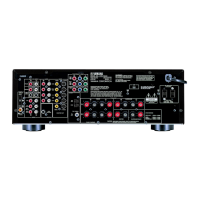
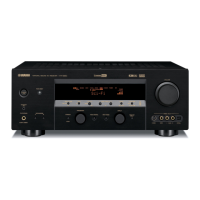
Yamaha HTR-5860 - User Manual

Yamaha HTR-5860
103 pages
Print Icon
To Next Page IconTo Next Page
Loading...
YAMAHA ELECTRONICS CORPORATION, USA
6660 ORANGETHORPE AVE., BUENA PARK, CALIF. 90620, U.S.A.
YAMAHA CANADA MUSIC LTD.
135 MILNER AVE., SCARBOROUGH, ONTARIO M1S 3R1, CANADA
YAMAHA ELECTRONIK EUROPA G.m.b.H.
SIEMENSSTR. 22-34, 25462 RELLINGEN BEI HAMBURG, GERMANY
YAMAHA ELECTRONIQUE FRANCE S.A.
RUE AMBROISE CROIZAT BP70 CROISSY-BEAUBOURG 77312 MARNE-LA-VALLEE CEDEX02, FRANCE
YAMAHA ELECTRONICS (UK) LTD.
YAMAHA HOUSE, 200 RICKMANSWORTH ROAD WATFORD, HERTS WD18 7GQ, ENGLAND
YAMAHA SCANDINAVIA A.B.
J A WETTERGRENS GATA 1, BOX 30053, 400 43 VÄSTRA FRÖLUNDA, SWEDEN
YAMAHA MUSIC AUSTRALIA PTY, LTD.
17-33 MARKET ST., SOUTH MELBOURNE, 3205 VIC., AUSTRALIA
©
2005 All rights reserved.
Printed in Malaysia WE60050
HTR-5860
AV Receiver
OWNER’S MANUAL
U
01EN_HTR-5860_U-cv.fm Page 1 Wednesday, December 22, 2004 8:01 PM

Table of Contents

Other manuals for Yamaha HTR-5860

Questions and Answers

  • C
    Corey KerrSep 22, 2025
    How to eliminate crackling noises on Yamaha HTR-5860 Receiver?
    • C
      Cassandra MossSep 22, 2025
      If there are continuous crackling and hissing noises on your Yamaha Receiver, use an outdoor antenna and a ground wire because noises result from lightning, fluorescent lamps, motors, thermostats, and other electrical equipment. This will help somewhat, but it is difficult to eliminate all noise.
  • S
    smithrandyAug 23, 2025
    Why is there no sound on my Yamaha Receiver?
    • L
      lewisdanielAug 23, 2025
      If your Yamaha Receiver produces no sound, consider the following: * Check and properly connect all input/output cables. Defective cables may also be the cause. * Disconnect the optimizer microphone. * Ensure the input mode is set to AUTO. * Select the correct input source using INPUT, MULTI CH INPUT (or MULTI CH IN on the remote), or the input selector buttons. * Secure all speaker connections. * Select the appropriate front speakers with SPEAKERS A and/or B. * Increase the volume. * If muted, press MUTE or any operation button to resume audio output, then adjust the volume. * If playing a DTS signal, set the input mode to AUTO or DTS. * Ensure the source signals can be reproduced by the unit.
  • J
    Julie SmithAug 25, 2025
    How to fix Yamaha HTR-5860 Receiver remote control not working?
    • L
      laurenschroederAug 26, 2025
      If the remote control for your Yamaha Receiver isn't working, consider these possibilities: * Ensure you are within 6 meters (20 feet) and within a 30-degree angle of the front panel. * Reposition the unit if direct sunlight or inverter-type fluorescent lighting is affecting the remote control sensor. * Replace all batteries. * Verify the remote control code is correctly set using the 'LIST OF REMOTE CONTROL CODES'. * Ensure the remote control ID and the unit's ID match; switch the library code if necessary.
  • S
    Shelley BensonAug 26, 2025
    How to stop humming sound on Yamaha Receiver?
    • T
      Thomas GarciaAug 26, 2025
      If you're experiencing a 'humming' sound with your Yamaha Receiver, firmly connect the audio plugs. If the problem continues, the cables may be defective.
  • N
    Nicholas MckinneyAug 27, 2025
    How to fix only one speaker working on Yamaha HTR-5860 Receiver?
    • L
      Lindsay KimAug 27, 2025
      If you only hear sound from one speaker on your Yamaha Receiver: * Ensure the cables are correctly connected; defective cables may also be the cause. * Adjust the SPEAKER LEVEL settings in SET MENU to correct any balance issues.
  • H
    Heidi BarberSep 18, 2025
    How to reduce noise interference on Yamaha Receiver?
    • R
      Rachel HartSep 18, 2025
      If there is noise interference from digital or radio frequency equipment with your Yamaha Receiver, move this unit further away from such equipment because this unit may be too close to the digital or high-frequency equipment.
  • K
    Kerry RamirezSep 15, 2025
    Why can't I record from digital output on Yamaha HTR-5860 Receiver?
    • P
      patricia69Sep 15, 2025
      If a source cannot be recorded by a digital recording component connected to the DIGITAL OUTPUT jack of your Yamaha Receiver, connect the source component to the DIGITAL INPUT jacks.
  • M
    Marc KnappSep 16, 2025
    Why can't I record from audio out jacks on Yamaha Receiver?
    • E
      Eddie HallSep 16, 2025
      If a source cannot be recorded by an analog component connected to the AUDIO OUT jacks on your Yamaha Receiver, connect the source component to the analog AUDIO IN jacks.
  • S
    Steven SavageSep 6, 2025
    How to reset preset stations on Yamaha HTR-5860?
    • D
      Donald JamesSep 6, 2025
      If previously preset stations can no longer be tuned in on your Yamaha Receiver, preset the stations again because the unit may have been disconnected for a long period.
  • K
    Kimberly GibsonSep 3, 2025
    Why is there no sound from the subwoofer on Yamaha Receiver?
    • M
      Malik TaylorSep 4, 2025
      If you're not getting any sound from the subwoofer on your Yamaha Receiver: * When playing a Dolby Digital or DTS signal, ensure 'LFE/BASS OUT' in SET MENU is set to SWFR or BOTH, not FRNT. * When playing a 2-channel source, ensure 'LFE/BASS OUT' in SET MENU is set to BOTH, not SWFR or FRNT.

Summary

IMPORTANT SAFETY INSTRUCTIONS

Explanation of Graphical Symbols

Alerts to the presence of dangerous voltage and important operating instructions.

FCC INFORMATION

IMPORTANT NOTICE: DO NOT MODIFY THIS UNIT!

Warns against unauthorized modifications to the unit.

CONTROLS AND FUNCTIONS

Front panel

Describes the controls and indicators on the unit's front panel.

SPEAKER SETUP

Speaker placement

Provides guidelines for positioning front, surround, and other speakers for optimal sound.

Speaker connections

Details how to connect speaker cables to the unit's terminals.

CONNECTIONS

Connecting audio components

Instructions for connecting analog and digital audio sources.

AUTO SETUP

Optimizer microphone setup

Instructions for connecting and positioning the optimizer microphone for the auto setup.

Starting the setup

Step-by-step guide to initiating and performing the YPAO auto setup process.

ADVANCED OPERATIONS

Manually adjusting speaker levels

Allows fine-tuning of individual speaker output levels for balanced sound.

SET MENU

3 OPTION MENU

Adjusts display settings, memory guard, and XM radio parameters.

1 SOUND MENU

Adjusts speaker settings, EQ, and other sound-related parameters.

TROUBLESHOOTING

General

Lists common problems and their solutions for general unit operation.

Remote control

Troubleshooting steps for remote control malfunctions.

Yamaha HTR-5860 Specifications

General IconGeneral
Impedance8 ohms
THD0.06%
HDMI Outputs1
Dolby DigitalYes
DTSYes
Response Bandwidth10 Hz - 100 kHz
Signal-To-Noise Ratio100 dB
Input Impedance47 k ohms
Input Sensitivity200 mV
Tuner TypeDigital
Tuner BandsAM/FM
Preset Station Qty40
Digital Sound Processor (DSP)Yes
HDMI SwitchingYes
Audio D/A Converter192 kHz / 24-bit
Surround Sound DecodingYes
Amplifier TypeDiscrete
Power Output100 W per channel (8 ohms)
Frequency Response10 Hz - 100 kHz
Weight20.9 lbs
Video Conversion/ScalingYes
Dimensions (W x H x D)17.1 x 6.3 x 14.4 inches
Video Inputs3 composite, 3 S-video, 3 component
Video Outputscomponent video, composite video, S-Video
Audio Inputs2 digital coaxial, 2 digital optical
Remote ControlYes

Related product manuals