
 To Next Page
G
gregory17Sep 3, 2025
How to stop a humming sound from my Yamaha HTR-5550?
- Bbrian94Sep 4, 2025
If you hear a humming sound from your Yamaha Receiver, firmly connect the audio plugs. If the problem persists, the cables may be defective.

How to stop a humming sound from my Yamaha HTR-5550?
If you hear a humming sound from your Yamaha Receiver, firmly connect the audio plugs. If the problem persists, the cables may be defective.
Why can't I tune in to the desired station with the automatic tuning method on my Yamaha HTR-5550 Receiver?
If the desired station cannot be tuned in with the automatic tuning method on your Yamaha Receiver, use a high-quality directional FM antenna, as the station may be too weak.
Why is FM stereo reception noisy on my Yamaha HTR-5550?
If FM stereo reception is noisy on your Yamaha Receiver, check the antenna connections. Try using a high-quality directional FM antenna, as the issue may be due to the distance from the transmitter or poor antenna input.
Why does my Yamaha Receiver suddenly turn into standby mode?
If your Yamaha Receiver suddenly turns into standby mode, it may be due to the internal temperature becoming too high. Wait for the unit to cool down, and then turn it back on.
How to stop noise interference on my Yamaha Receiver?
If there is noise interference from digital or high-frequency equipment affecting your Yamaha Receiver, move the unit further away from such equipment.
What does "CHECK SP WIRES" mean on my Yamaha HTR-5550?
If "CHECK SP WIRES" appears on the front panel display of your Yamaha Receiver, ensure that all speaker cables are connected correctly to avoid short circuits.
What to do if my Yamaha Receiver does not operate properly?
If your Yamaha Receiver is not operating correctly, disconnect the AC power cord from the outlet and then plug it back in after about 30 seconds. This can help reset the internal microcomputer if it has been frozen by an external electric shock or low voltage.
Why can't I change the sound field parameters and some other settings on my Yamaha HTR-5550?
If you cannot change the sound field parameters or other settings on your Yamaha Receiver, check if '10 MEM. GUARD' in the SET MENU is set to ON. If it is, set it to OFF.
Why can't a source be recorded by a digital recording component connected to the DIGITAL OUTPUT jack of my Yamaha Receiver?
If a source cannot be recorded by a digital recording component connected to the DIGITAL OUTPUT jack of your Yamaha Receiver, ensure that the source component is connected to the DIGITAL INPUT jacks of the unit.
Why is there no sound from my Yamaha Receiver?
If you're not getting any sound from your Yamaha Receiver, here's what to check: 1. Make sure all input and output cables are correctly connected. If the problem continues, the cables might be faulty. 2. Select the right input source using the INPUT l / h, 6CH INPUT, or the input selector buttons. 3. Check that the speaker connections are secure. 4. Increase the volume. 5. If the sound is muted, press MUTE or any operation button to unmute and then adjust the volume. 6. Ensure the source you are playing is compatible with the receiver.
Explains warning symbols like lightning flash and exclamation point.
States FCC regulations and compliance for US customers.
Provides crucial advice for safe and optimal unit operation before use.
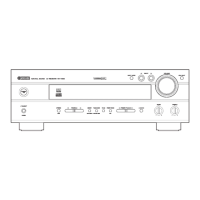
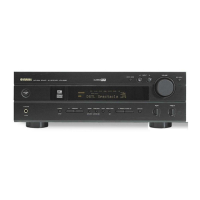
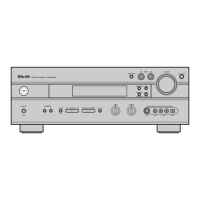
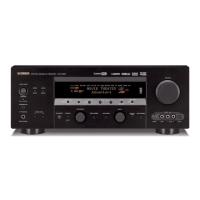
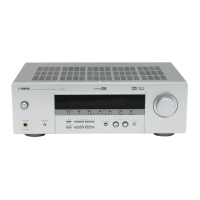
Details the function of each button and indicator on the receiver's front panel.
Details the function of each button on the remote control.
Provides guidance on optimal placement for main, center, and rear speakers.
Details how to prepare speaker cables and connect them to terminals.
Details how to set the impedance selector switch based on speaker impedance.
Explains different video jack types and how to connect components.
Guides on connecting CD players, CD recorders, and MD recorders.
Covers connecting external decoders and power supply cords.
Summarizes the SPEAKER SET items for configuring speaker setup.
Explains how to use the test tone to balance speaker output levels.
Guides on selecting audio and video input sources for playback.
Explains input modes (AUTO, DTS, ANALOG) and signal handling.
Guides on selecting and using DSP programs for enhanced listening.
Explains playback of Dolby Digital, DTS, and Virtual CINEMA DSP.
Explains the concept and advantages of CINEMA-DSP for movie soundtracks.
Lists CINEMA-DSP programs based on input signal format.
Explains how to tune into radio stations automatically and manually.
Guides on automatically and manually storing favorite radio stations.
Covers recording adjustments, DTS software, and timer recording.
Explains how to access and adjust various settings in the SET MENU.
Addresses issues like unit not turning on, no sound, or picture absence.
 General
| Type | AV Receiver |
|---|---|
| Channels | 5.1 |
| Total Harmonic Distortion | 0.06% |
| Input Impedance | 47 k ohms |
| Input Sensitivity | 200 mV |
| Signal-to-Noise Ratio | 100 dB |
| Surround Sound Formats | Dolby Digital, DTS |
| Frequency Response | 10 Hz - 100 kHz |
| Audio Inputs/Outputs | 5 Audio Inputs, 1 Audio Output |
| Digital Audio Inputs | 2 Optical, 1 Coaxial |
| Video Inputs/Outputs | 3 x Composite |