EasyManua.ls Logo

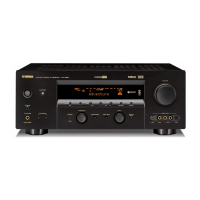
Yamaha HTR-5560 - User Manual

Yamaha HTR-5560
67 pages
Print Icon
To Next Page IconTo Next Page
Loading...
OWNER’S MANUAL
HTR-5560
U
AV Receiver
0100HTR5560(U)-cv1 12/28/01, 7:11 PM1

Table of Contents

Questions and Answers

  • S
    Shannon Ward PhDSep 23, 2025
    What to do if previously preset stations can no longer be tuned in on Yamaha HTR-5560?
    • H
      Heather LeeSep 23, 2025
      If previously preset stations can no longer be tuned in on your Yamaha Receiver, and the unit has been disconnected for a long period, re-store the stations.
  • J
    jchaseAug 25, 2025
    What to do if Yamaha HTR-5560 Receiver fails to turn on?
    • M
      Michaela MullinsAug 25, 2025
      If your Yamaha Receiver fails to turn on, consider the following: * Ensure the power cord is firmly connected. * Verify the IMPEDANCE SELECTOR switch on the rear panel is fully set to either the left or right position when the unit is in standby mode. * Check speaker wire connections for any shorts that may have activated the protection circuitry. Ensure wires only touch their respective connections. * If the unit experienced a strong electric shock, set it to standby, disconnect the power cord for 30 seconds, then reconnect and try again.
  • D
    Dennis GrimesAug 25, 2025
    Why does my Yamaha Receiver suddenly go off?
    • M
      Ms. Sophia Johnson MDAug 26, 2025
      If your Yamaha Receiver suddenly goes off, it could be due to: * Activation of the protection circuit due to a short circuit. Check the IMPEDANCE SELECTOR switch position and then turn the unit back on. * The sleep timer. Turn the power back on and play the source again. * The sound being muted. Press MUTE or any operation buttons to cancel mute.
  • S
    Samantha HebertAug 26, 2025
    What to do if my Yamaha HTR-5560 Receiver remote control does not work?
    • A
      Alexis JohnsonAug 27, 2025
      If the remote control for your Yamaha Receiver isn't working, try these steps: * Ensure you are within 6 meters (20 feet) and no more than 30 degrees off-axis from the front panel. * Make sure direct sunlight or strong lighting isn't interfering with the remote control sensor. Reposition the unit if necessary. * Replace all batteries with new ones. * Ensure the manufacture code is correctly set.
  • M
    Matthew OrozcoAug 27, 2025
    What to do if there is no sound from the subwoofer of Yamaha HTR-5560?
    • B
      Brian GarciaAug 27, 2025
      If there is no sound from the subwoofer of your Yamaha Receiver, check these settings in the SET MENU: * If “1E BASS” is set to MAIN while playing a Dolby Digital or DTS signal, change it to SWFR or BOTH. * If “1E BASS” is set to SWFR or MAIN while playing a 2-channel source, change it to BOTH.
  • C
    churchnicholasSep 15, 2025
    What to do if Yamaha Receiver does not operate properly?
    • M
      Michael TrevinoSep 15, 2025
      If your Yamaha Receiver does not operate properly, disconnect the AC power cord from the outlet and then plug it in again after about 30 seconds. This can resolve issues caused by external electric shocks or low voltage.
  • S
    schneiderkristinSep 12, 2025
    What does 'CHECK SP WIRES' mean on my Yamaha Receiver?
    • R
      Rebecca SmithSep 12, 2025
      If “CHECK SP WIRES” appears on the front panel display of your Yamaha Receiver, it indicates that the speaker cables are short-circuited. Make sure all speaker cables are connected correctly.
  • T
    Thomas EllisSep 14, 2025
    What to do if I can't change sound field parameters on my Yamaha HTR-5560 Receiver?
    • G
      Gerald MartinSep 14, 2025
      If you cannot change the sound field parameters and some other settings on your Yamaha Receiver, check if “10 MEM. GUARD” in the SET MENU is set to ON. If it is, set it to OFF.
  • S
    Sarah ParkerSep 5, 2025
    What to do if Yamaha HTR-5560 has poor bass reproduction?
    • A
      Anne ParkSep 5, 2025
      If your Yamaha Receiver has poor bass reproduction: * If “1E BASS” on the SET MENU is set to SWFR or BOTH and you don't have a subwoofer, select MAIN. * Ensure the speaker mode settings (main, center, rear, or rear center) on the SET MENU match your speaker configuration. Select the appropriate position for each speaker based on its size.
  • T
    Trevor StewartSep 2, 2025
    Why is FM stereo reception noisy on my Yamaha HTR-5560 Receiver?
    • A
      Adam ReyesSep 2, 2025
      Noisy FM stereo reception on your Yamaha Receiver can occur if the transmitter is too far away or the antenna input is poor. Check the antenna connections and consider using a high-quality directional FM antenna. You may also try the manual tuning method.

Summary

Safety Instructions

Caution

General safety warnings and precautions for operating the unit to prevent hazards.

Warning

Specific warnings to prevent fire or electric shock by not removing covers.

FCC Information

Important Notice: Do Not Modify This Unit!

Warning against unauthorized modifications that could void FCC authorization.

Preparation

Speaker Setup

Guidance on connecting and placing speakers for optimal sound.

Connections

Guide to connecting various external audio and video components.

Adjusting Speaker Output Levels

Using the test tone generator to balance speaker volumes for optimal sound.

Advanced Operation

SET MENU

Accessing and adjusting various system settings via menus.

Additional Information

Troubleshooting

Common problems and their solutions for the AV receiver.

Yamaha HTR-5560 Specifications

General IconGeneral
Channels6.1
Total Harmonic Distortion (THD)0.06%
Input Sensitivity200 mV
Signal-To-Noise Ratio100 dB
Input Impedance47 kOhms
Surround Sound EffectsYes
Sound EffectsYes
Tuner BandsAM/FM
Preset Station Qty40
Audio D/A Converter192 kHz/24-bit
Built-in DecodersDolby Digital, DTS
Tuning RangeFM: 87.5-108MHz, AM: 530-1710kHz
Digital Audio InputsOptical, Coaxial
Video Inputs/OutputsComposite, S-Video

Related product manuals