EasyManua.ls Logo

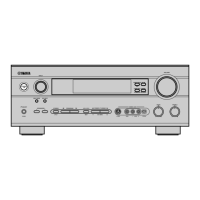
Yamaha HTR-5660 - User Manual

Yamaha HTR-5660
68 pages
Print Icon
To Next Page IconTo Next Page
Loading...
OWNER’S MANUAL
HTR-5660
U
AV Receiver
0100HTR5660-cv1_EN-U.p65 03.1.10, 7:11 PM1

Table of Contents

Other manuals for Yamaha HTR-5660

Questions and Answers

  • Q
    qthompsonAug 19, 2025
    What to do if my Yamaha HTR-5660 sound suddenly goes off?
    • M
      Mark CaldwellAug 20, 2025
      If the sound from your Yamaha Receiver suddenly cuts off, it could be due to the protection circuit being activated. Check that the IMPEDANCE SELECTOR switch is set to the appropriate position and then turn the unit back on. Also, the sleep timer may have turned the unit off, so turn the power back on and play the source again. The sound could also be muted, so press MUTE or any operation buttons to cancel the mute.
  • M
    Martin ShahAug 21, 2025
    What to do if 'CHECK SP WIRES' appears on my Yamaha HTR-5660 Receiver?
    • M
      Mark PerezAug 21, 2025
      If “CHECK SP WIRES” appears on the front panel of your Yamaha Receiver, it indicates that the speaker cables are short-circuited. Ensure all speaker cables are connected correctly.
  • A
    Andrew OrtizAug 25, 2025
    How to fix Yamaha HTR-5660 remote control that is not working?
    • A
      Angela MckinneyAug 25, 2025
      If the Yamaha Receiver remote control is not working, ensure you are within a maximum range of 6 m (20 feet) and no more than 30 degrees off-axis from the front panel. Replace all batteries with new ones. Also, verify that the manufacture code is correctly set.
  • J
    jacquelinegentryAug 26, 2025
    How to fix Yamaha HTR-5660 when only one speaker side works?
    • S
      Stephanie HuntAug 26, 2025
      If you only hear sound from one speaker side on your Yamaha Receiver, the cable connections may be incorrect. Ensure that the cables are properly connected, and if the problem continues, the cables may be defective and need replacement.
  • T
    Tanya TorresAug 27, 2025
    Why is there no sound from the effect speakers on my Yamaha HTR-5660?
    • B
      Brittany HowardAug 27, 2025
      If there is no sound from the effect speakers on your Yamaha Receiver, the sound effect may be switched off. Press STEREO/EFFECT to turn it on. Also, if you're using a Dolby Surround, Dolby Digital, or DTS decoding DSP program with material not encoded with these formats, select another DSP program.
  • D
    dana36Aug 30, 2025
    Why is there no sound from the center speaker on my Yamaha Receiver?
    • J
      Jeffrey JohnsonAug 30, 2025
      If there is no sound from the center speaker on your Yamaha Receiver, the output level of the center speaker may be set to minimum. Raise the level of the center speaker. Also, check if “SOUND 1A CENTER” on the set menu is set to NON and select the appropriate mode. If one of the Hi-Fi DSP programs (1 to 4) has been selected (except for 6ch Stereo), select another DSP program.
  • T
    todd40Aug 31, 2025
    Why is there no sound from the rear speakers on my Yamaha Receiver?
    • C
      Chad BridgesAug 31, 2025
      If there is no sound from the rear speakers on your Yamaha Receiver, the output level of the rear speakers may be set to minimum. Raise the output level of the rear speakers. If a monaural source is being played with program 9, select another DSP program.
  • J
    Jeff RosalesSep 2, 2025
    Why is there no sound from the rear center speaker on my Yamaha Receiver?
    • P
      pgonzalezSep 2, 2025
      If there is no sound from the rear center speaker on your Yamaha Receiver, check if “SOUND 1C REAR LR” or “SOUND 1D REAR CT” on the set menu is set to NON. Select LRG or SML. Also, make sure that the Dolby Digital EX or the DTS-ES decoder is switched on by pressing 6.1/5.1 on the remote control.
  • B
    Bradley TurnerSep 4, 2025
    Why is there no sound from the subwoofer on my Yamaha HTR-5660?
    • G
      Grant LozanoSep 5, 2025
      If there is no sound from the subwoofer on your Yamaha Receiver, check if “SOUND 1E BASS” on the set menu is set to MAIN when a Dolby Digital or DTS signal is being played. Select SWFR or BOTH. If “SOUND 1E BASS” is set to SWFR or MAIN when a 2-channel source is being played, select BOTH.
  • K
    karenandersonSep 7, 2025
    Why is FM stereo reception noisy on my Yamaha HTR-5660 Receiver?
    • J
      Julie MarquezSep 7, 2025
      Noisy FM stereo reception on your Yamaha Receiver can occur due to the characteristics of FM stereo broadcasts when the transmitter is too far away or the antenna input is poor. Check the antenna connections and consider using a high-quality directional FM antenna.

Summary

IMPORTANT SAFETY INSTRUCTIONS

Explanation of Graphical Symbols

Identifies symbols used for safety warnings and instructions within the manual.

FCC INFORMATION (for US customers)

Compliance and Interference Guidelines

Details FCC compliance requirements and how to resolve interference issues.

CAUTION: READ THIS BEFORE OPERATING YOUR UNIT

General Operating Precautions and Warnings

Provides essential safety and operational guidelines before using the unit.

FEATURES

Product Highlights and Capabilities

Summarizes the key audio, video, and processing features of the AV receiver.

GETTING STARTED

Supplied Accessories List

Lists all components included in the package for initial setup.

Remote Control Battery Installation

Step-by-step instructions for inserting batteries into the remote control.

CONTROLS AND FUNCTIONS

Front Panel Controls and Indicators

Describes the buttons, jacks, and display on the front panel of the unit.

Remote Control Operations

Explains the functions of each button on the remote control.

Front Panel Display Indicators

Details the meaning of various indicators shown on the front panel display.

CONNECTIONS

Connecting Components Overview

General guidance and caution before making component connections.

Connecting Video Components

Instructions for connecting video sources like DVD players, TVs, and monitors.

Connecting Audio Components

Guidance for connecting CD players, recorders, and MD recorders.

Connecting Antennas

Instructions for connecting AM and FM antennas for radio reception.

Connecting External Amplifiers and Decoders

How to connect external audio components for expanded system capabilities.

Connecting Speakers and Impedance Settings

Guides speaker connection and selecting the correct impedance settings.

Power Supply and Initial Power-On

Instructions for connecting the power cord and turning the unit on for the first time.

BASIC SYSTEM SETTINGS

Using the Basic Menu for Initial Setup

How to navigate and use the basic settings menu for initial configuration.

Configuring Speaker System and Output Levels

Steps to match the unit to your speaker setup and adjust speaker output levels.

PLAYBACK

Selecting Input Sources and 6 CH INPUT

How to choose audio/video sources and use the 6CH INPUT.

Volume Adjustment, Muting, and Night Listening

Adjusting sound levels, muting, and using the night listening mode.

Input Modes and Signal Indications

Understanding different input signal modes and their indications.

Selecting Sound Field Programs

How to choose and cycle through various DSP sound field programs.

Decoding Modes (PRO LOGIC, Dolby Digital EX, DTS ES)

Guides on selecting specific audio decoding modes for enhanced surround sound.

Virtual and Silent CINEMA DSP

Using DSP effects without rear speakers or with headphones for immersive sound.

DIGITAL SOUND FIELD PROCESSING (DSP)

Understanding Sound Fields and DSP

Explains the concept of sound fields and Yamaha's DSP technology.

Hi-Fi DSP Program Descriptions

Details the features of various Hi-Fi DSP sound field programs.

CINEMA-DSP Program Descriptions

Explains DSP programs designed for movie soundtracks and their effects.

Sound Field Effects Overview

Describes the types of sound field effects created by CINEMA-DSP programs.

TUNING

Automatic and Manual Tuning Methods

Explains how to tune into radio stations using automatic and manual methods.

Presetting Stations (Automatic & Manual)

Step-by-step guide to storing favorite radio stations.

Selecting and Exchanging Preset Stations

How to recall and swap stored radio station assignments.

SLEEP TIMER

Setting and Canceling the Sleep Timer

How to set the unit to automatically enter standby mode after a set time.

OPERATION

RECORDING Operations

Instructions and considerations for recording audio and video sources.

SET MENU

Set Menu Overview and Adjustment

Introduction to the set menu and how to adjust its parameters.

SOUND Menu Settings (Speaker Set, Distance, LFE, D. RANGE)

Detailed settings for sound output, speaker configuration, and audio effects.

INPUT and OPTION Menu Settings

Configuration of input assignments and other system options.

REMOTE CONTROL FEATURES

Remote Control Area Overview

Description of the remote control's different operating modes and areas.

Setting and Clearing Manufacturer Codes

How to program the remote to control other AV components.

Controlling Other Components

Explains how to operate connected components using the remote.

SETTING THE SPEAKER LEVELS

Adjusting Volume During Playback

On-the-fly adjustments to speaker volume levels during listening.

Using Test Tone for Speaker Level Calibration

How to use the test tone feature to ensure balanced speaker output.

ZONE 2 (For U.S.A., Canada and Australia models)

Enabling Zone 2 Mode and DTS Considerations

Setup for multi-room audio and notes on DTS playback in Zone 2.

Remote Control Operation in Zone 2

How to use the remote control to operate Zone 2 functions.

SOUND FIELD PROGRAM PARAMETER EDITING

Changing Sound Field Program Parameters

Customizing settings for specific sound field programs.

Digital Sound Field Parameter Descriptions

Explains the function and control range of various DSP parameters.

TROUBLESHOOTING

General Troubleshooting Guide

Common problems and their solutions for the unit's general operation.

Tuner and Remote Control Troubleshooting

Specific issues related to the tuner and remote control functionality.

GLOSSARY

Audio Signal Types and Definitions

Definitions of audio formats, signals, and processing technologies used.

SPECIFICATIONS

Audio, FM;AM, and Video Specifications

Technical specifications for the unit's performance and capabilities.

LIST OF MANUFACTURER CODES

Manufacturer Codes for Remote Control Setup

A list of codes used to program the remote for various brands.

Yamaha HTR-5660 Specifications

General IconGeneral
BrandYamaha
ModelHTR-5660
CategoryReceiver
LanguageEnglish

Related product manuals