EasyManua.ls Logo

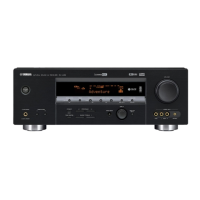
Yamaha HTR-5635 - User Manual

Yamaha HTR-5635
64 pages
Print Icon
To Next Page IconTo Next Page
Loading...
OWNER’S MANUAL
HTR-5635
U
AV Receiver
0100HTR5635_cv14.p65 02.12.12, 7:05 PM3

Table of Contents

Other manuals for Yamaha HTR-5635

Questions and Answers

  • R
    reedmonicaSep 8, 2025
    Why can't I change sound field parameters on my Yamaha HTR-5635 Receiver?
    • C
      Carmen FreemanSep 9, 2025
      If the sound field parameters and other settings on your Yamaha Receiver cannot be changed, check if “10 MEM. GUARD” in the SET MENU is set to ON. If it is, set it to OFF.
  • T
    thomasconnieAug 23, 2025
    What to do if Yamaha HTR-5635 sound suddenly goes off?
    • M
      Marcus TurnerAug 23, 2025
      If the sound from your Yamaha Receiver suddenly cuts off, here’s what you should check: * The protection circuit may have been activated due to a short circuit. Ensure the IMPEDANCE SELECTOR switch is in the correct position, then power the unit back on. * The sleep timer may have been activated. Turn the power back on and restart the source. * The sound may be muted. Press the MUTE button or any other operation button to cancel mute and restore the sound.
  • J
    John WalshAug 25, 2025
    What to do if Yamaha HTR-5635 fails to turn on?
    • B
      Brianna CruzAug 25, 2025
      If your Yamaha Receiver fails to turn on or enters standby mode soon after being powered on, check the following: * Ensure the power cord is firmly connected. * Verify the IMPEDANCE SELECTOR switch on the rear panel is fully set to either the left or right position. * Check speaker wire connections for any shorts that may have activated the protection circuitry. * If the unit experienced a strong electric shock, set it to standby, disconnect the power cord for 30 seconds, then reconnect and restart it.
  • C
    catherinebassAug 27, 2025
    Why is there no sound from the subwoofer on my Yamaha Receiver?
    • J
      jennifer15Aug 27, 2025
      If you are not getting any sound from the subwoofer connected to your Yamaha Receiver, check the “1D BASS” setting in the SET MENU. If you are playing a Dolby Digital or DTS signal, it should be set to SWFR or BOTH. If you are playing a 2-channel source, it should be set to BOTH.
  • D
    Denise CarrollAug 27, 2025
    Why is there no sound from the center speaker on my Yamaha Receiver?
    • J
      Jesse HowardAug 27, 2025
      If you're not getting any sound from the center speaker of your Yamaha Receiver, first raise the output level of the center speaker. Then, check “1A CENTER” in the SET MENU and select the appropriate mode for your center speaker. Also, if one of the Hi-Fi DSP programs (1 to 4) is selected (except for 5ch Stereo), try selecting another DSP program.
  • A
    Amanda LeeSep 22, 2025
    Why is my Yamaha HTR-5635 Receiver making buzzing noises?
    • R
      Rebekah MedinaSep 22, 2025
      If you are hearing buzzing and whining noises (especially in the evening) from your Yamaha Receiver, it could be due to a TV set being used nearby. Move the unit away from the TV.
  • A
    Amanda CrawfordSep 16, 2025
    Why isn't automatic tuning working on my Yamaha HTR-5635 Receiver?
    • J
      Joel GreeneSep 16, 2025
      If the desired station cannot be tuned in with the automatic tuning method on your Yamaha Receiver, the signal might be weak, or the antenna connections might be loose. Tighten the AM loop antenna connections and orient it for best reception.
  • K
    Kimberly ChambersSep 18, 2025
    What causes crackling and hissing noises on my Yamaha Receiver?
    • J
      joneslindseySep 18, 2025
      If you are experiencing continuous crackling and hissing noises with your Yamaha Receiver, these noises may result from lightning, fluorescent lamps, motors, thermostats, and other electrical equipment. Using an outdoor antenna and a ground wire might help somewhat, but it's difficult to eliminate all noise.
  • R
    russellraymondSep 7, 2025
    What to do if the volume level cannot be increased on Yamaha Receiver?
    • D
      David HollowaySep 7, 2025
      If the volume level on your Yamaha Receiver cannot be increased or the sound is distorted, check if the component connected to the OUT (REC) jacks of this unit is turned off. If so, turn on the power to that component.
  • T
    tgarciaSep 4, 2025
    How to improve poor bass reproduction on Yamaha HTR-5635 Receiver?
    • T
      Tamara CarsonSep 4, 2025
      To address poor bass reproduction on your Yamaha Receiver, check the “1D BASS” setting in the SET MENU. If it's set to SWFR or BOTH and you don't have a subwoofer, change it to MAIN. Also, ensure that the speaker mode settings (main, center, rear) in the SET MENU match your actual speaker configuration, adjusting for speaker sizes.

Summary

SAFETY INSTRUCTIONS

Explanation of Graphical Symbols

Alerts to the presence of dangerous voltage or important operating/maintenance instructions.

OPERATING PRECAUTIONS

General Operation Guidelines

Covers installation, environment, usage, and maintenance precautions for safe operation.

PREPARATION

SPEAKER SETUP

Guides on speaker types, placement, and subwoofer integration for optimal sound.

Connecting the Speakers

Instructions on connecting speaker cables to the appropriate terminals correctly.

IMPEDANCE SELECTOR Switch

Explains how to set the impedance selector switch based on speaker impedance.

SPEAKER MODE SETTINGS

SPEAKER SET Item Summary

Summarizes the 5 SPEAKER SET items and their initial default settings.

ADJUSTING SPEAKER OUTPUT LEVELS

Using the Test Tone

Details how to use the unit's test tone generator for speaker level adjustment.

BASIC OPERATION

BASIC PLAYBACK

Guides on selecting input sources and modes for basic audio playback.

DIGITAL SOUND FIELD PROCESSING (DSP)

TUNING

Presetting Stations

Details how to automatically and manually preset FM and AM radio stations.

SET MENU

Navigating the SET MENU

Explains how to access and adjust the various settings available in the SET MENU.

SPEAKER SET Configuration

Details the settings for center, main, and rear speaker modes and sizes.

Speaker Mode Settings

Configures rear speaker modes, LFE/bass output, and main speaker level settings.

ADJUSTING THE LEVEL OF THE EFFECT SPEAKERS

Speaker Level Adjustment

Guides on adjusting output levels for center, rear, and subwoofer speakers.

ADJUSTING THE DELAY TIME

Speaker Delay Time Adjustment

Explains how to adjust the delay time for DSP sound effects.

ADJUSTING THE PARAMETER SETTINGS FOR PRO LOGIC II MUSIC

TROUBLESHOOTING

General Problems and Solutions

Addresses common issues like power failure, no sound, and connection problems.

Tuner and Remote Control Issues

Solves problems related to tuner reception and remote control malfunctions.

SPECIFICATIONS

Yamaha HTR-5635 Specifications

General IconGeneral
Channels6.1
Total Harmonic Distortion (THD)0.06%
Frequency Response10 Hz - 100 kHz
Input Impedance47 kOhms
Signal-To-Noise Ratio100 dB
Input Sensitivity200 mV
Audio D/A Converter192 kHz/24-bit
Surround Sound EffectsYes
Digital Sound Processor (DSP)Yes
DSP Preset Qty14
Tuner BandsAM/FM
Preset Station Qty40
Dimensions (W x H x D)435 x 151 x 390 mm
Built-in DecodersDolby Digital, DTS

Related product manuals