EasyManua.ls Logo

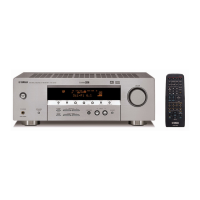
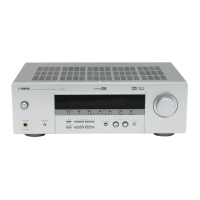
Yamaha HTR-5650 - User Manual

Yamaha HTR-5650
134 pages
Print Icon
To Next Page IconTo Next Page
Loading...
SERVICE MANUAL
100846
IMPORTANT NOTICE
This manual has been provided for the use of authorized YAMAHA Retailers and their service personnel.
It has been assumed that basic service procedures inherent to the industry, and more specifically YAMAHA Products, are already
known and understood by the users, and have therefore not been restated.
WARNING: Failure to follow appropriate service and safety procedures when servicing this product may result in personal
injury, destruction of expensive components, and failure of the product to perform as specified. For these reasons,
we advise all YAMAHA product owners that any service required should be performed by an authorized
YAMAHA Retailer or the appointed service representative.
IMPORTANT: The presentation or sale of this manual to any individual or firm does not constitute authorization, certification or
recognition of any applicable technical capabilities, or establish a principle-agent relationship of any form.
The data provided is believed to be accurate and applicable to the unit(s) indicated on the cover. The research, engineering, and
service departments of YAMAHA are continually striving to improve YAMAHA products. Modifications are, therefore, inevitable
and specifications are subject to change without notice or obligation to retrofit. Should any discrepancy appear to exist, please
contact the distributor's Service Division.
WARNING: Static discharges can destroy expensive components. Discharge any static electricity your body may have
accumulated by grounding yourself to the ground buss in the unit (heavy gauge black wires connect to this buss).
IMPORTANT: Turn the unit OFF during disassembly and part replacement. Recheck all work before you apply power to the unit.
P.O.Box 1, Hamamatsu, Japan
CONTENTS
TO SERVICE PERSONNEL .......................................... 2
IMPEDANCE SELECTOR ............................................. 2
FRONT PANELS ........................................................ 3~5
REAR PANELS ........................................................ 5~12
REMOTE CONTROL PANELS .................................... 13
SPECIFICATIONS / 参考仕様 ................................ 14~17
INTERNAL VIEW ......................................................... 17
DISASSEMBLY PROCEDURES/分解手順 ......... 18~20
SELF DIAGNOSIS FUNCTION (DIAG)/
自己診断機能(ダイアグ)..................................... 21~42
AMP ADJUSTMENT/アンプ部調整 ........................... 43
DISPLAY DATA ..................................................... 44~45
IC DATA ................................................................. 46~51
BLOCK DIAGRAM ................................................. 52~53
PRINTED CIRCUIT BOARD .................................. 54~75
PIN CONNECTION DIAGRAM .................................... 76
SCHEMATIC DIAGRAM ........................................ 77~88
PARTS LIST ......................................................... 89~137
REMOTE CONTROL.......................................... 138~139
AV RECEIVER/AV AMPLIFIER
RX-V540/RX-V540RDS/HTR-5650/HTR-5650RDS/DSP-AX540
RX-V440/RX-V440RDS/HTR-5640/HTR-5640RDS/DSP-AX440
RX-V540/RX-V540RDS/HTR-5650/HTR-5650RDS/DSP-AX540
RX-V440/RX-V440RDS/HTR-5640/HTR-5640RDS/DSP-AX440
Question and Answer IconNeed help?

Do you have a question about the Yamaha HTR-5650 and is the answer not in the manual?

Summary

Service Personnel Information

Leakage Current Measurement

Verifies insulation of exposed surfaces from supply circuits for 120V models.

Chemical Content Notice

Warns about lead in solder and other chemicals, advising safe handling.

Impedance Selector

Dimensions

Front Panels

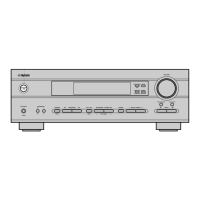
RX-V540 Models

Front panel layout for RX-V540 and related models.

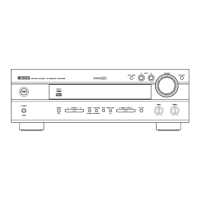
HTR-5650 Models

Front panel layout for HTR-5650 and related models.

Front Panels (Continued)

DSP-AX540 (J model)

Front panel layout for DSP-AX540 (J) model.

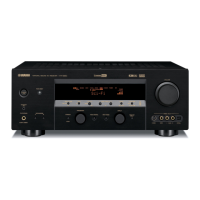
RX-V440 Models

Front panel layout for RX-V440 and related models.

Rear Panels

RX-V540 Models

Rear panel layout for RX-V540 models.

Rear Panels (Continued)

RX-V540 RDS Models

Rear panel layout for RX-V540RDS models.

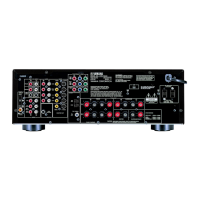
HTR-5650 Models

Rear panel layout for HTR-5650 models.

Rear Panels (Continued)

DSP-AX540 (J model)

Rear panel layout for DSP-AX540 (J) model.

RX-V440 Models

Rear panel layout for RX-V440 and related models.

Rear Panels (Continued)

HTR-5640 Models

Rear panel layout for HTR-5640 and related models.

HTR-5640 RDS Models

Rear panel layout for HTR-5640RDS models.

DSP-AX440 (J model)

Rear panel layout for DSP-AX440 (J) model.

Remote Control Panels

RX-V540;HTR-5650;DSP-AX540 Series

Remote control layouts for specified models.

RX-V440;HTR-5640;DSP-AX440 Series

Remote control layouts for specified models.

RX-V440 RDS;HTR-5640 RDS Series

Remote control layouts for specified models.

RX-V540 RDS;HTR-5650 RDS Series

Remote control layouts for specified models.

Specifications; 参考仕様

Audio Section; オーディオ部

Details audio output power, frequency response, and signal-to-noise ratio specifications.

Video Section; ビデオ部

Details video signal types, levels, and format specifications.

Specifications (Continued)

Monitor Out Frequency Response; モニターアウト周波数帯域

Lists frequency response for various monitor outputs.

FM Section; FM部

Details FM tuner specifications like tuning range, sensitivity, and selectivity.

AM Section; AM部

Details AM tuner specifications like tuning range and sensitivity.

General; 総合

Covers power supply, consumption, dimensions, weight, and available finishes.

Set Menu Table; セットメニュー

SETUP

Settings for room, subwoofer, and speaker configuration.

SP LEVEL

Adjustments for speaker level for each channel.

SPEAKER SET

Speaker settings for size, rear, center, and bass.

SP DISTANCE

Settings for speaker distance and effective distance.

LFE LEVEL

Adjustments for subwoofer LFE level.

D. RANGE

Settings for dynamic range control.

CENTER GEQ

Settings for center channel equalization.

HP TONE CTRL

Controls for treble and bass tone.

I;O ASSIGN

Assignment of input/output terminals.

INPUT MODE

Selection of input mode.

DISPLAY SET

Display settings for brightness.

MEMORY GUARD

Setting for memory guard.

AUDIO MUTE

Audio mute settings.

ZONE SET

Zone settings.

DUAL MONO (J Only)

Dual mono setting for J model.

Internal View

Disassembly Procedures; 分解手順

Removal of Top Cover

Instructions for removing the top cover of the unit.

Removal of Front Panel Unit

Instructions for removing the front panel unit and its connections.

Removal of DSP P.C.B.

Steps for removing the DSP printed circuit board.

Disassembly Procedures (Continued)

Removal of FUNCTION (1) ~ (7) P.C.B.s and Tuner

Procedures for removing function PCBs and the tuner.

Disassembly Procedures (Continued)

Removal of MAIN (1), MAIN (3) and POWER (1) P.C.B.s

Steps for removing main and power PCBs.

Self Diagnosis Function (DIAG); 自己診断機能(ダイアグ)

DSP THROUGH

Controls DSP signal routing for main L/R output, selecting YSS938 or analog bypass.

RAM THROUGH

Function for YSS938, outputting CT signal via Sub DSP-DRAM.

PRO LOGIC; NEO6

Settings for Pro Logic and Neo:6 audio processing modes.

SPEAKERS SET

Speaker settings for size, rear, center, and bass.

MARGIN CHECK

Checks signal output including head margin with different dB margins.

OTHER INPUT

Specifies external decoder input.

DISPLAY CHECK

Checks FL display segments, dimming, and pattern.

MANUAL TEST

DSP noise generator outputs test noise to specified channels.

FACTORY PRESET

Used to reserve and inhibit RAM initialization for factory settings.

AD DATA CHECK;FAN TEST

Displays A/D conversion values for panel keys and protection functions.

Self Diagnosis Function (DIAG) (Continued)

IF STATUS

Displays input function status and signal processing status in hexadecimal.

DSP RAM CHECK

Self-diagnoses bus connection for YSS938 and external RAM.

SD DL CODE

Displays data version of FLASH ROM, TOC information, and sum calculated value.

SOFT SWITCH

Switches function settings on PCB via software for product activation.

Self Diagnosis Function (DIAG) (Continued)

Starting DIAG

Instructions to start diagnostic mode by pressing specific keys simultaneously with power.

Starting DIAG in the protection cancel mode

How to enter DIAG mode with protection functions disabled.

Canceling DIAG

Procedures for canceling DIAG mode and resetting settings.

Self Diagnosis Function (DIAG) (Continued)

Display provided when DIAG started

Shows FL display of protection history, version, and DIAG menu.

When there is no history of protection function

Message displayed when no protection function history is found.

Self Diagnosis Function (DIAG) (Continued)

When there is a history of protection function due to abnormal DC output

History display for protection due to abnormal DC output.

When there is a history of protection function due to excessive heat sink temperature

History display for protection due to excessive heat sink temperature.

Display during menu operation

Indicates function status on FL display during DIAG operation.

History of protection function

Stores and displays past protection function events.

Self Diagnosis Function (DIAG) (Continued)

Functions in DIAG mode

Lists functions available during DIAG mode, excluding tuner and menu.

Initial settings used to start DIAG

Details the initial settings applied when starting DIAG.

Operation procedure of DIAG menu and SUB-MENU

Explains how to navigate DIAG menus and sub-menus using main unit keys.

Self Diagnosis Function (DIAG) (Continued)

Details of DIAG menu

Explains full-bit output without head margin in specific modes.

1. DSP THROUGH

Selects Main DSP of YSS938 for MAIN L/R output; ANALOG BYPASS passes signal directly.

YSS 0 dB

Outputs signal including head margin.

YSS Front 0 dB

Front CH signal with head margin output at main CH.

Self Diagnosis Function (DIAG) (Continued)

YSS FULL BIT

Outputs signal in digital full bit without head margin; SWFR signal not in full bit.

YSS FULL BIT F

Front CH signal outputs in digital full bit at main CH.

Self Diagnosis Function (DIAG) (Continued)

2. RAM THROUGH

Function for YSS938, outputting CT signal via Sub DSP-DRAM.

Self Diagnosis Function (DIAG) (Continued)

3. PRO LOGIC

Details Pro Logic processing for L/C/R/RL/RR signals and output.

PRO LOGIC II

Details Pro Logic II processing and output options.

Self Diagnosis Function (DIAG) (Continued)

Neo:6

Describes Neo:6 processing by CS49329 and output through Sub DSP-DRAM.

Self Diagnosis Function (DIAG) (Continued)

4. SPEAKERS SET

Automatically identifies and switches input signals based on priority.

Self Diagnosis Function (DIAG) (Continued)

5. MARGIN CHECK

Signal output including head margin, with 12dB and 18dB margin checks.

Self Diagnosis Function (DIAG) (Continued)

6. OTHER INPUT

Outputs signal input through 6CH INPUT terminals.

7. DISPLAY CHECK

Programs to check FL display conditions like segments and dimming.

Self Diagnosis Function (DIAG) (Continued)

8. MANUAL TEST

DSP noise generator outputs test noise to specified channels.

9. FACTORY PRESET

Reserves and inhibits backup RAM initialization.

Self Diagnosis Function (DIAG) (Continued)

10. AD DATA CHECK;FAN TEST

Displays A/D conversion values of terminals for panel keys and protection functions.

DC;PS (protection detection)

Displays DC protection and power supply voltage protection values.

THM;Fan (temperature detection;fan drive level)

Displays temperature detection and fan drive level.

Self Diagnosis Function (DIAG) (Continued)

IMP SW;POWER LIMIT (Impedance;power limiter detection)

Detects impedance/power limiter settings and controls port output.

K0;K1 (Panel key of main unit)

Checks panel key A/D function and confirms constants.

Self Diagnosis Function (DIAG) (Continued)

11. IF STATUS (Input function status)

Displays input function status and signal processing status in hexadecimal.

Self Diagnosis Function (DIAG) (Continued)

12. DSP RAM CHECK

Self-diagnoses bus connection for YSS938 and external RAM.

13. SD DL CODE

Displays data version of FLASH ROM, TOC information, and sum calculated value.

Self Diagnosis Function (DIAG) (Continued)

14. SOFT SW

Switches function settings on PCB via software for product activation.

Self Diagnosis Function (DIAG) (Continued)

15. MICROPROCESSOR INFORMATION

Displays version, checksum, and microprocessor port settings.

Amp Adjustment; アンプ部調整

Confirmation of Idling Current of Main (1) P. C. B.

Confirms idling current by measuring voltage across terminals on the main PCB.

Display Data

PIN CONNECTION

Shows pin assignments for various ICs and components.

GRID ASSIGNMENT

Maps terminal connections to grid assignments.

Display Data (Continued)

ANODE CONNECTION

Shows the anode connection details for various grid assignments.

IC Data

IC601: M3062 VMGP (FUNCTION P.C.B.) 16 bit µ-COM (Main CPU)

Details the functions and I/O of the main CPU IC.

Block Diagram (1;2)

Block Diagram (2;2)

Printed Circuit Board (Foil side)

DSP P. C. B. (Lead Type Device)

Shows the foil side layout of the DSP PCB with lead type devices.

DSP P. C. B. (Surface Mount Device)

Shows the foil side layout of the DSP PCB with surface mount devices.

Printed Circuit Board (Foil side) (Continued)

FUNCTION P. C. B. (Lead Type Device)

Foil layout of the FUNCTION PCBs (Lead Type).

OPERATION P. C. B. (Lead Type Device)

Foil layout of the OPERATION PCBs (Lead Type).

Printed Circuit Board (Foil side) (Continued)

MAIN P. C. B. (Lead Type Device)

Foil layout of the MAIN PCBs (Lead Type).

Printed Circuit Board (Foil side) (Continued)

MAIN P. C. B. (Lead Type Device)

Foil layout of the MAIN PCBs (Lead Type).

Printed Circuit Board (Foil side) (Continued)

FUNCTION P. C. B. (Surface Mount Device)

Foil layout of the FUNCTION PCBs (Surface Mount).

Printed Circuit Board (Foil side) (Continued)

OPERATION P. C. B. (Lead Type Device)

Foil layout of the OPERATION PCBs (Lead Type).

Printed Circuit Board (Foil side) (Continued)

OPERATION P. C. B. (Surface Mount Device)

Foil layout of the OPERATION PCB (Surface Mount).

Printed Circuit Board (Foil side) (Continued)

OPERATION P. C. B. (Lead Type Device)

Foil layout of the OPERATION PCBs (Lead Type).

OPERATION P. C. B. (Surface Mount Device)

Foil layout of the OPERATION PCBs (Surface Mount).

Printed Circuit Board (Foil side) (Continued)

POWER P. C. B. (Lead Type Device)

Foil layout of the POWER PCBs (Lead Type).

Printed Circuit Board (Foil side) (Continued)

POWER P. C. B. (Lead Type Device)

Foil layout of the POWER PCBs (Lead Type) for RX-V440 models.

Printed Circuit Board (Foil side) (Continued)

VIDEO P. C. B. (Lead Type Device)

Foil layout of the VIDEO PCB (Lead Type).

VIDEO P. C. B. (Surface Mount Device)

Foil layout of the VIDEO PCB (Surface Mount).

Printed Circuit Board (Foil side) (Continued)

FUNCTION P. C. B. (Lead Type Device)

Foil layout of the FUNCTION PCBs (Lead Type).

Printed Circuit Board (Foil side) (Continued)

FUNCTION P. C. B. (Surface Mount Device)

Foil layout of the FUNCTION PCBs (Surface Mount).

Pin Connection Diagram

ICs

Pin connection diagrams for various integrated circuits.

Diodes

Pin configurations and types of diodes used.

Transistors

Pin configurations and types of transistors used.

Schematic Diagram (DSP)

Block Diagram (1;2)

Block Diagram (2;2)

Printed Circuit Board (Foil side)

DSP P. C. B. (Lead Type Device)

Shows the foil side layout of the DSP PCB with lead type devices.

DSP P. C. B. (Surface Mount Device)

Shows the foil side layout of the DSP PCB with surface mount devices.

Printed Circuit Board (Foil side) (Continued)

FUNCTION P. C. B. (Lead Type Device)

Foil layout of the FUNCTION PCBs (Lead Type).

OPERATION P. C. B. (Lead Type Device)

Foil layout of the OPERATION PCBs (Lead Type).

Printed Circuit Board (Foil side) (Continued)

MAIN P. C. B. (Lead Type Device)

Foil layout of the MAIN PCBs (Lead Type).

Printed Circuit Board (Foil side) (Continued)

MAIN P. C. B. (Lead Type Device)

Foil layout of the MAIN PCBs (Lead Type).

Printed Circuit Board (Foil side) (Continued)

FUNCTION P. C. B. (Surface Mount Device)

Foil layout of the FUNCTION PCBs (Surface Mount).

Printed Circuit Board (Foil side) (Continued)

OPERATION P. C. B. (Lead Type Device)

Foil layout of the OPERATION PCBs (Lead Type).

Printed Circuit Board (Foil side) (Continued)

OPERATION P. C. B. (Surface Mount Device)

Foil layout of the OPERATION PCB (Surface Mount).

Printed Circuit Board (Foil side) (Continued)

OPERATION P. C. B. (Lead Type Device)

Foil layout of the OPERATION PCBs (Lead Type).

OPERATION P. C. B. (Surface Mount Device)

Foil layout of the OPERATION PCBs (Surface Mount).

Printed Circuit Board (Foil side) (Continued)

POWER P. C. B. (Lead Type Device)

Foil layout of the POWER PCBs (Lead Type).

Printed Circuit Board (Foil side) (Continued)

POWER P. C. B. (Lead Type Device)

Foil layout of the POWER PCBs (Lead Type) for RX-V440 models.

Printed Circuit Board (Foil side) (Continued)

VIDEO P. C. B. (Lead Type Device)

Foil layout of the VIDEO PCB (Lead Type).

VIDEO P. C. B. (Surface Mount Device)

Foil layout of the VIDEO PCB (Surface Mount).

Printed Circuit Board (Foil side) (Continued)

FUNCTION P. C. B. (Lead Type Device)

Foil layout of the FUNCTION PCBs (Lead Type).

Printed Circuit Board (Foil side) (Continued)

FUNCTION P. C. B. (Surface Mount Device)

Foil layout of the FUNCTION PCBs (Surface Mount).

Schematic Diagram (DSP)

Block Diagram (1;2)

Block Diagram (2;2)

Schematic Diagram (MAIN)

Parts List

ELECTRICAL PARTS

Lists electrical components with their abbreviations and descriptions.

Parts List (Continued)

P.C.B. DSP

Lists parts for the DSP PCB.

Parts List (Continued)

P.C.B. MAIN

Lists parts for the main PCB.

Parts List (Continued)

P.C.B. DSP

Lists parts for the DSP PCB.

Parts List (Continued)

P.C.B. OPERATION

Lists parts for the operation PCBs.

Parts List (Continued)

P.C.B. POWER

Lists parts for the power PCBs.

Parts List (Continued)

P.C.B. POWER & P.C.B. VIDEO

Lists parts for power and video PCBs.

Parts List (Continued)

P.C.B. MAIN

Lists parts for the main PCBs.

Parts List (Continued)

P.C.B. OPERATION

Lists parts for the operation PCBs.

Parts List (Continued)

P.C.B. OPERATION & P.C.B. VIDEO

Lists parts for operation and video PCBs.

Parts List (Continued)

P.C.B. MAIN

Lists parts for the main PCBs.

Parts List (Continued)

P.C.B. MAIN

Lists parts for the main PCBs.

Parts List (Continued)

P.C.B. MAIN

Lists parts for the main PCBs.

Parts List (Continued)

P.C.B. MAIN

Lists parts for the main PCBs.

Parts List (Continued)

P.C.B. POWER

Lists parts for the power PCBs.

Parts List (Continued)

P.C.B. POWER

Lists parts for the power PCBs.

Parts List (Continued)

P.C.B. POWER

Lists parts for the power PCBs.

Parts List (Continued)

P.C.B. POWER

Lists parts for the power PCBs.

Parts List (Continued)

P.C.B. POWER

Lists parts for the power PCBs.

Parts List (Continued)

P.C.B. POWER

Lists parts for the power PCBs.

Parts List (Continued)

P.C.B. POWER

Lists parts for the power PCBs.

Parts List (Continued)

P.C.B. POWER

Lists parts for the power PCBs.

Parts List (Continued)

P.C.B. POWER

Lists parts for the power PCBs.

Parts List (Continued)

P.C.B. POWER

Lists parts for the power PCBs.

Parts List (Continued)

P.C.B. POWER

Lists parts for the power PCBs.

Parts List (Continued)

Chip Resistors

Lists various chip resistors with their part numbers and specifications.

Parts List (Continued)

Parts List for Carbon Resistors

Lists carbon resistors by value and part number.

Mechanical Parts

EXPLODED VIEW

Exploded view diagram showing component placement and numbers.

Summary

Service Personnel Information

Leakage Current Measurement

Verifies insulation of exposed surfaces from supply circuits for 120V models.

Chemical Content Notice

Warns about lead in solder and other chemicals, advising safe handling.

Impedance Selector

Dimensions

Front Panels

RX-V540 Models

Front panel layout for RX-V540 and related models.

HTR-5650 Models

Front panel layout for HTR-5650 and related models.

Front Panels (Continued)

DSP-AX540 (J model)

Front panel layout for DSP-AX540 (J) model.

RX-V440 Models

Front panel layout for RX-V440 and related models.

Rear Panels

RX-V540 Models

Rear panel layout for RX-V540 models.

Rear Panels (Continued)

RX-V540 RDS Models

Rear panel layout for RX-V540RDS models.

HTR-5650 Models

Rear panel layout for HTR-5650 models.

Rear Panels (Continued)

DSP-AX540 (J model)

Rear panel layout for DSP-AX540 (J) model.

RX-V440 Models

Rear panel layout for RX-V440 and related models.

Rear Panels (Continued)

HTR-5640 Models

Rear panel layout for HTR-5640 and related models.

HTR-5640 RDS Models

Rear panel layout for HTR-5640RDS models.

DSP-AX440 (J model)

Rear panel layout for DSP-AX440 (J) model.

Remote Control Panels

RX-V540;HTR-5650;DSP-AX540 Series

Remote control layouts for specified models.

RX-V440;HTR-5640;DSP-AX440 Series

Remote control layouts for specified models.

RX-V440 RDS;HTR-5640 RDS Series

Remote control layouts for specified models.

RX-V540 RDS;HTR-5650 RDS Series

Remote control layouts for specified models.

Specifications; 参考仕様

Audio Section; オーディオ部

Details audio output power, frequency response, and signal-to-noise ratio specifications.

Video Section; ビデオ部

Details video signal types, levels, and format specifications.

Specifications (Continued)

Monitor Out Frequency Response; モニターアウト周波数帯域

Lists frequency response for various monitor outputs.

FM Section; FM部

Details FM tuner specifications like tuning range, sensitivity, and selectivity.

AM Section; AM部

Details AM tuner specifications like tuning range and sensitivity.

General; 総合

Covers power supply, consumption, dimensions, weight, and available finishes.

Set Menu Table; セットメニュー

SETUP

Settings for room, subwoofer, and speaker configuration.

SP LEVEL

Adjustments for speaker level for each channel.

SPEAKER SET

Speaker settings for size, rear, center, and bass.

SP DISTANCE

Settings for speaker distance and effective distance.

LFE LEVEL

Adjustments for subwoofer LFE level.

D. RANGE

Settings for dynamic range control.

CENTER GEQ

Settings for center channel equalization.

HP TONE CTRL

Controls for treble and bass tone.

I;O ASSIGN

Assignment of input/output terminals.

INPUT MODE

Selection of input mode.

DISPLAY SET

Display settings for brightness.

MEMORY GUARD

Setting for memory guard.

AUDIO MUTE

Audio mute settings.

ZONE SET

Zone settings.

DUAL MONO (J Only)

Dual mono setting for J model.

Internal View

Disassembly Procedures; 分解手順

Removal of Top Cover

Instructions for removing the top cover of the unit.

Removal of Front Panel Unit

Instructions for removing the front panel unit and its connections.

Removal of DSP P.C.B.

Steps for removing the DSP printed circuit board.

Disassembly Procedures (Continued)

Removal of FUNCTION (1) ~ (7) P.C.B.s and Tuner

Procedures for removing function PCBs and the tuner.

Disassembly Procedures (Continued)

Removal of MAIN (1), MAIN (3) and POWER (1) P.C.B.s

Steps for removing main and power PCBs.

Self Diagnosis Function (DIAG); 自己診断機能(ダイアグ)

DSP THROUGH

Controls DSP signal routing for main L/R output, selecting YSS938 or analog bypass.

RAM THROUGH

Function for YSS938, outputting CT signal via Sub DSP-DRAM.

PRO LOGIC; NEO6

Settings for Pro Logic and Neo:6 audio processing modes.

SPEAKERS SET

Speaker settings for size, rear, center, and bass.

MARGIN CHECK

Checks signal output including head margin with different dB margins.

OTHER INPUT

Specifies external decoder input.

DISPLAY CHECK

Checks FL display segments, dimming, and pattern.

MANUAL TEST

DSP noise generator outputs test noise to specified channels.

FACTORY PRESET

Used to reserve and inhibit RAM initialization for factory settings.

AD DATA CHECK;FAN TEST

Displays A/D conversion values for panel keys and protection functions.

Self Diagnosis Function (DIAG) (Continued)

IF STATUS

Displays input function status and signal processing status in hexadecimal.

DSP RAM CHECK

Self-diagnoses bus connection for YSS938 and external RAM.

SD DL CODE

Displays data version of FLASH ROM, TOC information, and sum calculated value.

SOFT SWITCH

Switches function settings on PCB via software for product activation.

Self Diagnosis Function (DIAG) (Continued)

Starting DIAG

Instructions to start diagnostic mode by pressing specific keys simultaneously with power.

Starting DIAG in the protection cancel mode

How to enter DIAG mode with protection functions disabled.

Canceling DIAG

Procedures for canceling DIAG mode and resetting settings.

Self Diagnosis Function (DIAG) (Continued)

Display provided when DIAG started

Shows FL display of protection history, version, and DIAG menu.

When there is no history of protection function

Message displayed when no protection function history is found.

Self Diagnosis Function (DIAG) (Continued)

When there is a history of protection function due to abnormal DC output

History display for protection due to abnormal DC output.

When there is a history of protection function due to excessive heat sink temperature

History display for protection due to excessive heat sink temperature.

Display during menu operation

Indicates function status on FL display during DIAG operation.

History of protection function

Stores and displays past protection function events.

Self Diagnosis Function (DIAG) (Continued)

Functions in DIAG mode

Lists functions available during DIAG mode, excluding tuner and menu.

Initial settings used to start DIAG

Details the initial settings applied when starting DIAG.

Operation procedure of DIAG menu and SUB-MENU

Explains how to navigate DIAG menus and sub-menus using main unit keys.

Self Diagnosis Function (DIAG) (Continued)

Details of DIAG menu

Explains full-bit output without head margin in specific modes.

1. DSP THROUGH

Selects Main DSP of YSS938 for MAIN L/R output; ANALOG BYPASS passes signal directly.

YSS 0 dB

Outputs signal including head margin.

YSS Front 0 dB

Front CH signal with head margin output at main CH.

Self Diagnosis Function (DIAG) (Continued)

YSS FULL BIT

Outputs signal in digital full bit without head margin; SWFR signal not in full bit.

YSS FULL BIT F

Front CH signal outputs in digital full bit at main CH.

Self Diagnosis Function (DIAG) (Continued)

2. RAM THROUGH

Function for YSS938, outputting CT signal via Sub DSP-DRAM.

Self Diagnosis Function (DIAG) (Continued)

3. PRO LOGIC

Details Pro Logic processing for L/C/R/RL/RR signals and output.

PRO LOGIC II

Details Pro Logic II processing and output options.

Self Diagnosis Function (DIAG) (Continued)

Neo:6

Describes Neo:6 processing by CS49329 and output through Sub DSP-DRAM.

Self Diagnosis Function (DIAG) (Continued)

4. SPEAKERS SET

Automatically identifies and switches input signals based on priority.

Self Diagnosis Function (DIAG) (Continued)

5. MARGIN CHECK

Signal output including head margin, with 12dB and 18dB margin checks.

Self Diagnosis Function (DIAG) (Continued)

6. OTHER INPUT

Outputs signal input through 6CH INPUT terminals.

7. DISPLAY CHECK

Programs to check FL display conditions like segments and dimming.

Self Diagnosis Function (DIAG) (Continued)

8. MANUAL TEST

DSP noise generator outputs test noise to specified channels.

9. FACTORY PRESET

Reserves and inhibits backup RAM initialization.

Self Diagnosis Function (DIAG) (Continued)

10. AD DATA CHECK;FAN TEST

Displays A/D conversion values of terminals for panel keys and protection functions.

DC;PS (protection detection)

Displays DC protection and power supply voltage protection values.

THM;Fan (temperature detection;fan drive level)

Displays temperature detection and fan drive level.

Self Diagnosis Function (DIAG) (Continued)

IMP SW;POWER LIMIT (Impedance;power limiter detection)

Detects impedance/power limiter settings and controls port output.

K0;K1 (Panel key of main unit)

Checks panel key A/D function and confirms constants.

Self Diagnosis Function (DIAG) (Continued)

11. IF STATUS (Input function status)

Displays input function status and signal processing status in hexadecimal.

Self Diagnosis Function (DIAG) (Continued)

12. DSP RAM CHECK

Self-diagnoses bus connection for YSS938 and external RAM.

13. SD DL CODE

Displays data version of FLASH ROM, TOC information, and sum calculated value.

Self Diagnosis Function (DIAG) (Continued)

14. SOFT SW

Switches function settings on PCB via software for product activation.

Self Diagnosis Function (DIAG) (Continued)

15. MICROPROCESSOR INFORMATION

Displays version, checksum, and microprocessor port settings.

Amp Adjustment; アンプ部調整

Confirmation of Idling Current of Main (1) P. C. B.

Confirms idling current by measuring voltage across terminals on the main PCB.

Display Data

PIN CONNECTION

Shows pin assignments for various ICs and components.

GRID ASSIGNMENT

Maps terminal connections to grid assignments.

Display Data (Continued)

ANODE CONNECTION

Shows the anode connection details for various grid assignments.

IC Data

IC601: M3062 VMGP (FUNCTION P.C.B.) 16 bit µ-COM (Main CPU)

Details the functions and I/O of the main CPU IC.

Block Diagram (1;2)

Block Diagram (2;2)

Printed Circuit Board (Foil side)

DSP P. C. B. (Lead Type Device)

Shows the foil side layout of the DSP PCB with lead type devices.

DSP P. C. B. (Surface Mount Device)

Shows the foil side layout of the DSP PCB with surface mount devices.

Printed Circuit Board (Foil side) (Continued)

FUNCTION P. C. B. (Lead Type Device)

Foil layout of the FUNCTION PCBs (Lead Type).

OPERATION P. C. B. (Lead Type Device)

Foil layout of the OPERATION PCBs (Lead Type).

Printed Circuit Board (Foil side) (Continued)

MAIN P. C. B. (Lead Type Device)

Foil layout of the MAIN PCBs (Lead Type).

Printed Circuit Board (Foil side) (Continued)

MAIN P. C. B. (Lead Type Device)

Foil layout of the MAIN PCBs (Lead Type).

Printed Circuit Board (Foil side) (Continued)

FUNCTION P. C. B. (Surface Mount Device)

Foil layout of the FUNCTION PCBs (Surface Mount).

Printed Circuit Board (Foil side) (Continued)

OPERATION P. C. B. (Lead Type Device)

Foil layout of the OPERATION PCBs (Lead Type).

Printed Circuit Board (Foil side) (Continued)

OPERATION P. C. B. (Surface Mount Device)

Foil layout of the OPERATION PCB (Surface Mount).

Printed Circuit Board (Foil side) (Continued)

OPERATION P. C. B. (Lead Type Device)

Foil layout of the OPERATION PCBs (Lead Type).

OPERATION P. C. B. (Surface Mount Device)

Foil layout of the OPERATION PCBs (Surface Mount).

Printed Circuit Board (Foil side) (Continued)

POWER P. C. B. (Lead Type Device)

Foil layout of the POWER PCBs (Lead Type).

Printed Circuit Board (Foil side) (Continued)

POWER P. C. B. (Lead Type Device)

Foil layout of the POWER PCBs (Lead Type) for RX-V440 models.

Printed Circuit Board (Foil side) (Continued)

VIDEO P. C. B. (Lead Type Device)

Foil layout of the VIDEO PCB (Lead Type).

VIDEO P. C. B. (Surface Mount Device)

Foil layout of the VIDEO PCB (Surface Mount).

Printed Circuit Board (Foil side) (Continued)

FUNCTION P. C. B. (Lead Type Device)

Foil layout of the FUNCTION PCBs (Lead Type).

Printed Circuit Board (Foil side) (Continued)

FUNCTION P. C. B. (Surface Mount Device)

Foil layout of the FUNCTION PCBs (Surface Mount).

Pin Connection Diagram

ICs

Pin connection diagrams for various integrated circuits.

Diodes

Pin configurations and types of diodes used.

Transistors

Pin configurations and types of transistors used.

Schematic Diagram (DSP)

Block Diagram (1;2)

Block Diagram (2;2)

Printed Circuit Board (Foil side)

DSP P. C. B. (Lead Type Device)

Shows the foil side layout of the DSP PCB with lead type devices.

DSP P. C. B. (Surface Mount Device)

Shows the foil side layout of the DSP PCB with surface mount devices.

Printed Circuit Board (Foil side) (Continued)

FUNCTION P. C. B. (Lead Type Device)

Foil layout of the FUNCTION PCBs (Lead Type).

OPERATION P. C. B. (Lead Type Device)

Foil layout of the OPERATION PCBs (Lead Type).

Printed Circuit Board (Foil side) (Continued)

MAIN P. C. B. (Lead Type Device)

Foil layout of the MAIN PCBs (Lead Type).

Printed Circuit Board (Foil side) (Continued)

MAIN P. C. B. (Lead Type Device)

Foil layout of the MAIN PCBs (Lead Type).

Printed Circuit Board (Foil side) (Continued)

FUNCTION P. C. B. (Surface Mount Device)

Foil layout of the FUNCTION PCBs (Surface Mount).

Printed Circuit Board (Foil side) (Continued)

OPERATION P. C. B. (Lead Type Device)

Foil layout of the OPERATION PCBs (Lead Type).

Printed Circuit Board (Foil side) (Continued)

OPERATION P. C. B. (Surface Mount Device)

Foil layout of the OPERATION PCB (Surface Mount).

Printed Circuit Board (Foil side) (Continued)

OPERATION P. C. B. (Lead Type Device)

Foil layout of the OPERATION PCBs (Lead Type).

OPERATION P. C. B. (Surface Mount Device)

Foil layout of the OPERATION PCBs (Surface Mount).

Printed Circuit Board (Foil side) (Continued)

POWER P. C. B. (Lead Type Device)

Foil layout of the POWER PCBs (Lead Type).

Printed Circuit Board (Foil side) (Continued)

POWER P. C. B. (Lead Type Device)

Foil layout of the POWER PCBs (Lead Type) for RX-V440 models.

Printed Circuit Board (Foil side) (Continued)

VIDEO P. C. B. (Lead Type Device)

Foil layout of the VIDEO PCB (Lead Type).

VIDEO P. C. B. (Surface Mount Device)

Foil layout of the VIDEO PCB (Surface Mount).

Printed Circuit Board (Foil side) (Continued)

FUNCTION P. C. B. (Lead Type Device)

Foil layout of the FUNCTION PCBs (Lead Type).

Printed Circuit Board (Foil side) (Continued)

FUNCTION P. C. B. (Surface Mount Device)

Foil layout of the FUNCTION PCBs (Surface Mount).

Schematic Diagram (DSP)

Block Diagram (1;2)

Block Diagram (2;2)

Schematic Diagram (MAIN)

Parts List

ELECTRICAL PARTS

Lists electrical components with their abbreviations and descriptions.

Parts List (Continued)

P.C.B. DSP

Lists parts for the DSP PCB.

Parts List (Continued)

P.C.B. MAIN

Lists parts for the main PCB.

Parts List (Continued)

P.C.B. DSP

Lists parts for the DSP PCB.

Parts List (Continued)

P.C.B. OPERATION

Lists parts for the operation PCBs.

Parts List (Continued)

P.C.B. POWER

Lists parts for the power PCBs.

Parts List (Continued)

P.C.B. POWER & P.C.B. VIDEO

Lists parts for power and video PCBs.

Parts List (Continued)

P.C.B. MAIN

Lists parts for the main PCBs.

Parts List (Continued)

P.C.B. OPERATION

Lists parts for the operation PCBs.

Parts List (Continued)

P.C.B. OPERATION & P.C.B. VIDEO

Lists parts for operation and video PCBs.

Parts List (Continued)

P.C.B. MAIN

Lists parts for the main PCBs.

Parts List (Continued)

P.C.B. MAIN

Lists parts for the main PCBs.

Parts List (Continued)

P.C.B. MAIN

Lists parts for the main PCBs.

Parts List (Continued)

P.C.B. MAIN

Lists parts for the main PCBs.

Parts List (Continued)

P.C.B. POWER

Lists parts for the power PCBs.

Parts List (Continued)

P.C.B. POWER

Lists parts for the power PCBs.

Parts List (Continued)

P.C.B. POWER

Lists parts for the power PCBs.

Parts List (Continued)

P.C.B. POWER

Lists parts for the power PCBs.

Parts List (Continued)

P.C.B. POWER

Lists parts for the power PCBs.

Parts List (Continued)

P.C.B. POWER

Lists parts for the power PCBs.

Parts List (Continued)

P.C.B. POWER

Lists parts for the power PCBs.

Parts List (Continued)

P.C.B. POWER

Lists parts for the power PCBs.

Parts List (Continued)

P.C.B. POWER

Lists parts for the power PCBs.

Parts List (Continued)

P.C.B. POWER

Lists parts for the power PCBs.

Parts List (Continued)

P.C.B. POWER

Lists parts for the power PCBs.

Parts List (Continued)

Chip Resistors

Lists various chip resistors with their part numbers and specifications.

Parts List (Continued)

Parts List for Carbon Resistors

Lists carbon resistors by value and part number.

Mechanical Parts

EXPLODED VIEW

Exploded view diagram showing component placement and numbers.
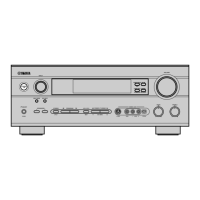
Yamaha HTR-5650 Specifications

General IconGeneral
BrandYamaha
ModelHTR-5650
CategoryReceiver
LanguageEnglish

Related product manuals