EasyManua.ls Logo

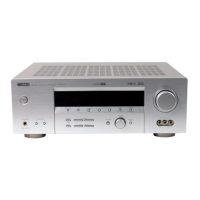
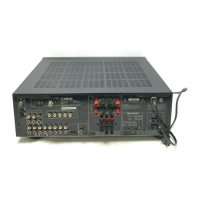
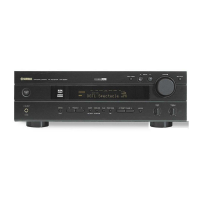
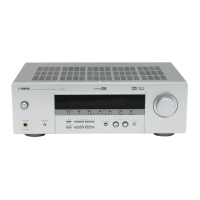
Yamaha HTR-5730 - User Manual

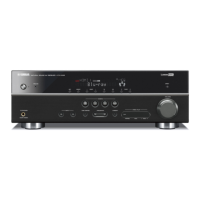
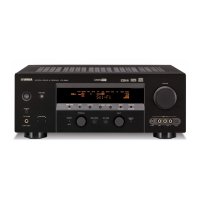
Yamaha HTR-5730
60 pages
Print Icon
To Next Page IconTo Next Page
Loading...
YAMAHA ELECTRONICS CORPORATION, USA 6660 ORANGETHORPE AVE., BUENA PARK, CALIF. 90620, U.S.A.
YAMAHA CANADA MUSIC LTD. 135 MILNER AVE., SCARBOROUGH, ONTARIO M1S 3R1, CANADA
YAMAHA ELECTRONIK EUROPA G.m.b.H. SIEMENSSTR. 22-34, 25462 RELLINGEN BEI HAMBURG, F.R. OF GERMANY
YAMAHA ELECTRONIQUE FRANCE S.A. RUE AMBROISE CROIZAT BP70 CROISSY-BEAUBOURG 77312 MARNE-LA-VALLEE CEDEX02, FRANCE
YAMAHA ELECTRONICS (UK) LTD. YAMAHA HOUSE, 200 RICKMANSWORTH ROAD WATFORD, HERTS WD18 7GQ, ENGLAND
YAMAHA SCANDINAVIA A.B. J A WETTERGRENS GATA 1, BOX 30053, 400 43 VÄSTRA FRÖLUNDA, SWEDEN
YAMAHA MUSIC AUSTRALIA PTY, LTD. 17-33 MARKET ST., SOUTH MELBOURNE, 3205 VIC., AUSTRALIA
Printed in China
WC76860
©2004 All rights reserved.
OWNER’S MANUAL
MANUAL DE INSTRUCCIONES
HTR-5730
RT
AV Receiver
HTR-5730
0101HTR-5730_RT-cv1_4.p65 2004.01.29, 15:071

Table of Contents

Other manuals for Yamaha HTR-5730

Questions and Answers

  • C
    Chris HolmesSep 23, 2025
    Why does my Yamaha HTR-5730 Receiver make buzzing noises in the evening?
    • R
      Robert ParkerSep 23, 2025
      If there are buzzing and whining noises (especially in the evening) coming from your Yamaha Receiver, a TV set may be in use nearby. Move this unit away from the TV.
  • N
    Nicole GrahamAug 23, 2025
    Why does my Yamaha HTR-5730 Receiver suddenly turn into standby mode?
    • T
      Thomas MaddenAug 23, 2025
      If your Yamaha Receiver suddenly turns into standby mode, it's likely that the internal temperature has become too high, activating the overheat protection circuitry. To resolve this, wait until the unit cools down and then turn it back on.
  • J
    Jason GarciaAug 25, 2025
    Why does the remote control not work with my Yamaha HTR-5730 Receiver?
    • J
      John MayerAug 26, 2025
      If the remote control for your Yamaha Receiver isn't working properly, make sure you're within a maximum range of 6 meters (20 feet) and no more than 30 degrees off-axis from the front panel. Also, reposition the unit if direct sunlight or lighting is striking the remote control sensor. Finally, replace all batteries if they are weak.
  • K
    kristin82Aug 26, 2025
    How to fix no sound on Yamaha Receiver?
    • T
      theresasheltonAug 27, 2025
      If you are not getting any sound from your Yamaha Receiver, consider the following: * Check and properly connect the input or output cables. Defective cables could also be the cause. * Make sure you have selected the appropriate input source using the INPUT l / h, 6CH INPUT, or the input selector buttons. * Ensure the speaker connections are secure. * Verify that the correct front speakers are selected using SPEAKERS A/ B/OFF. * Adjust the volume to an audible level and ensure the sound is not muted by pressing MUTE or any operation buttons on the unit, then adjust the volume. * Confirm that the source you are playing is compatible with the receiver.
  • M
    Michael LopezAug 27, 2025
    What to do if the sound suddenly goes off on my Yamaha HTR-5730 Receiver?
    • K
      Kathy OconnellAug 27, 2025
      If the sound from your Yamaha Receiver suddenly goes off, it could be due to a few reasons: * The protection circuitry may have been activated due to a short circuit. Check that the speaker wires are not touching each other, and then turn the unit back on. * The sleep timer might have turned the unit off. Turn the power back on and play the source again. * The sound might be muted. Press MUTE or any operation buttons on the unit to cancel the mute and adjust the volume.
  • S
    smithjessicaSep 15, 2025
    What to do if the Yamaha Receiver volume level cannot be increased?
    • M
      matthew56Sep 15, 2025
      If the volume level of your Yamaha Receiver cannot be increased, or the sound is distorted, check if the component connected to the OUT (REC) jacks of this unit is turned off. If so, turn on the power to that component.
  • E
    Erin YoungSep 12, 2025
    What to do if my Yamaha HTR-5730 fails to turn on?
    • Q
      qlittleSep 12, 2025
      If your Yamaha Receiver fails to turn on, turns off immediately after being turned on, or enters standby mode, here are a few things to check: * Ensure the power cord is securely connected. * Verify all speaker wire connections are secure and not touching anything other than their respective connections, as the protection circuitry may have been activated. * If the unit has been exposed to a strong external electric shock, set the unit in standby mode, disconnect the power cord, plug it back in after 30 seconds, and then use it normally.
  • N
    ncarrSep 14, 2025
    Why does my Yamaha HTR-5730 Receiver make a humming sound?
    • R
      Robert ColemanSep 14, 2025
      If you are experiencing a 'humming' sound with your Yamaha Receiver, it might be due to incorrect cable connections. Ensure that you firmly connect the audio plugs. If the issue continues, the cables themselves might be defective.
  • J
    jeffmelendezSep 5, 2025
    Why is there no sound from the subwoofer on my Yamaha Receiver?
    • F
      Frank DiazSep 5, 2025
      If you're not getting any sound from the subwoofer connected to your Yamaha Receiver, and “SOUND 1D BASS” on the set menu is set to FRONT when a Dolby Digital or DTS signal is being played, select SWFR or BOTH. Alternatively, if “SOUND 1D BASS” is set to SWFR or FRONT when a 2-channel source is being played, select BOTH.
  • M
    Mark OwenSep 2, 2025
    Why is there no sound from the surround speakers on my Yamaha HTR-5730?
    • M
      Molly JohnsonSep 3, 2025
      If you're not getting any sound from the surround speakers on your Yamaha Receiver, start by checking that the output level of the surround speakers isn't set to minimum. If it is, raise the output level. Also, if you're playing a monaural source with program 9, try selecting another sound field program.

Summary

Safety and Initial Setup

Before Operating Your Unit

Crucial safety precautions and operating guidelines to follow before using the AV receiver.

Supplied Accessories

Lists all items included in the package with the AV receiver.

Installing Remote Batteries

Step-by-step instructions for battery installation in the remote control.

Controls and User Interface

Front Panel Controls

Details the controls and indicators located on the front of the AV receiver unit.

Remote Control Operation

Explains the functions and buttons of the included remote control for operation.

Front Panel Display Indicators

Describes the various indicators and information displayed on the receiver's front panel.

Connections and Wiring

Component Connection Guidelines

General precautions and guidelines before making any connections to the unit.

Connecting Video Sources

Instructions for connecting various video sources like DVD players, TVs, and recorders.

Connecting Audio Sources

Guidance on connecting audio sources such as CD players and recorders.

Speaker and Antenna Connections

Guidance on connecting speakers, antennas, and external decoders to the unit.

Power Supply Connections

Instructions for connecting the AC power cord and setting the voltage selector.

Basic System Configuration

Using the Basic Menu

How to navigate and use the simplified basic setup menu for initial configuration.

Speaker System Matching

Adjusting settings based on room size, speaker configuration, and subwoofer presence.

Speaker Level Adjustment

Fine-tuning individual speaker output levels for balanced sound.

Playback Operations

Input Selection and Modes

Explains how the unit selects input signals and the corresponding display indicators.

Sound Field Program Selection

Guide to choosing different sound field programs for enhanced listening.

Advanced Audio Decoding

How to decode multi-channel audio formats like Dolby Pro Logic II and DTS.

Digital Sound Processing

Understanding Sound Fields

Explains the concept of sound fields and how DSP recreates acoustic environments.

HiFi DSP Programs

Description of HiFi DSP programs designed for music and acoustic environments.

CINEMA DSP Modes

Details on specific CINEMA DSP programs for various audio-video sources.

Tuning Features

Radio Tuning Methods

Steps for automatic and manual scanning and storing radio stations.

Preset Station Management

How to store, recall, and exchange preset radio stations.

Sleep Timer Function

How to set the unit to automatically turn off after a specified time.

Advanced Settings (Set Menu)

Set Menu Overview

An overview of the different categories and items available in the unit's setup menu.

Sound and Speaker Configuration

Configuring speaker modes, distances, levels, and dynamic range settings.

Input and Option Settings

Managing input assignments, modes, display, and memory guard.

Remote Control for Other Components

Remote Control Operation Modes

Explains the different operational modes of the remote control.

Setting Manufacturer Codes

Guide to programming the remote to control other AV components.

Speaker Level Adjustment

Adjusting Levels During Playback

Real-time adjustment of individual speaker output levels.

Using the Test Tone

Employing a test tone to accurately set speaker levels for balanced sound.

Editing Sound Field Parameters

Changing Parameter Settings

How to modify individual parameters for sound field programs.

Sound Field Parameter Descriptions

Detailed explanation of various adjustable parameters for sound fields.

Troubleshooting and Support

General Problem Solving

Common operational problems and their solutions for the main unit and tuner.

Remote Control Issues

Solutions for problems encountered with the remote control's functionality.

Resetting Factory Presets

Procedure to restore all unit settings to their original factory defaults.

Reference Information

Glossary of Terms

Definitions of technical terms and audio technologies used in the manual.

Technical Specifications

Detailed technical data for audio, video, tuner, and general components.

Yamaha HTR-5730 Specifications

General IconGeneral
Audio Channels5.1
Power Output (per channel)100 W
Total Harmonic Distortion (THD)0.06 %
Input Impedance47 kOhm
Weight24.3 lbs
Signal-To-Noise Ratio100 dB
Input Sensitivity200 mV
Audio D/A Converter24-bit/192 kHz
Built-in DecodersDolby Digital, DTS
Digital Sound Processor (DSP)Yes
Preset Station Qty40
Digital Audio Inputs2 Optical, 1 Coaxial
Frequency Response10 Hz - 100 kHz
Response Bandwidth10 - 100000 Hz
Surround System Class5.1
DSP PresetsMovie, Music, Game
Tuner BandsAM, FM
Tuning DisplayFluorescent
Connector TypeRCA
Video Inputs/OutputsComposite, S-Video
Audio Inputs/Outputs6 In / 2 Out

Related product manuals