EasyManua.ls Logo

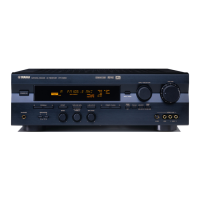
Yamaha HTR-5240 - User Manual

Yamaha HTR-5240
63 pages
Print Icon
To Next Page IconTo Next Page
Loading...
90
OWNER’S MANUAL
MODE D’EMPLOI
HTR-5240
Natural Sound AV Receiver
Ampli-tuner audio-vidéo
U C A
1/17/0, 3:57 PM

Other manuals for Yamaha HTR-5240

Questions and Answers

  • M
    Matthew JuarezAug 12, 2025
    Why is there no sound and/or picture from my Yamaha Receiver?
    • C
      Christopher RodgersAug 12, 2025
      If you're experiencing no sound or picture with your Yamaha Receiver, there could be several reasons: * Check your cable connections to ensure they are properly connected and not defective. * Make sure you've selected the correct input source using the INPUT SELECTOR or TAPE/MD MON / EXT. DECODER buttons. * Verify that your speaker connections are secure. * Confirm that SPEAKERS are set to the ON position for the speakers you're using. * Ensure the volume isn't muted by checking the VOLUME and MUTE settings. * If you're using a CD-ROM, confirm that the signals are compatible with the unit (PCM audio, Dolby Digital, or DTS).
  • P
    Patricia BakerAug 16, 2025
    What to do if the sound suddenly goes off on Yamaha HTR-5240 Receiver?
    • P
      Patricia NelsonAug 16, 2025
      If the sound on your Yamaha Receiver suddenly cuts off, it could be due to: * Activation of the protection circuit due to a short circuit. To reset it, set the unit to standby mode and then turn it back on. * The SLEEP timer may have been activated. Turn the power on and play the source again.
  • J
    Joseph OchoaAug 19, 2025
    Why is there no sound from the center speaker on my Yamaha HTR-5240?
    • M
      Michael ShepherdAug 20, 2025
      If you're not getting any sound from the center speaker on your Yamaha Receiver, consider the following: * Check if the center speaker's output level is set to the minimum. Increase the level if needed. * Verify that “CENTER SP” in the SET MENU is set to LRG or SML, not NONE. * Ensure you've selected the appropriate DSP program. * The source encoded with Dolby Digital or DTS may not have a center channel signal.
  • A
    Anthony YorkAug 23, 2025
    Why is there no sound from the rear speakers on my Yamaha HTR-5240 Receiver?
    • A
      austinreyesAug 23, 2025
      If there's no sound coming from the rear speakers of your Yamaha Receiver: * Ensure that the output level of the rear speakers is not set to the minimum. Increase the output level if necessary. * If you're playing a monaural source with the PRO LOGIC/Normal or PRO LOGIC/ENHANCED program, select another DSP program suitable for monaural sources.
  • D
    David KempAug 27, 2025
    Why is there no sound from the effect speakers on my Yamaha Receiver?
    • C
      christianpooleAug 27, 2025
      If you're not getting any sound from the effect speakers on your Yamaha Receiver: * Make sure the sound effect is turned on by pressing EFFECT. * If you're using a Dolby Surround, Dolby Digital, or DTS decoding DSP program with material not encoded with these formats, select another DSP program.
  • K
    Kevin KnightAug 31, 2025
    How to fix Yamaha HTR-5240 that fails to turn on?
    • M
      masonamyAug 31, 2025
      If your Yamaha Receiver fails to turn on or enters standby mode shortly after being powered on, check the following: * Ensure the power cord is firmly connected to the outlet. * Verify that the IMPEDANCE SELECTOR switch on the rear panel is fully set to either the right or left position while the unit is in standby mode.
  • A
    Andrea HoSep 4, 2025
    Why can I only hear the speaker on one side of my Yamaha HTR-5240?
    • M
      Matthew BradleySep 4, 2025
      If you're only hearing sound from one speaker on your Yamaha Receiver, it could be due to: * Incorrect cable connections. Double-check and properly connect the cables. If the problem continues, the cables may be defective. * Incorrect BALANCE setting. Adjust the balance to the correct position.
  • E
    Eric PowellSep 8, 2025
    What to do if Yamaha HTR-5240 Receiver does not work normally?
    • M
      Meghan JonesSep 8, 2025
      If your Yamaha Receiver is not working normally, it may be due to the internal microcomputer freezing because of an external electric shock or a low voltage power supply. To resolve this: Set the unit to standby mode, disconnect the AC power cord from the outlet, wait about 30 seconds, then reconnect the power and try operating the unit again.

Summary

SAFETY INSTRUCTIONS

Explanation of Graphical Symbols

Explains symbols used in safety instructions for user safety.

CONTROLS AND FUNCTIONS

Front Panel

Details the buttons, knobs, and display on the front of the AV receiver.

Remote Control

Describes the functions of each button on the included remote control.

CONNECTIONS

Connecting Speakers

Provides guidance on connecting main, rear, and center speakers, including subwoofer setup.

IMPEDANCE SELECTOR Switch

Explains how to set the impedance selector based on connected speaker specifications.

ADJUSTING THE SPEAKER BALANCE

DIGITAL SOUND FIELD PROCESSOR (DSP) EFFECT

Selecting a DSP Program

Guides on choosing and applying different sound field programs for enhanced audio.

SET MENU

DELAY TIME AND SPEAKER OUTPUT LEVELS

TROUBLESHOOTING

General

Provides solutions for common operational problems and unit malfunctions.

Yamaha HTR-5240 Specifications

General IconGeneral
TypeAV Receiver
Channels5.1
Surround Sound FormatsDolby Digital, DTS, Dolby Pro Logic
Dimensions (W x H x D)435 x 151 x 390 mm
Weight10.5kg
Frequency Response10Hz to 100kHz +0, -3 dB
Input Impedance47k ohms
Input Sensitivity200mV
Signal to Noise Ratio100dB
Inputs4 x Audio, 2 x Digital (optical)
Outputs1 x Audio, 1 x Subwoofer

Related product manuals