EasyManua.ls Logo

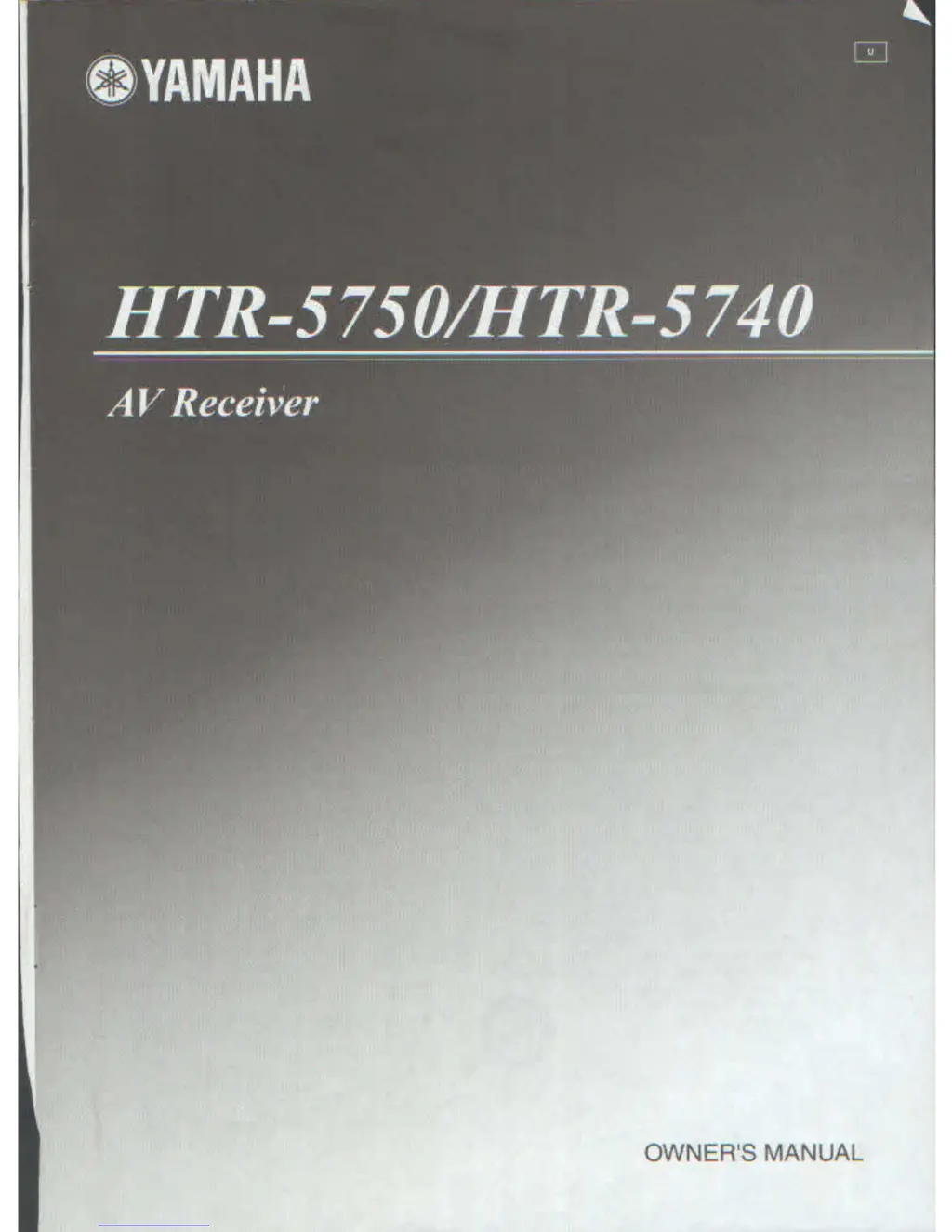
Yamaha HTR-5750 - User Manual

Yamaha HTR-5750
91 pages
Print Icon
To Next Page IconTo Next Page
Loading...
3
OYAMAHA
HTR-5750/HTR-5740
V Recavei

Questions and Answers

  • H
    hallfrederickSep 8, 2025
    Why is FM stereo reception noisy on my Yamaha HTR-5750?
    • C
      Christopher MccoySep 9, 2025
      If FM stereo reception is noisy on your Yamaha Receiver, check the antenna connections. Try using a high-quality directional FM antenna, as the characteristics of FM stereo broadcasts may cause this problem when the transmitter is too far away or the antenna input is poor.
  • W
    wilsonjorgeAug 23, 2025
    Why is my Yamaha Receiver remote not working?
    • K
      Kimberly SmithAug 23, 2025
      If the Yamaha Receiver's remote control isn't working correctly, ensure you're within 6 meters (20 feet) and no more than 30 degrees off-axis from the front panel. Replace all the batteries, if they are weak. Also, check that the manufacturer code is correctly set using the 'LIST OF MANUFACTURER CODES'.
  • M
    Marc BeckerAug 25, 2025
    What to do if the sound suddenly goes off on Yamaha HTR-5750?
    • M
      Matthew EvansAug 25, 2025
      If the sound on your Yamaha Receiver suddenly goes off, it could be due to a few reasons. The protection circuitry might have been activated because of a short circuit. Check that the impedance selector setting is correct. Alternatively, the sleep timer may have turned the unit off; in this case, turn the power back on and play the source again. Finally, make sure the sound isn't muted by pressing the MUTE button.
  • B
    brandi76Aug 26, 2025
    Why is there no sound from my Yamaha HTR-5750 Receiver subwoofer?
    • J
      Jennifer HerreraAug 26, 2025
      If there's no sound from the subwoofer on your Yamaha Receiver, and you're playing a Dolby Digital or DTS signal, ensure that “BASS OUT” in SET MENU is set to SWFR or BOTH. If you're playing a 2-channel source, select BOTH. Also, the source may not contain low bass signals.
  • M
    Mr. Jay PatelAug 27, 2025
    Why no sound from surround speakers on Yamaha HTR-5750?
    • J
      Jerry DunnAug 28, 2025
      If you're not getting any sound from the surround speakers on your Yamaha Receiver, first, raise the output level of the surround speakers. Second, check that “SURR LR” in SET MENU is not set to NONE; select the appropriate setting for the surround left and right speakers. Finally, if you are playing a monaural source with STRAIGHT, press STRAIGHT (EFFECT) to turn on the sound fields.
  • L
    Lindsay LeeSep 22, 2025
    Why can't I tune into previously preset stations on my Yamaha Receiver?
    • D
      David ColemanSep 22, 2025
      If previously preset stations can no longer be tuned in on your Yamaha Receiver, preset the stations again. The unit may have been disconnected for a long period.
  • D
    David ThomasSep 16, 2025
    Why does my Yamaha HTR-5750 suddenly turn into standby mode?
    • R
      rdavisSep 16, 2025
      If your Yamaha Receiver suddenly turns into standby mode, wait about 1 hour for it to cool down and then turn it back on. The internal temperature may have become too high, activating the overheat protection circuitry.
  • J
    jacksonrichardSep 18, 2025
    How to fix noise interference on Yamaha HTR-5750 Receiver?
    • T
      tylerjerrySep 18, 2025
      If you're experiencing noise interference from digital or high-frequency equipment with your Yamaha Receiver, move the unit further away from such equipment.
  • B
    Bobby DouglasSep 7, 2025
    What to do if Yamaha Receiver does not operate properly?
    • W
      william84Sep 7, 2025
      If your Yamaha Receiver isn't operating properly, disconnect the AC power cord from the outlet and then plug it in again after about 30 seconds. The internal microcomputer may have been frozen by an external electric shock or a power supply with low voltage.
  • A
    Anthony AndersonSep 4, 2025
    How to fix Dolby Digital or DTS sources that cannot be played on Yamaha Receiver?
    • K
      Kimberly StoneSep 4, 2025
      If your Yamaha Receiver isn't playing Dolby Digital or DTS sources, first ensure that the connected component is set to output Dolby Digital or DTS digital signals by following its operation instructions. Secondly, check that the input mode is set to AUTO or DTS, and not ANALOG.

Summary

Important Safety Instructions

Read and Retain Instructions

Read and keep all safety and operating instructions for future reference.

Heed Warnings and Follow Instructions

Adhere to all warnings on the product and follow all operating instructions.

Water and Moisture Precautions

Do not use the apparatus near water to prevent electric shock or fire.

Ventilation and Heat Management

Ensure adequate ventilation and keep away from heat sources to prevent damage.

Lightning and Power Line Safety

Unplug during thunderstorms and keep antenna systems away from power lines.

Overloading and Object;Liquid Entry

Do not overload outlets or expose the unit to objects/liquids to prevent hazards.

Servicing and Damage Requiring Service

Refer all servicing to qualified personnel for any damage or malfunction.

FCC Information for US Customers

Important Notice: Do Not Modify Unit

Modifications not approved by Yamaha may void FCC authority to use the product.

Important: Cable Quality and Installation

Use high-quality shielded cables and follow instructions to maintain FCC authorization.

Note: FCC Compliance Class B

This equipment complies with FCC Part 15 for Class B digital devices.

Caution: Before Operating Your Unit

Installation Environment and Performance

Install in a cool, dry place, ensure ventilation, and avoid interference.

Temperature, Humidity, and Liquids

Avoid temperature changes, humidity, and liquids to prevent damage.

Electrical Safety and Handling

Ensure correct voltage, handle power cords properly, and use dry cloths for cleaning.

Safe Listening Levels and Protection

Avoid excessive volume for hearing safety and disconnect during storms.

Servicing, Modification, and Storage

Do not modify; contact service personnel; disconnect for long periods.

FEATURES

Built-in 6-channel Power Amplifier

Details on minimum RMS output power for different channels (HTR-5750/5740).

Sound Field Features

Lists YAMAHA DSP technologies and Dolby/DTS decoders supported.

Sophisticated AM;FM Tuner

Describes tuner capabilities like random access and automatic tuning.

Additional Features

Lists D/A converter, SET MENU, input jacks, sleep timer, and remote control features.

HTR-5750 Specific Features

Highlights S-Video input/output and video conversion capabilities.

GETTING STARTED

Supplied Accessories

Lists all included parts: remote control, batteries, antennas, and adapter.

Installing Batteries in Remote Control

Step-by-step guide on how to insert batteries into the remote control.

Notes on Battery Usage

Important notes regarding battery replacement, usage, and handling leaked batteries.

CONTROLS AND FUNCTIONS

Front Panel Controls Overview

Identifies and describes controls on the front panel of the unit.

Front Panel Display Indicators

Explains various indicators on the front panel display.

Remote Control Buttons

Describes functions of buttons on the remote control.

Remote Control Operation

Instructions on aiming the remote control and handling it.

CONNECTIONS

Before Connecting Components

Caution not to connect to mains power until all connections are complete.

Connecting Speakers

Detailed instructions and cautions for connecting speakers.

Connecting Antennas

Instructions for connecting AM and FM antennas.

Connecting Power Supply Cord

Instructions for connecting the AC power cord and using AC outlets.

IMPEDANCE SELECTOR Switch

Guide to setting the impedance selector based on speaker impedance.

SPEAKER SETUP

Speaker Placement Guidelines

Recommended placement for front, surround, center, and subwoofer speakers.

Speaker Connections Procedure

Detailed instructions and cautions for connecting speakers and banana plugs.

Speaker Terminal Identification

Identifies FRONT, CENTER, SURROUND, SUBWOOFER, and SURROUND BACK terminals.

Turning on the Power

Power Activation Procedure

Press STANDBY/ON or SYSTEM POWER to turn the unit on.

BASIC SETUP

Using the BASIC SETUP Menu

Guide to quickly setting up the system using the BASIC SETUP menu.

ROOM Parameter Setup

Select room size (Small, Medium, Large) for optimal sound settings.

SUBWOOFER Parameter Setup

Set YES if a subwoofer is present, NO otherwise.

SPEAKERS Parameter Selection

Select the number of speakers connected (2spk to 6spk).

Test Tone Confirmation

Confirm test tone results (CHECK OK? YES/NO) for speaker setup.

Balancing Speaker Levels

Speaker Level Adjustment Guide

Adjust balance between speakers using test tone.

Test Tone for Speaker Balancing

Use the TEST button for speaker level adjustment.

PLAYBACK

Basic Playback Operations

Step-by-step guide to basic playback operations.

Selecting Input Source

Choose desired input using INPUT button or selector buttons.

Starting Playback

Start playback or select a station on the source component.

Adjusting the Volume

Control the output level using the VOLUME controls.

Selecting Sound Field Programs

Select desired sound field program using PROGRAM buttons.

Listening with Headphones (SILENT CINEMA)

Enjoy DSP sound effects on headphones; indicator lights up.

Adjusting the Tone

Adjust bass/treble balance for speakers or headphones.

Muting the Sound

Use MUTE button to silence audio; indicator blinks.

Selecting MULTI CH INPUT

How to select the MULTI CH INPUT source.

Playing Video Sources in Background

Combine video from one source with audio from another.

Remote Control Sound Field Operation

Using the remote control for sound field programs.

Enjoying Multi-channel Software

Enjoy 6.1-channel playback with surround back speaker.

Decoder Selection Guide

Select decoders like PLIIxMusic, EX/ES, EX, or OFF.

Downmixing to 2 Channels

Enjoy 2-channel stereo from multi-channel sources.

Unprocessed Input Signals (STRAIGHT Mode)

STRAIGHT mode outputs stereo sources without effect processing.

Virtual CINEMA DSP Setup

Enjoy DSP surround effects without surround speakers using virtual speakers.

Selecting Input Modes

Designate input mode for digital jacks (AUTO, LAST).

Notes on DTS Playback

Auto-switching to DTS mode, manual release, and potential issues with processed digital output.

Displaying Input Source Information

How to display input signal type, format, and frequency.

Listening to High Fidelity Stereo (Direct Stereo)

Direct Stereo Notes

Avoid DTS CDs, check input mode, no subwoofer output, settings not effective.

Night Listening Modes

Night Listening Mode Selection

Select NIGHT:CINEMA or NIGHT:MUSIC for films or music.

Effect Level Adjustment for Night Modes

Adjust compression level for night listening modes using </ >.

Notes on Night Listening Modes

Modes not effective with Direct Stereo or MULTI CH INPUT.

TUNING

Automatic and Manual Tuning Methods

Two tuning methods: automatic for strong signals, manual for weak signals.

Automatic Tuning Procedure

Procedure to perform automatic tuning of FM/AM stations.

Manual Tuning Procedure

Manually tune FM/AM stations for weak signals.

Presetting Stations Overview

How to store FM stations using automatic or manual preset tuning.

Manually Presetting Stations Guide

Step-by-step guide to manually storing stations.

Selecting Preset Stations Guide

Tune to desired station by selecting its preset number.

Exchanging Preset Stations

Swap assignments of two preset stations.

RECORDING

Recording Adjustments Overview

Adjustments and operations are performed from recording components.

Notes on Recording Procedures

Details on standby mode, component connections, and recording limitations.

DTS Software Recording Considerations

Handling DTS signals for digital recording to avoid noise.

SOUND FIELD PROGRAM DESCRIPTIONS

For Movie;Video Sources

Select sound fields for movie/video sources (MULTI for multi-channel, 2-CH for stereo).

Sound Field Program Matrix

Details of various sound field programs for Dolby Digital, DTS, and Pro Logic sources.

For Music Sources

Select sound fields for music sources like CDs, FM/AM, tapes.

ADVANCED OPERATIONS

Using the Sleep Timer

Automatically sets the unit to standby mode after a specified time.

Setting the Sleep Timer

Step-by-step guide to setting the sleep timer.

Canceling the Sleep Timer

How to cancel the sleep timer function.

Manually Adjusting Speaker Levels

Adjust output level of each speaker for balance.

Using the Test Tone for Speaker Balancing

Use test tone to manually balance speaker levels.

SET MENU Overview

BASIC SETUP Menu

Quickly setup basic system parameters.

MANUAL SETUP Menu

Adjust speaker and system settings.

1 SOUND MENU Details

Manually adjust speaker settings, tone, and compensate for video delays.

2 INPUT MENU Guide

Reassign digital inputs/outputs and select input modes.

3 OPTION MENU Guide

Adjust optional system parameters.

Using SET MENU Navigation

Access and adjust SET MENU parameters using the remote control.

Parameter Initialization (PARAM. INI)

Initialize sound field program group parameters to their original settings.

Zone Set (ZONE SET)

Specify the location of speakers connected to the SPEAKERS B terminals.

SET MENU - SOUND MENU Parameters

Speaker Set (SPEAKER SET) Configuration

Manually adjust speaker settings.

Center Speaker (CENTER) Settings

Set center speaker size (LRG, SML, NONE).

Front Speakers (FRONT) Settings

Set front speaker size (LARGE, SMALL).

Surround Speakers (SURR LR) Settings

Set surround speaker size (LRG, SML, NONE).

Surround Back Speaker (SURR B) Settings

Set surround back speaker size (LRG, SML, NONE).

Bass Out (BASS OUT) Options

Route low-frequency signals to subwoofer or front speakers (SWFR, FRONT, BOTH).

Cross Over (CrossOver) Frequency

Select cross-over frequency for subwoofer signals.

Subwoofer Phase (SWFR PHASE) Adjustment

Switch subwoofer phase (NRM, REV) for better bass sound.

SET MENU - Other Parameters

Speaker Level (BOSP LEVEL) Adjustment

Manually balance speaker levels between front/surround left and other speakers.

Speaker Distance (COSP DISTANCE) Setting

Input speaker distances to adjust channel delay for sound arrival time.

Center Equalizer (DOCENTER GEQ)

Adjust center channel equalizer to match front speaker tonal quality.

Low-Frequency Effect Level (EXLFE LEVEL)

Adjust LFE channel output level for subwoofer/headphones.

Dynamic Range (FOD. RANGE) Adjustment

Select dynamic range compression for speakers/headphones.

Audio Set (GOAUDIO SET) Customization

Customize overall audio settings.

2 INPUT MENU Guide

Reassign digital inputs/outputs and select input modes.

Input;Output Assignment (I;O ASSIGN)

Reassign jacks to connect more components.

Input Mode Selection

Designate input mode for digital jacks (AUTO, LAST).

3 OPTION MENU Guide

Adjust optional system parameters.

Memory Guard (MEMORY GUARD) Function

Protect DSP parameters and settings from accidental changes.

EDITING SOUND FIELD PARAMETERS

Understanding Sound Fields

Explains how reflections and reverberations create the sound field.

Elements of a Sound Field

Describes direct sound, early reflections, and reverberations.

Changing Parameter Settings

How to change factory preset parameters for better sound.

Resetting Parameters to Factory Presets

Resetting a Certain Parameter

Select a parameter and press buttons to revert to factory preset.

Resetting All Parameters

Use PARAM. INI function to reset all parameters.

SOUND FIELD PARAMETER DESCRIPTIONS

DSP LEVEL Parameter

Adjusts the level of DSP effect sounds relative to direct sound.

DELAY (Delay) Parameter

Changes apparent distance by adjusting delay between direct sound and first reflection.

6 ch Stereo Parameters

Adjusts volume level for each channel in 6-channel stereo mode.

PRO LOGIC IIx;II Music Parameters

Parameters like PANORAMA, DIMENSION, CT WIDTH for Pro Logic II/IIx.

PLII;PLIIx Selection for Pro Logic IIx

PLII/PLIIx selection for Pro Logic II/IIx decoding.

DTS Neo:6 Music C. IMAGE Setting

C. IMAGE parameter for adjusting center image.

TROUBLESHOOTING

General Problems Troubleshooting

Common issues like unit not turning on, no sound, or no picture.

Unit Fails to Turn On Troubleshooting

Troubleshooting steps for when the unit won't power on.

No Sound Issues Troubleshooting

Troubleshooting steps for when no sound is produced.

No Picture Issues Troubleshooting

Troubleshooting steps for when there is no picture output.

Sound Issues Troubleshooting

Addresses sound issues like sudden loss, one-sided sound, or no sound from specific speakers.

No Sound from Specific Speakers

Diagnoses and resolves no sound issues for effect, center, surround speakers.

No Sound from Subwoofer

Troubleshooting steps when the subwoofer produces no sound.

Digital Signal Playback and Recording Issues

Troubleshooting Dolby Digital/DTS playback and digital recording problems.

Noise and Interference Issues Resolution

Address humming sounds, noise interference, and picture disturbance.

Unit Malfunctions and Overheating

Troubleshooting for unit not operating properly or entering standby due to overheating.

Tuner Issues Troubleshooting

Troubleshooting FM stereo noise, distortion, and tuning problems.

Remote Control Issues Troubleshooting

Troubleshooting problems with the remote control not functioning.

RESETTING THE FACTORY PRESETS

Factory Reset Procedure

Steps to reset all parameters to factory presets.

GLOSSARY

Audio Formats Explanations

Explains Dolby Digital, Dolby Pro Logic, DTS, and Neo:6 audio formats.

Sound Field Programs Definitions

Explains CINEMA DSP, SILENT CINEMA, and Virtual CINEMA DSP.

Audio Information Definitions

Defines ITU-R, LFE, PCM, sampling frequency, and quantized bits.

Video Signal Information

Explains Component, Composite, and S-Video signals.

SPECIFICATIONS

AUDIO SECTION Specifications

Technical specs for audio output power, THD, damping factor, and frequency response.

VIDEO SECTION Specifications

Technical specs for video signal type, S/N ratio, and frequency response.

FM SECTION Specifications

Technical specs for FM tuner range, sensitivity, and S/N ratio.

AM SECTION Specifications

Technical specs for AM tuner range and sensitivity.

GENERAL Specifications

Specs for power supply, consumption, AC outlets, dimensions, and weight.

Yamaha HTR-5750 Specifications

General IconGeneral
BrandYamaha
ModelHTR-5750
CategoryReceiver
LanguageEnglish

Related product manuals