Need help?
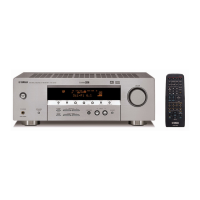
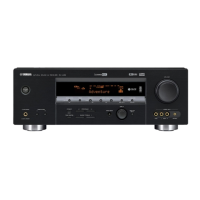
Do you have a question about the Yamaha HTR-5740 and is the answer not in the manual?
Information on critical components requiring specific replacement parts.
Procedure and limits for verifying insulation after service.
Warning about lead and other chemicals in product components.
Information on lead-free solder types and cautionary notes for repair.
Steps for removing the top cover of the unit.
Steps for removing the front panel unit.
Steps for removing the side plate.
Steps for removing the sub-chassis unit.
Steps for removing the DSP P.C.B.
Steps for removing various FUNCTION P.C.B.s and the tuner.
Steps for removing MAIN and POWER P.C.B.s.
Procedure for initiating the diagnostic mode using main unit keys.
Procedure to start DIAG with protection functions disabled.
Steps to exit diagnostic mode and reset settings.
What the FL display shows when DIAG mode is initiated.
Expected display when no protection events have occurred.
Information on display when protection events are logged.
Display for abnormal DC output protection history.
Display for protection history due to overheating.
How protection history is stored and cleared.
How the FL indicator shows active functions during DIAG.
How to navigate DIAG menus and sub-menus using main unit keys.
Available functions during DIAG mode operation, excluding tuner/menu.
Default settings applied when entering DIAG mode.
Signal bypass through L/R without DSP processing.
Signal bypass through the DSP section.
Selecting full-bit output at 0dB level for analog and PCM signals.
Selecting full-bit output at 0dB level for analog and PCM signals.
Selecting PRO LOGIC I mode; Auto Input Balance is off.
Selecting PRO LOGIC II mode; Auto Input Balance is off.
Mode for speakers with high bass performance; full bandwidth output.
Mode for speakers with low bass performance; signals mixed into LFE/BASS.
Mode when no speakers are used; center reduced and distributed to MAIN L/R.
Outputting signal from 6CH INPUT terminals with 6-ohm speaker impedance selection.
Outputting signal from 6CH INPUT terminals with 8-ohm speaker impedance selection.
Microphone check function, not applicable to these models.
Checking the initial display of the FL section.
Checking FL driver by turning off all segments.
Checking FL driver by turning on all segments at 100% dimmer.
Checking FL driver by turning on all segments at 50% dimmer.
Checking for segment shorts by lighting segments alternately.
Outputting noise from all channels.
Outputting noise from the FRONT L channel.
Outputting noise from the CENTER channel.
Outputting noise from the FRONT R channel.
Outputting noise from the SURROUND L channel.
Outputting noise from the SURROUND R channel.
Outputting noise from the SURROUND BACK L channel.
Outputting noise from the SURROUND BACK R channel.
Outputting noise from the SUB WOOFER channel.
Prevents RAM initialization; protects user settings.
Reserves RAM initialization for resetting settings.
Detects DC output and power supply voltage protection values.
Detects temperature and fan drive levels.
Displays REC OUT and INPUT selection status.
Shows reproduction signal frequency information.
Indicates audio code mode for reproduction signals.
Provides format information for reproduction signals.
Checks bus connection for YSS930 and external RAM.
Checks bus connection for YSS948 and external RAM.
Selects software mode for PCB settings.
Allows selection of the unit's model setting.
Sets the tuner destination region.
Tuner setting option.
RDS setting option.
Zone 2 setting option.
Sets the video format to NTSC or PAL.
Displays software version information.
Displays checksum for program areas.
Checks port settings for microprocessor function.
Shows the state of AAC function detection ports.
Measures and confirms idling current for the MAIN (1) P.C.B. terminals.
Cautionary note for checking defective components before cutting bias resistors.
Lists block names within the IC.
Describes the function of each block.
Table correlating pin functions with settings and remarks.
Diagram showing anode connections for the FL display.
Lists pin assignments for the FL display driver.
Shows grid assignments for the FL display.
Indicates locations of semiconductors on the PCB.
Indicates locations of semiconductors on the PCB.
Indicates locations of semiconductors on the PCB.
Indicates locations of semiconductors on the PCB.
Indicates locations of semiconductors on the PCB.
Indicates locations of semiconductors on the PCB.
Indicates locations of semiconductors on the PCB.
Indicates locations of semiconductors on the PCB.
Indicates locations of semiconductors on the PCB.
Indicates locations of semiconductors on the PCB.
Indicates locations of semiconductors on the PCB.
Indicates locations of semiconductors on the PCB.
Indicates locations of semiconductors on the PCB.
Indicates locations of semiconductors on the PCB.
Indicates locations of semiconductors on the PCB.
Indicates locations of semiconductors on the PCB.
Indicates locations of semiconductors on the PCB.
Indicates locations of semiconductors on the PCB.
Indicates locations of semiconductors on the PCB.
Indicates locations of semiconductors on the PCB.
Indicates locations of semiconductors on the PCB.
Table correlating pin functions with settings and remarks.
Lists electrical components alphabetically with abbreviations.
Parts list for the power P.C.B.
Parts list for the subtrans P.C.B.
Parts list for the subtrans P.C.B.
Parts list for the video P.C.B.
List of mechanical parts for the front panel and sub chassis.
List of mechanical parts for the amplifier unit.
List of mechanical parts for the front panel unit.
Schematic diagram of the remote control circuit.
Schematic diagram of the remote control circuit.
 General
| Channels | 6.1 |
|---|---|
| Dolby Digital | Yes |
| DTS | Yes |
| Tuner | AM/FM |
| Type | AV Receiver |
| THD | 0.06% |
| Input Sensitivity | 200 mV/47 kOhms |
| Signal to Noise Ratio | 100 dB |
| Frequency Response | 10 Hz-100 kHz |
| Input Impedance | 47 kOhms |
| Digital inputs | 2 Optical, 1 Coaxial |
| Surround Sound Formats | Dolby Digital, DTS, Dolby Pro Logic II |
| Digital Audio Inputs | 2 Optical, 1 Coaxial |
| Inputs | Digital Optical: 2, Digital Coaxial: 1 |
| Outputs | 1 Optical Digital |
| Dimensions | 435 x 151 x 390 mm |
| Weight | 10 kg |
| Video Inputs/Outputs | Composite: 4 in / 2 out |
| Output Power | 75W per channel |


 To Next Page