EasyManua.ls Logo

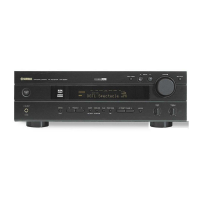
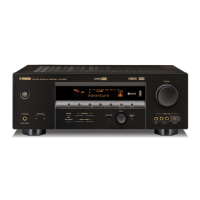
Yamaha HTR-5540 - User Manual

Yamaha HTR-5540
59 pages
Print Icon
To Next Page IconTo Next Page
Loading...
OWNER’S MANUAL
HTR-5540
U
AV Receiver
0100HTR5540(U)-cv1 12/24/01, 6:44 PM1

Table of Contents

Other manuals for Yamaha HTR-5540

Questions and Answers

  • A
    agraySep 15, 2025
    How to fix “CHECK SP WIRES” on Yamaha Stereo Receiver?
    • T
      timothy23Sep 15, 2025
      If “CHECK SP WIRES” appears on the front panel of your Yamaha Stereo Receiver, it indicates that the speaker cables are short-circuited. Ensure all speaker cables are correctly connected.
  • A
    ambermartinezAug 25, 2025
    What to do if my Yamaha HTR-5540 Receiver sound suddenly goes off?
    • D
      Dr. Jeffrey CarterAug 25, 2025
      If the sound on your Yamaha Receiver suddenly goes off, it could be due to: * Activation of the protection circuit because of a short circuit. Check that the IMPEDANCE SELECTOR switch is set to the appropriate position and then turn the unit back on. * The sleep timer may have activated. Turn the power back on and play the source again. * The sound might be muted. Press MUTE or any operation buttons to cancel the mute and adjust the volume.
  • K
    Karen MccartyAug 25, 2025
    What to do if my Yamaha Stereo Receiver has no sound?
    • K
      Karen JonesAug 26, 2025
      If your Yamaha Stereo Receiver isn't producing any sound, there are several things to check: * Ensure all input and output cables are correctly connected and not defective. * Select the appropriate input source using the INPUT l / h, 6CH INPUT, or the input selector buttons. * Verify that the speaker connections are secure. * Increase the volume and ensure the unit is not muted by pressing MUTE or any operation buttons to cancel mute.
  • C
    Calvin ButlerAug 26, 2025
    What to do if the sound suddenly goes off on my Yamaha Stereo Receiver?
    • N
      Nicole NewmanAug 26, 2025
      If the sound from your Yamaha Stereo Receiver suddenly cuts off, it could be due to these reasons: * The protection circuit may have been activated due to a short circuit. Check that the IMPEDANCE SELECTOR switch is in the correct position and turn the unit back on. * The speaker wires may be touching each other. Ensure they are not, and then turn the unit back on. * The sleep timer may have activated. Turn the power back on and play the source again. * The sound may be muted. Press the MUTE button or any other operation button to cancel the mute function.
  • D
    duncanmatthewSep 16, 2025
    Why can only one speaker be heard on my Yamaha Stereo Receiver?
    • D
      Daniel HardinSep 16, 2025
      If you're only hearing sound from one speaker connected to your Yamaha Stereo Receiver, check the following: * Ensure that all cable connections are correct and that the cables are not defective. * Verify the setting of “5 L/R BALANCE” in the SET MENU and adjust it to the appropriate position.
  • J
    jason08Sep 23, 2025
    How to eliminate a humming sound from my Yamaha Stereo Receiver?
    • D
      davidsalazarSep 23, 2025
      If you're hearing a humming sound from your Yamaha Stereo Receiver, firmly connect the audio plugs. If the problem persists, the cables may be defective.
  • B
    Brandon BarberSep 8, 2025
    How to fix Yamaha Receiver when sound field parameters cannot be changed?
    • K
      karen83Sep 8, 2025
      If you cannot change the sound field parameters and other settings on your Yamaha Receiver, check if “10 MEM. GUARD” in the SET MENU is set to ON. If it is, set it to OFF.
  • V
    Victoria AndrewsSep 9, 2025
    What causes noise interference from digital equipment in Yamaha HTR-5540?
    • J
      Jonathan MckenzieSep 9, 2025
      If your Yamaha Receiver is experiencing noise interference from digital or high-frequency equipment, move the unit further away from such equipment.
  • D
    Daniel StewartSep 2, 2025
    What to do if my Yamaha HTR-5540 volume level cannot be increased?
    • R
      Robert AlexanderSep 2, 2025
      If the volume level of your Yamaha Receiver cannot be increased, or the sound is distorted, check if the component connected to the OUT (REC) jacks of this unit is turned off. If it is, turn it on.
  • L
    lisa73Aug 31, 2025
    How to fix Yamaha HTR-5540 when only one speaker side can be heard?
    • J
      Jeffrey RamosSep 1, 2025
      If you only hear sound from one speaker on your Yamaha Receiver: * Ensure the cable connections are correct; reconnect them properly, and if the problem persists, the cables may be defective. * Check the “5 L/R BALANCE” setting on the SET MENU and adjust it to the appropriate position.

Summary

SAFETY INSTRUCTIONS

PREPARATION

Speaker Setup and Placement

Guides on optimal positioning and connection of speakers for the best sound field quality.

Connecting Speakers

Instructions for correctly connecting speaker cables to the unit's terminals, ensuring proper polarity.

Powering On the Unit

Steps to follow to turn on the AV receiver and connected components after all connections are made.

Adjusting Speaker Output Levels

How to balance speaker output levels using the test tone generator for optimal sound.

BASIC OPERATION

Tuning and Presetting Radio Stations

Instructions for automatic and manual tuning of radio stations and storing favorite presets.

ADVANCED OPERATION

Set Menu Configuration

Explains how to access and adjust various system settings using the SET MENU on the remote control.

Speaker Mode Settings

Details on configuring speaker settings based on system configuration and speaker sizes.

TROUBLESHOOTING

General Troubleshooting Guide

Common problems and their solutions for unit operation, sound issues, and connection errors.

Yamaha HTR-5540 Specifications

General IconGeneral
TunerAM/FM
Weight22.1 lbs
Signal-To-Noise Ratio100 dB
Total Harmonic Distortion0.06%
Input Impedance47 kOhm
Input Sensitivity200 mV
Surround SoundDolby Digital, DTS, Dolby Pro Logic II
Digital Audio Inputs2 x Optical, 1 x Coaxial
Video Inputs3 Composite
Video Outputs1 composite video output
Response Bandwidth10 Hz - 100 kHz
Audio D/A Converter24-bit / 96 kHz
Built-in DecodersDolby Digital, DTS, Dolby Pro Logic II
Surround Sound EffectsVirtual Cinema DSP
Dimensions (W x H x D)17-1/8" x 6-3/8" x 15-1/4"
Amplifier Output Details75 W - 8 Ohm - 20 Hz to 20 kHz - THD 0.06% - 5 channel(s) (surround)

Related product manuals