EasyManua.ls Logo

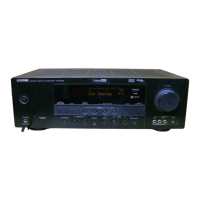
Yamaha HTR5540OM - User Manual

Yamaha HTR5540OM
59 pages
Print Icon
To Next Page IconTo Next Page
Loading...
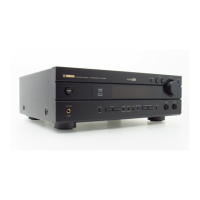
OWNER’S MANUAL
HTR-5540
U
AV Receiver
0100HTR5540(U)-cv1 12/24/01, 6:44 PM1

Table of Contents

Questions and Answers

  • F
    Frank MannAug 20, 2025
    What to do if my Yamaha Stereo Receiver has no sound?
    • J
      Joshua MillerAug 20, 2025
      If your Yamaha Stereo Receiver isn't producing any sound, there are several things to check: * Ensure all input and output cables are correctly connected and not defective. * Select the appropriate input source using the INPUT l / h, 6CH INPUT, or the input selector buttons. * Verify that the speaker connections are secure. * Increase the volume and ensure the unit is not muted by pressing MUTE or any operation buttons to cancel mute.
  • K
    Kimberly ThompsonAug 22, 2025
    What to do if the sound suddenly goes off on my Yamaha Stereo Receiver?
    • H
      herringsusanAug 22, 2025
      If the sound from your Yamaha Stereo Receiver suddenly cuts off, it could be due to these reasons: * The protection circuit may have been activated due to a short circuit. Check that the IMPEDANCE SELECTOR switch is in the correct position and turn the unit back on. * The speaker wires may be touching each other. Ensure they are not, and then turn the unit back on. * The sleep timer may have activated. Turn the power back on and play the source again. * The sound may be muted. Press the MUTE button or any other operation button to cancel the mute function.
  • S
    Shannon LarsonAug 25, 2025
    Why is there no sound from the subwoofer on my Yamaha Stereo Receiver?
    • D
      dixonmarcusAug 25, 2025
      If you're not getting any sound from the subwoofer connected to your Yamaha Stereo Receiver, check the following settings in the SET MENU: * If “1D BASS” is set to MAIN while playing a Dolby Digital or DTS signal, change it to SWFR or BOTH. * If “1D BASS” is set to SWFR or MAIN while playing a 2-channel source, change it to BOTH.
  • F
    fellisAug 26, 2025
    Why is there no sound coming from the center speaker of my Yamaha Stereo Receiver?
    • J
      Jessica HollandAug 26, 2025
      If there's no sound from the center speaker of your Yamaha Stereo Receiver, try the following: * Increase the output level of the center speaker. * Check that “1A CENTER” in the SET MENU is set to the appropriate mode for your center speaker (not NON). * Ensure you haven't selected one of the Hi-Fi DSP programs (1 to 4), except for 5ch Stereo. If so, select another DSP program.
  • L
    lgomezAug 28, 2025
    Why is there no sound from the rear speakers on my Yamaha Stereo Receiver?
    • J
      Juan GordonAug 28, 2025
      If you are not getting any sound from the rear speakers connected to your Yamaha Stereo Receiver, check these: * Make sure the output level of the rear speakers is not set to minimum. Increase the output level. * If you are playing a monaural source with program 9, select another DSP program.
  • J
    jmooreAug 30, 2025
    Why is there no sound from the effect speakers on my Yamaha Stereo Receiver?
    • W
      William KellyAug 30, 2025
      If there is no sound coming from the effect speakers on your Yamaha Stereo Receiver, check the following: * Ensure the sound effect is turned on by pressing STEREO/EFFECT. * If you're using a Dolby Surround, Dolby Digital, or DTS decoding DSP program, make sure the material is encoded with Dolby Surround, Dolby Digital, or DTS. If not, select another DSP program.
  • P
    Patrick GrantSep 1, 2025
    Why my Yamaha Stereo Receiver fails to turn on?
    • E
      Eric ClarkSep 1, 2025
      If your Yamaha Stereo Receiver fails to turn on or enters standby mode shortly after being powered on, consider the following: * Ensure the power cord is firmly connected. * Verify the IMPEDANCE SELECTOR switch on the rear panel is fully set to either the left or right position. * Check speaker wire connections to ensure they are secure and not touching anything else. * If the unit has been exposed to a strong electric shock, set it to standby, disconnect the power cord for 30 seconds, and then plug it back in.
  • M
    Mrs. Angelica FloresSep 3, 2025
    Why does my Yamaha Stereo Receiver remote control not work?
    • L
      littlerobertSep 3, 2025
      If the remote control for your Yamaha Stereo Receiver isn't working, it could be due to the following reasons: * Ensure you are within a maximum range of 6 m (20 feet) and no more than 30 degrees off-axis from the front panel. * Replace all the batteries with new ones.
  • A
    Ashley BryantSep 5, 2025
    How to fix “CHECK SP WIRES” on Yamaha Stereo Receiver?
    • V
      Valerie ComptonSep 5, 2025
      If “CHECK SP WIRES” appears on the front panel of your Yamaha Stereo Receiver, it indicates that the speaker cables are short-circuited. Ensure all speaker cables are correctly connected.
  • A
    Andrea WilliamsSep 7, 2025
    Why can only one speaker be heard on my Yamaha Stereo Receiver?
    • N
      Nicholas JamesSep 7, 2025
      If you're only hearing sound from one speaker connected to your Yamaha Stereo Receiver, check the following: * Ensure that all cable connections are correct and that the cables are not defective. * Verify the setting of “5 L/R BALANCE” in the SET MENU and adjust it to the appropriate position.

Yamaha HTR5540OM Specifications

General IconGeneral
BrandYamaha
ModelHTR5540OM
CategoryReceiver
LanguageEnglish

Related product manuals