Mobile Music Sequencer Owner’s Manual 15
Editing Parts
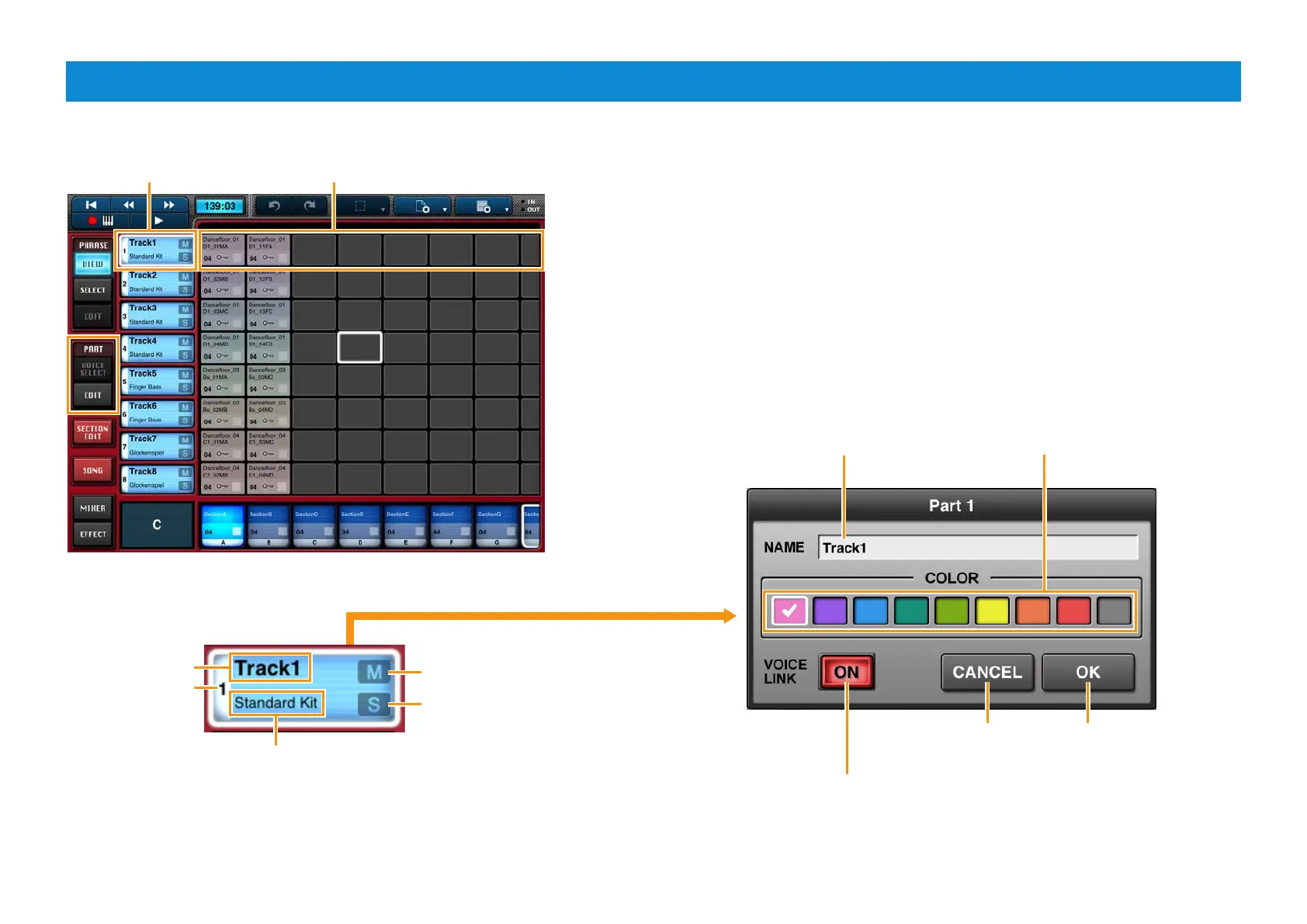
From the PART menu, you can make settings that affect all phrases and blocks in specific parts.
Part 1 Phrases in Part 1
Part button
Voice set for the part.
Part name
Part number
Tap to mute the part.
Tap to close the window
without making any changes.
Tap to close the window
and apply your changes.
Tap to solo the part.
Double-tap the part button to open the Part window.
Tap to bring up the keyboard and
then enter a name for the part.
When turned on, the part’s phrases will use the voices set
in the Phrase Voice Setup Editor, which can be accessed
from the Phrase Edit menu.
Here, you can select a color for
the part’s phrases and blocks.



 To Next Page