EasyManua.ls Logo

Yamaha MT3X - THE CONTROLS AND CONNECTORS

Yamaha MT3X
92 pages
Print Icon
To Next Page IconTo Next Page
To Previous Page IconTo Previous Page
Loading...
®
MONITOR
OUT
L
and
R
Jacks
These
jacks
deliver
a
line-level
version
of
the
same
signal
that
appears
at
the
PHONES
jack,
and
thus
the
signal
can
be
selected
using
the
PHONES
SE¬
LECT
switch.
The
MONITOR
OUT
level
is
con¬
trolled
by
the
PHONES
control.
The
MONITOR
OUT
jacks
can
be
used
to
feed
a
power
amp/
speaker
system
for
open-air
(i.e.
non-headphone)
monitoring.
®
POWER
Switch
Press
the
POWER
switch
once
to
turn
power
ON,
a
second
time
to
turn
power
OFF.
r
NOTE;
--
If
you
are
familiar
with
block
diagrams
of
electronic
equipment,
refer
to
the
“BLOCK
DIAGRAM”
on
page
28
for
a
full
overview
of
the
MT3X
system.
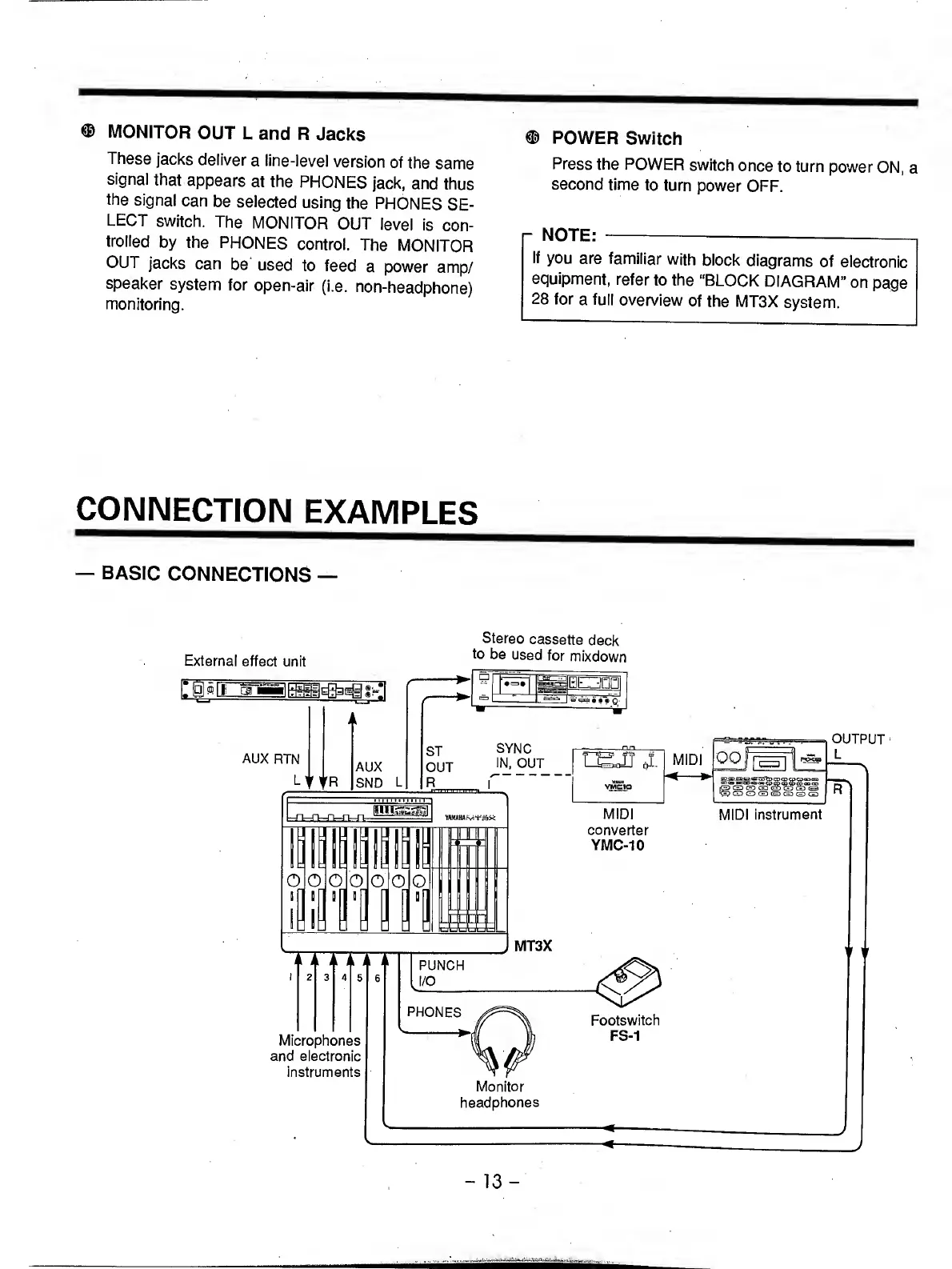
CONNECTION
EXAMPLES
BASIC
CONNECTIONS
Stereo
cassette
deck
External
effect
unit
mixdown
-
1
3
-

Related product manuals